Share an external video in the online room
The room moderator can show attendees a video from an outside link, like a YouTube video. This article shows how to share the video, and how to stop sharing it.
Steps to share a video
-
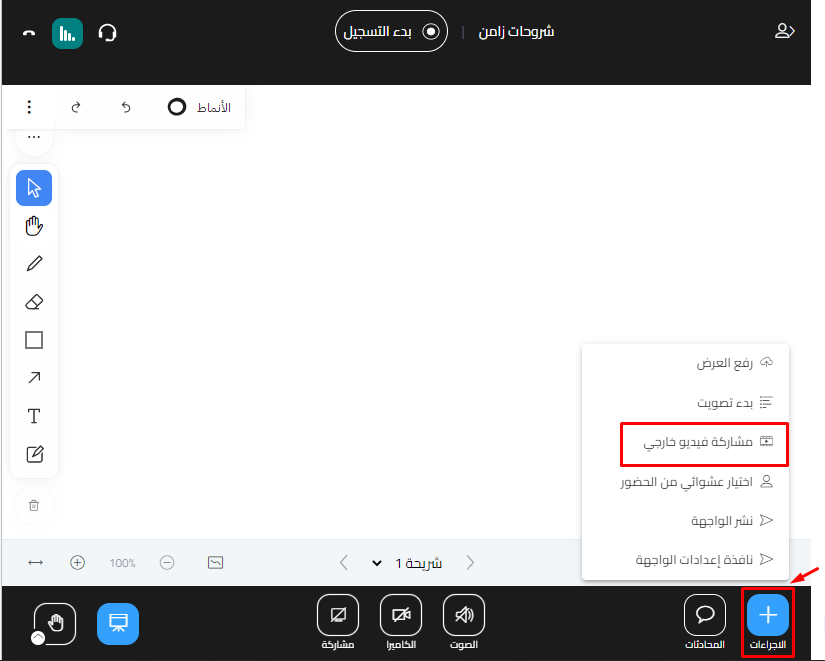
Click Actions.
-
Choose Share an external video.
-
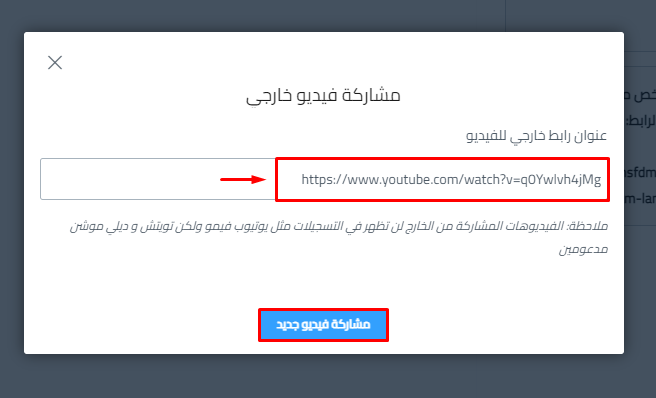
Paste the link of the video you want to share in the External Video URL box.
-
Click Share a new video.
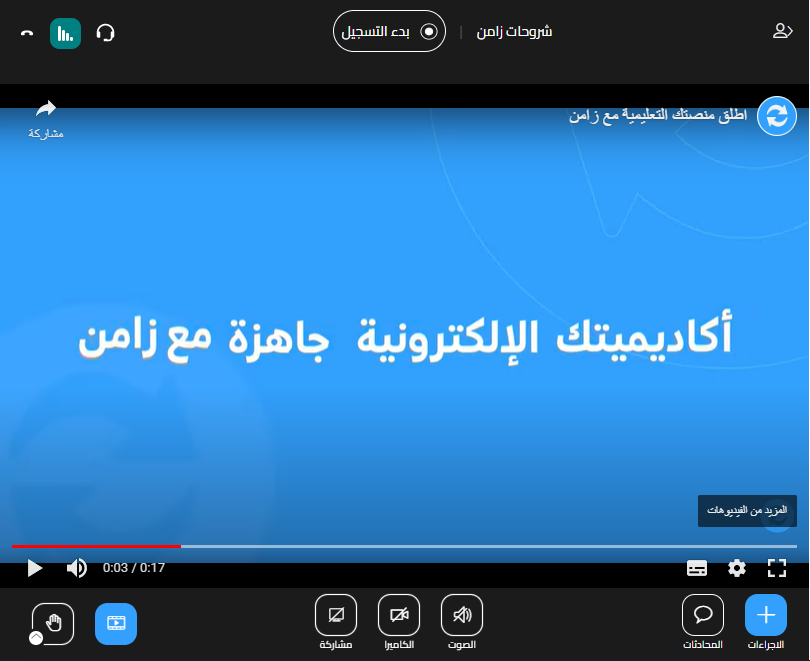
The video shows in the room:
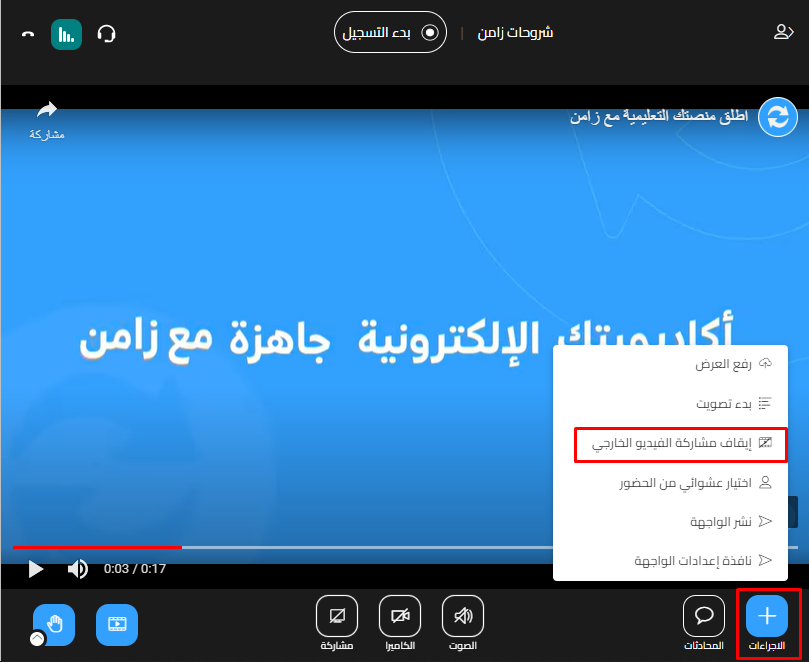
Stop sharing the video
-
Click Actions.
-
Choose Stop sharing external video.