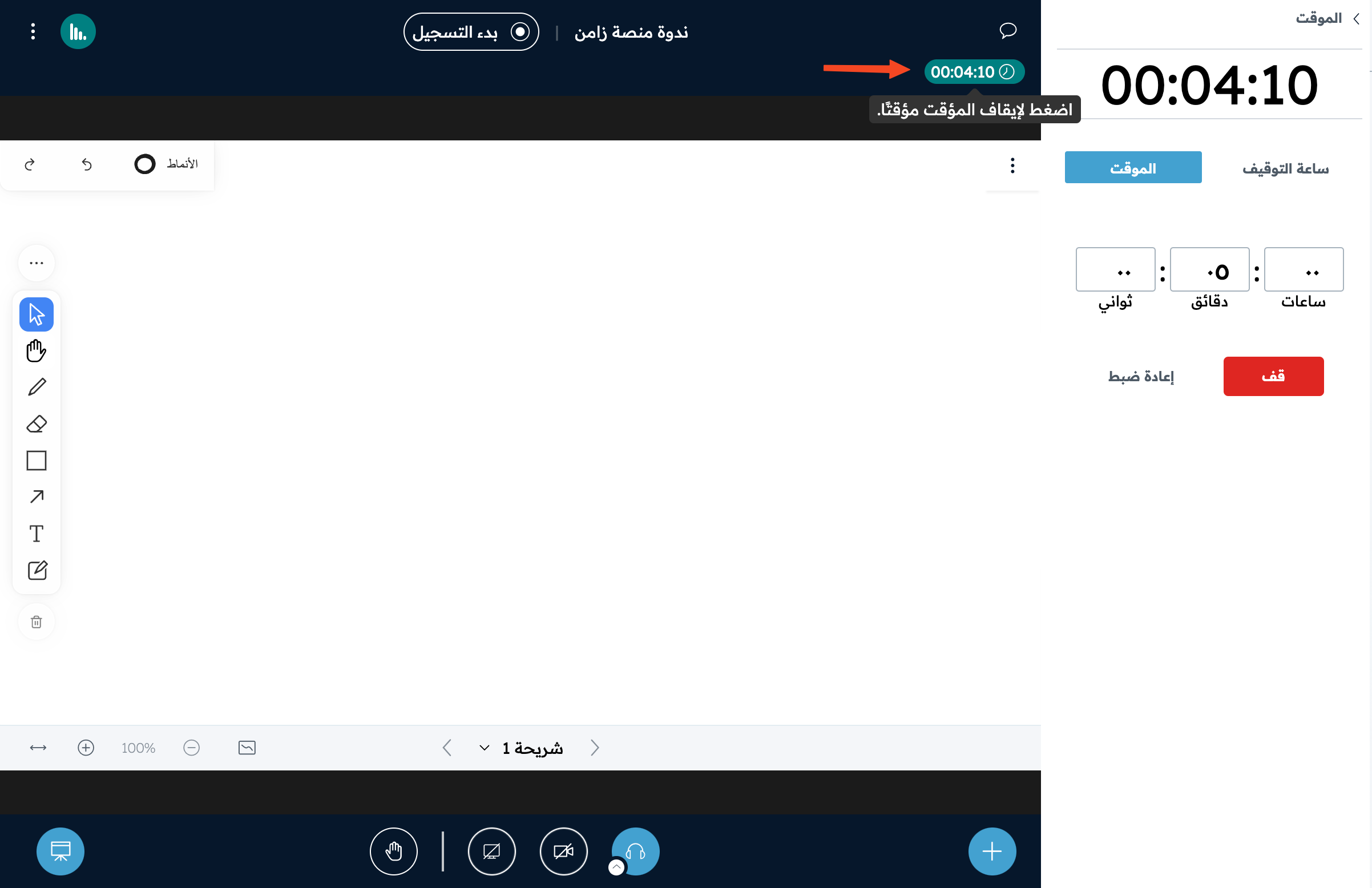
Use the timer and stopwatch in the room
This article shows how to start the stopwatch to count time, or the timer to count down. Attendees see the counter at the top of the whiteboard.
Steps to open the timer and stopwatch
-
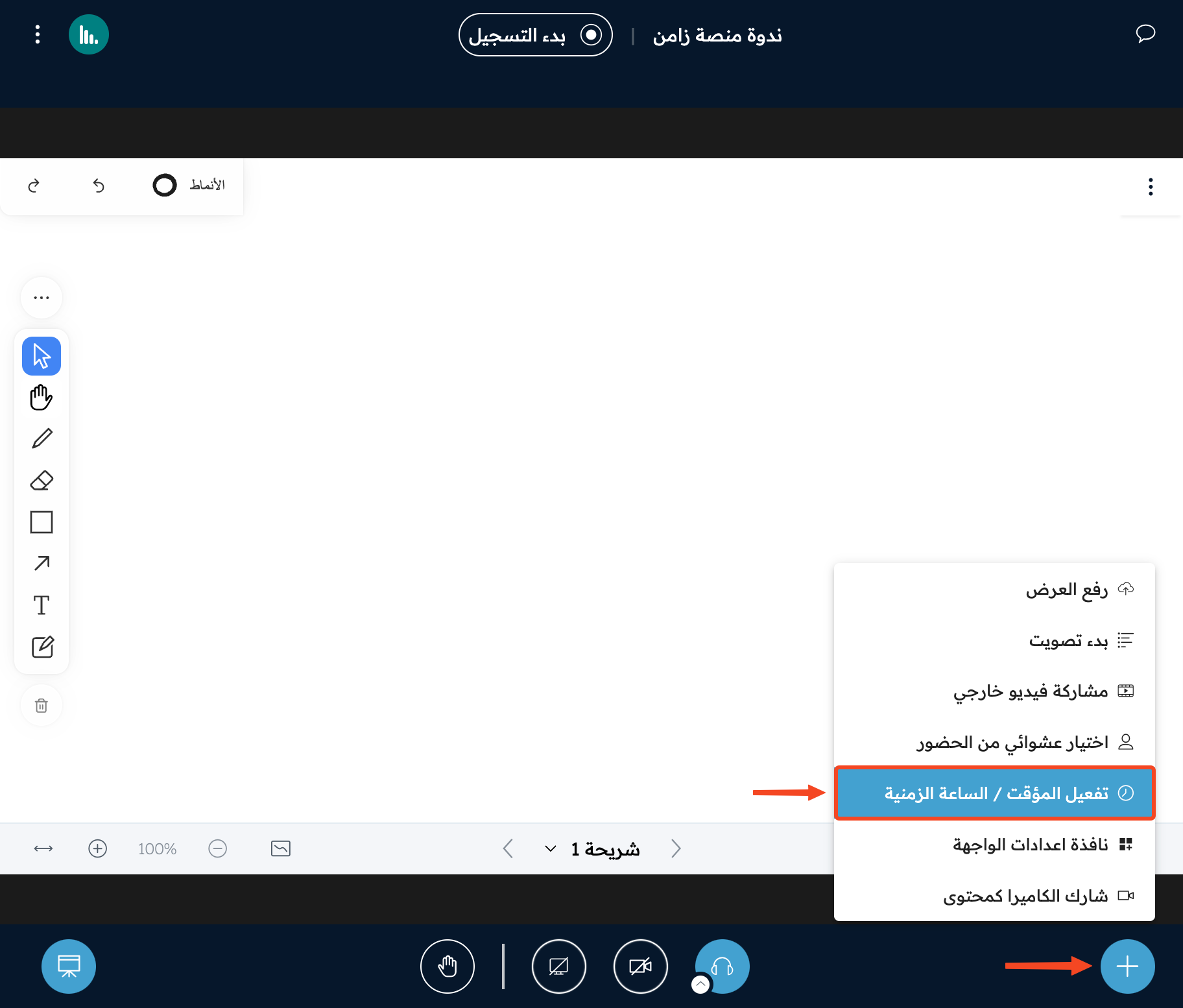
Click the (+) button.
-
Click Activate timer/stopwatch.
Start the stopwatch
-
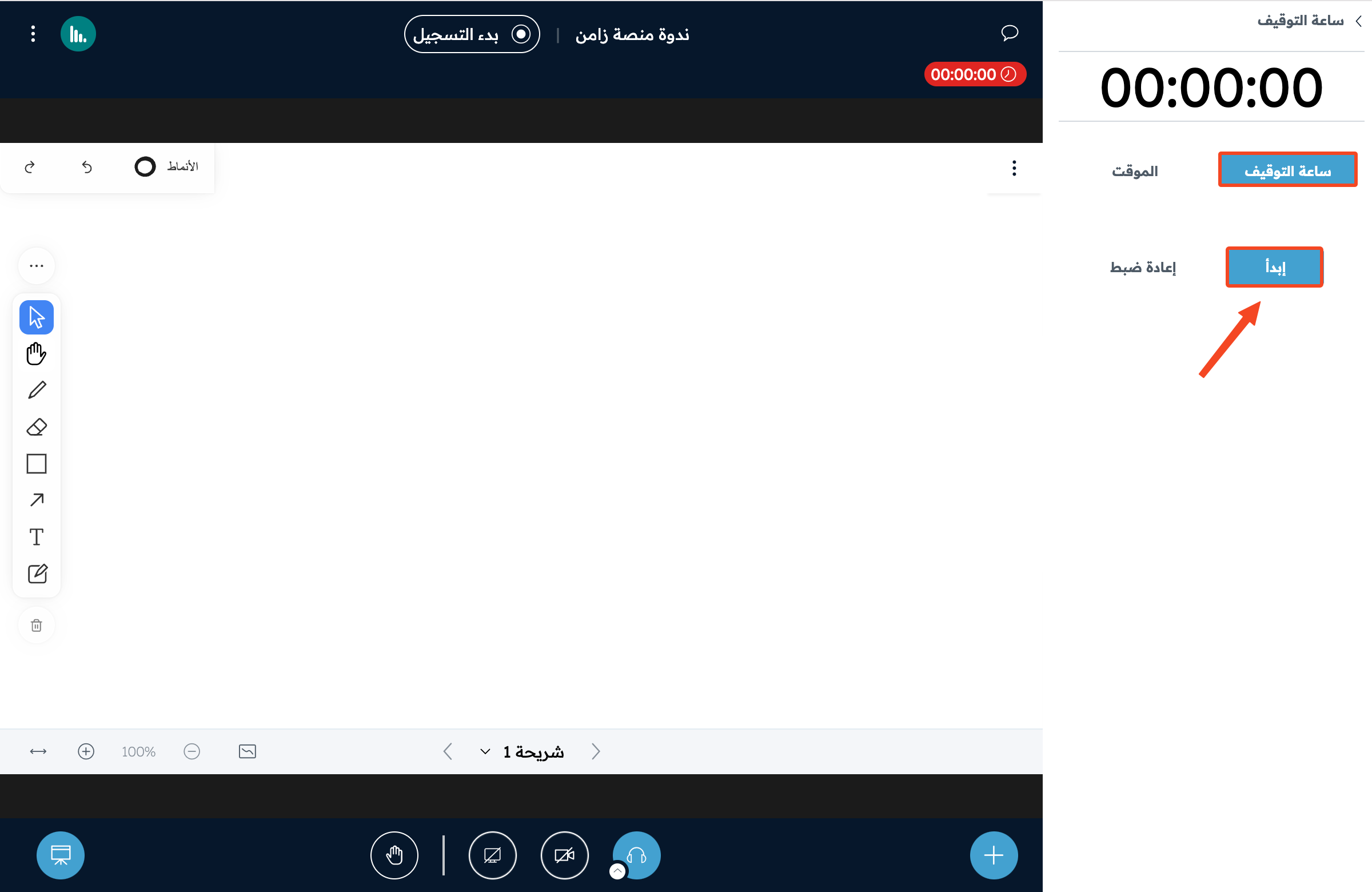
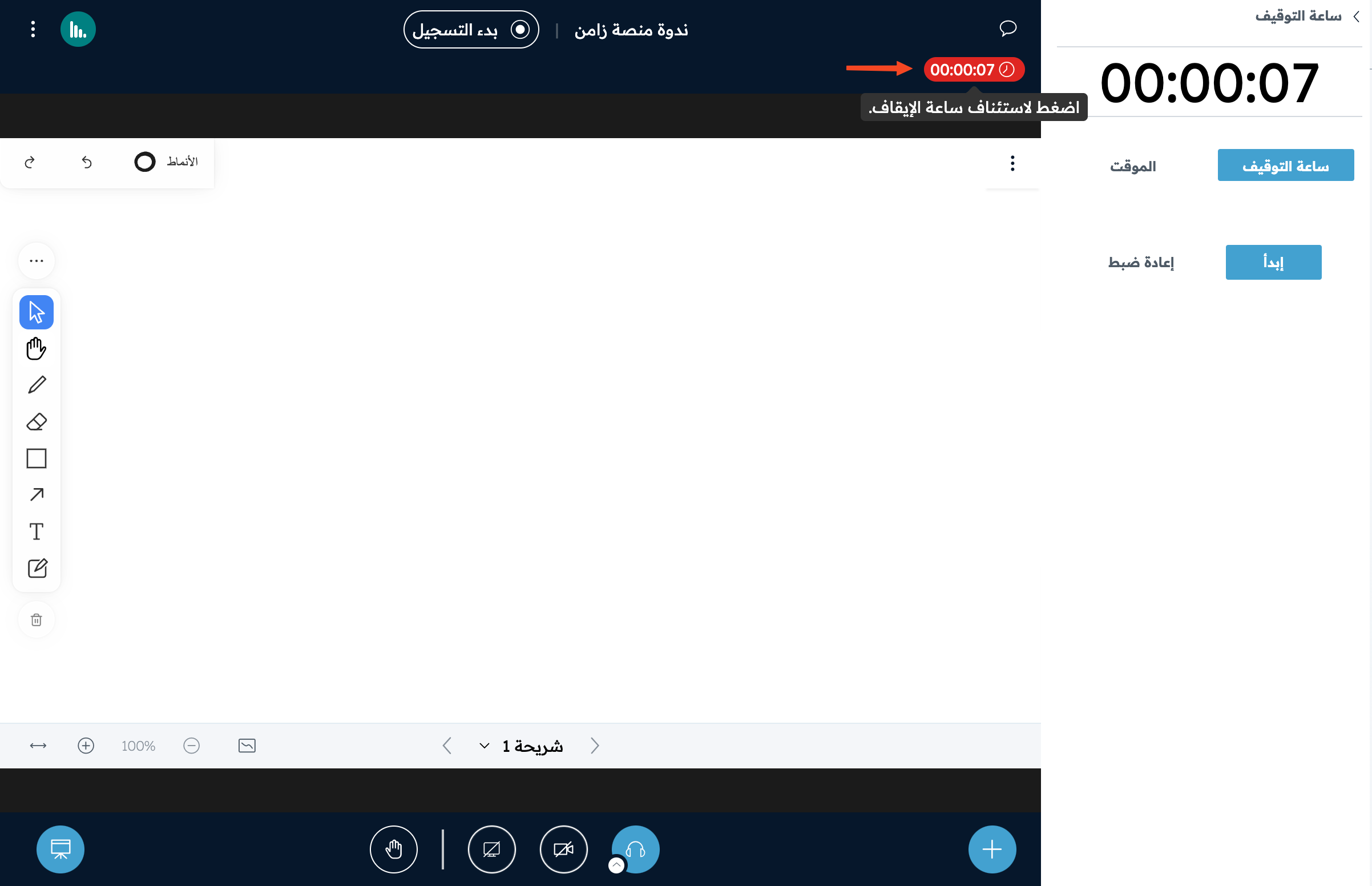
On the Stopwatch page, click Start to start counting.
-
To pause the stopwatch, click Stop.
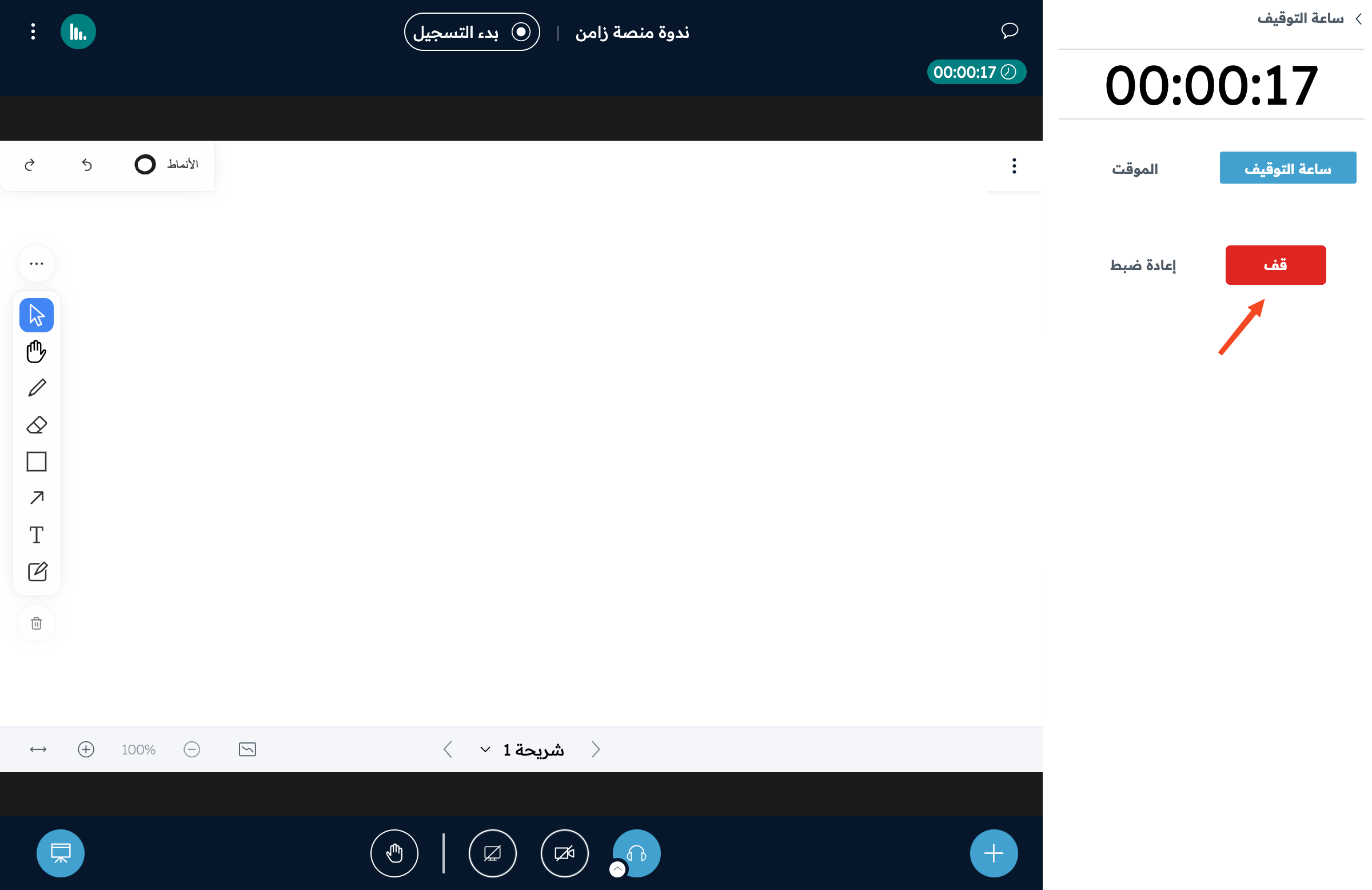
You can also pause or resume the stopwatch by clicking the stopwatch counter at the top of the whiteboard.
Start the timer
-
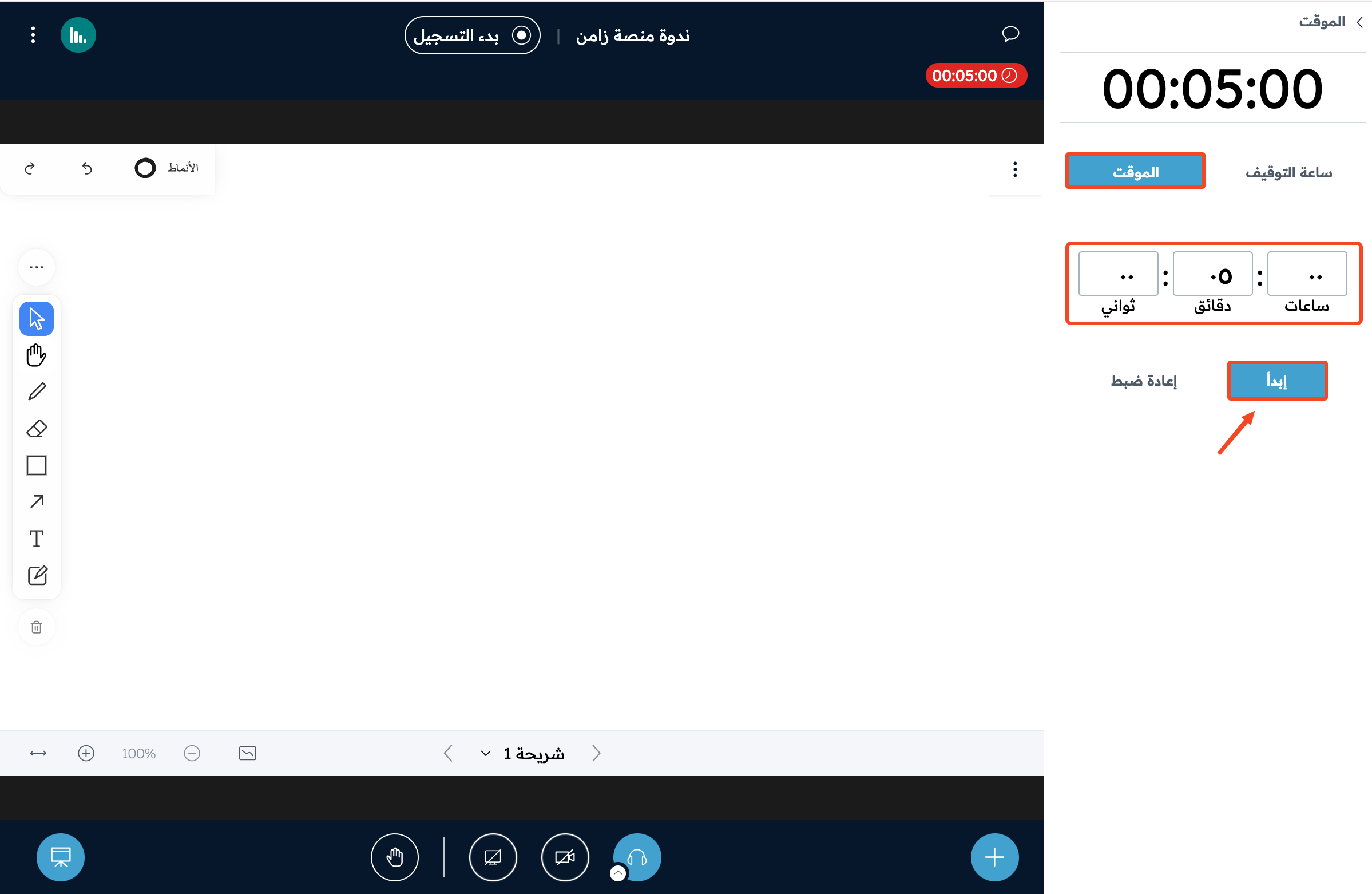
On the Timer page, set the timer to the time you want, then click Start.
-
To pause the timer, click Stop.
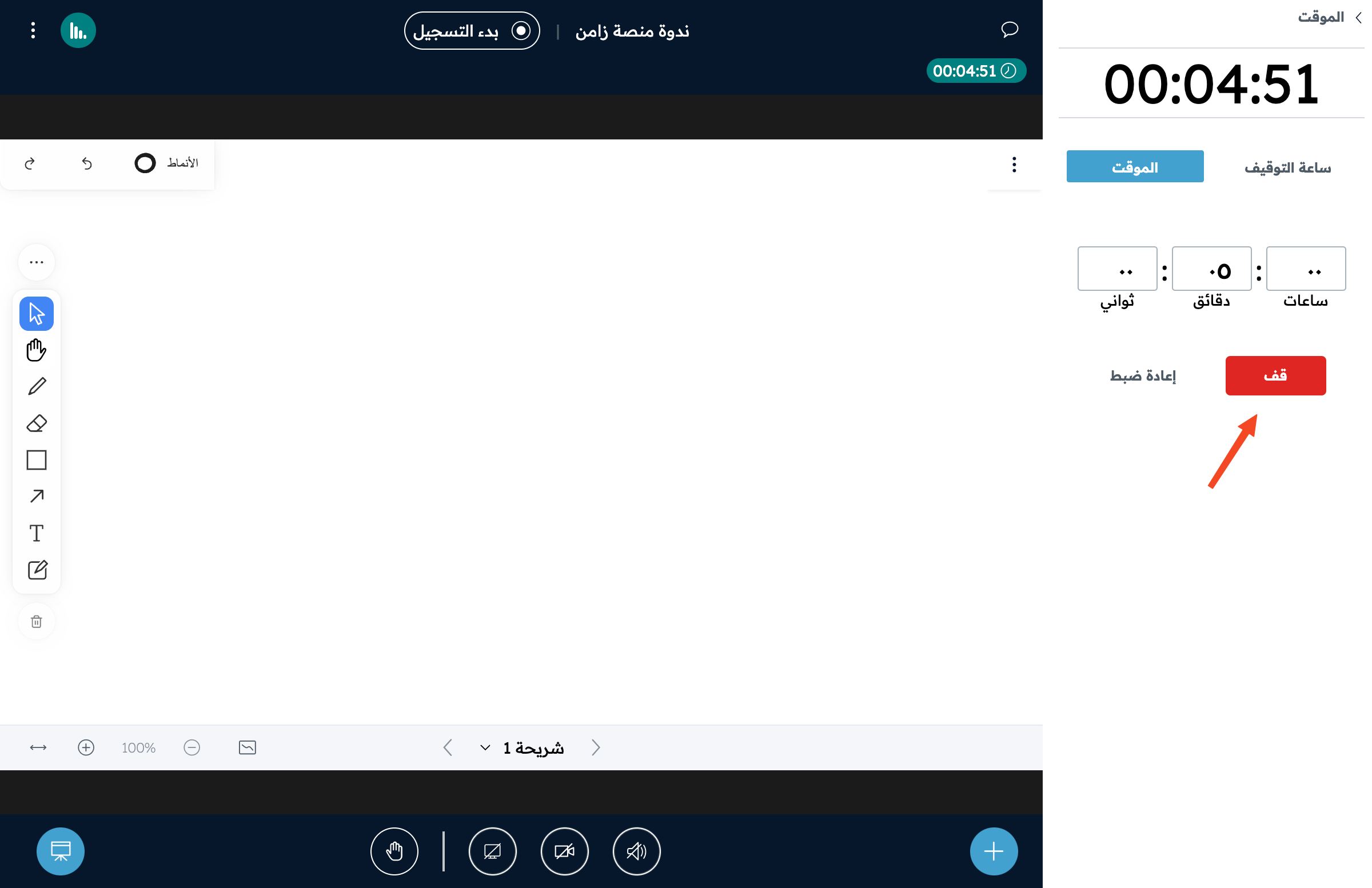
You can also pause or resume the timer by clicking the timer counter at the top of the whiteboard.