Turn on alerts in the room
This article shows room moderators how to turn on audio and popup alerts, so you do not miss chat messages, users joining or raised hands during the session.
Steps to turn on alerts
-
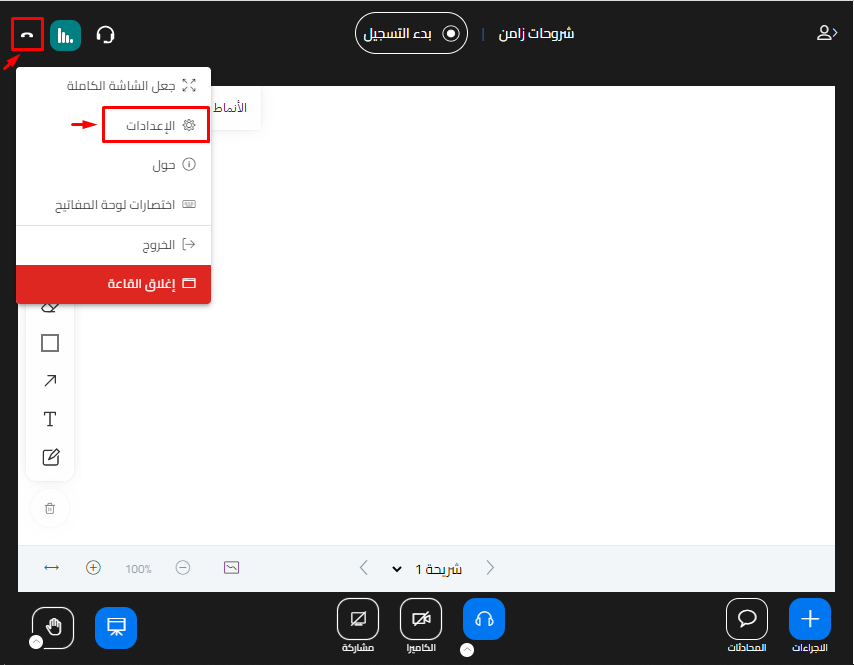
At the top of the screen, click the Options button.
-
Choose Settings.
-
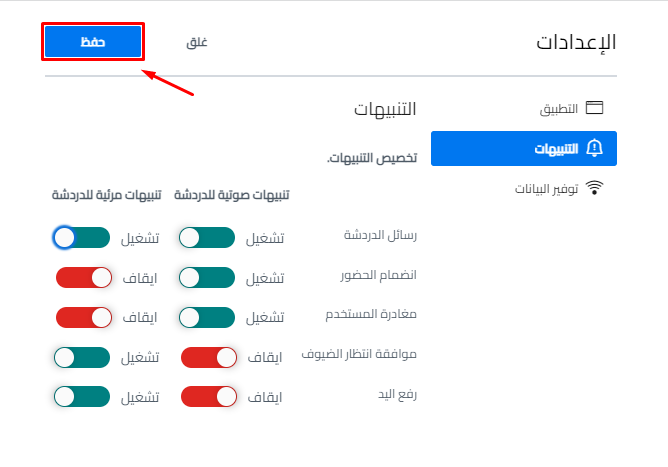
Click Notifications, then turn on the alerts you want.
There are two types of alerts:
- Audio alerts.
- Popup alerts.
You can turn on audio alerts, popup alerts or both for:
- Chat messages.
- User join.
- User leave.
- Guest waiting approval.
- Raise hand.
NoteAll alerts are set to Off by default.

-
When you finish setting up the alerts, click Save.