Attendee questions and text posts
During the session, you can write your questions and comments, and the moderator and other attendees will see them.
How to send a question or a text comment
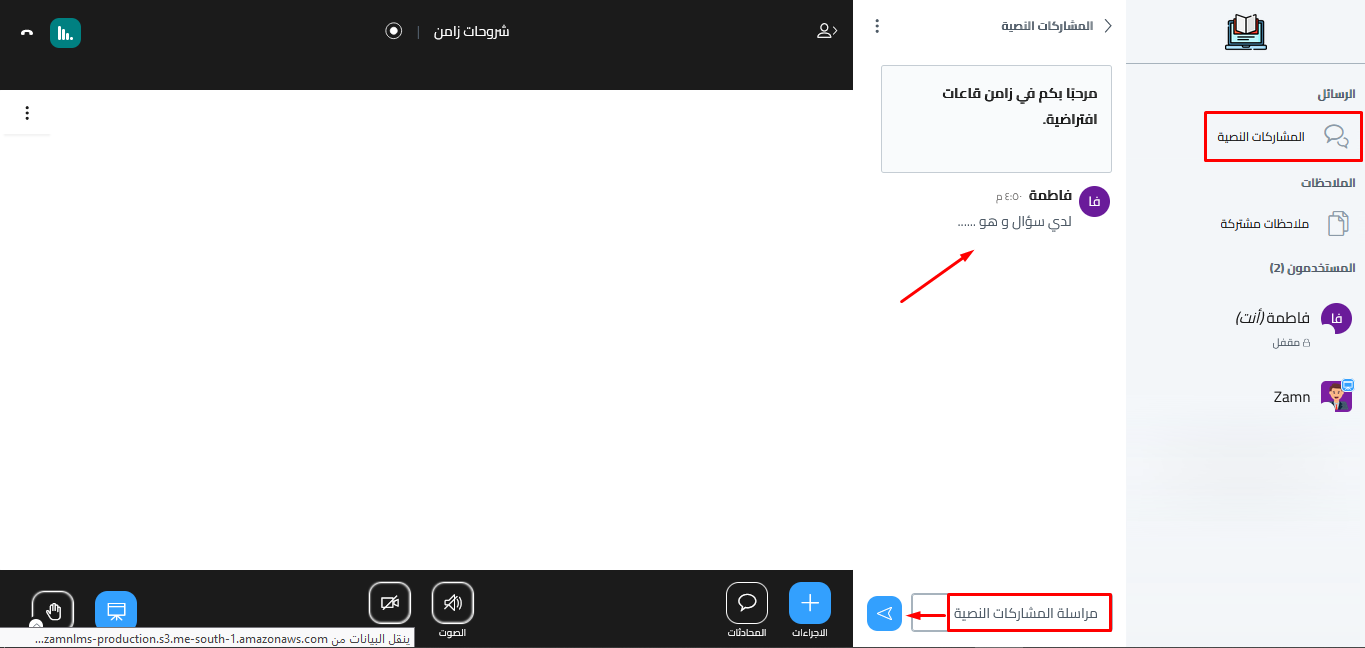
- Click Public Chat.
- Type your question or comment in the Send message to Public Chat box at the bottom of the panel, as shown in the picture.
- Click the send button.
All questions and comments show in Public Chat.