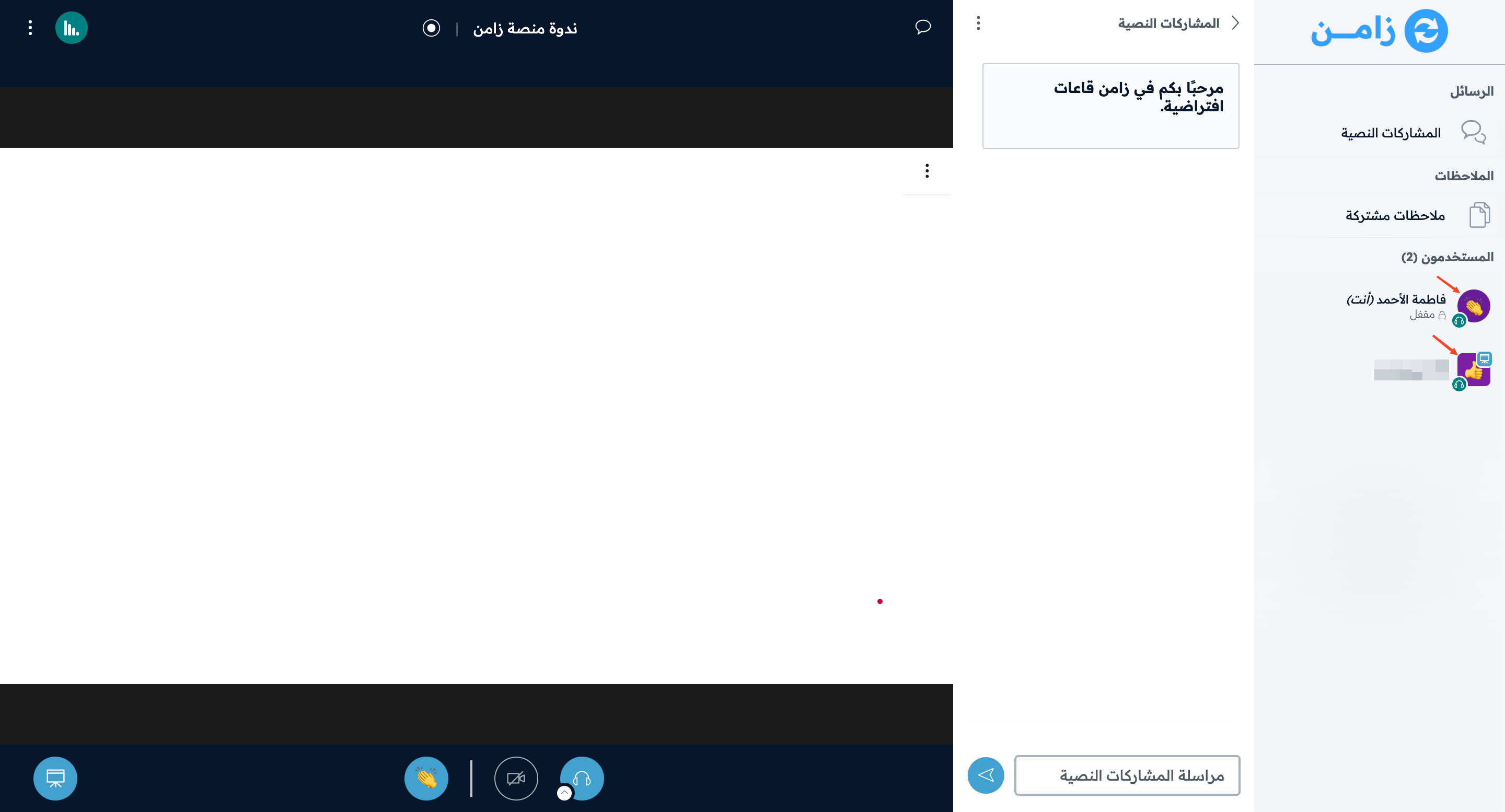
Raise your hand and show a reaction
This article shows how to raise your hand to ask to take part in the session, and how to show how you feel with an emoji that other participants can see.
Steps to raise your hand
-
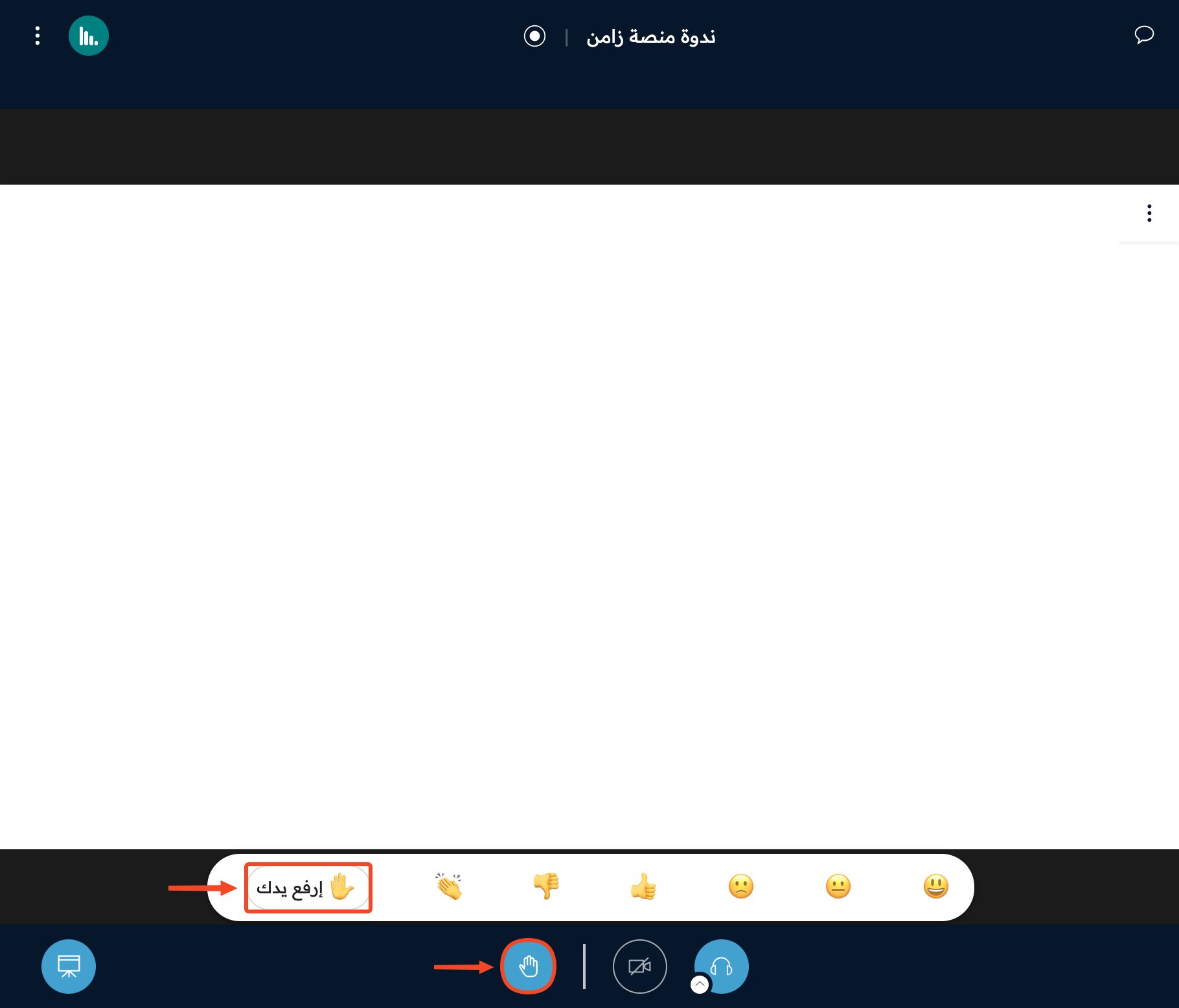
Click the hand button in the bottom bar.
-
Click Raise your hand.
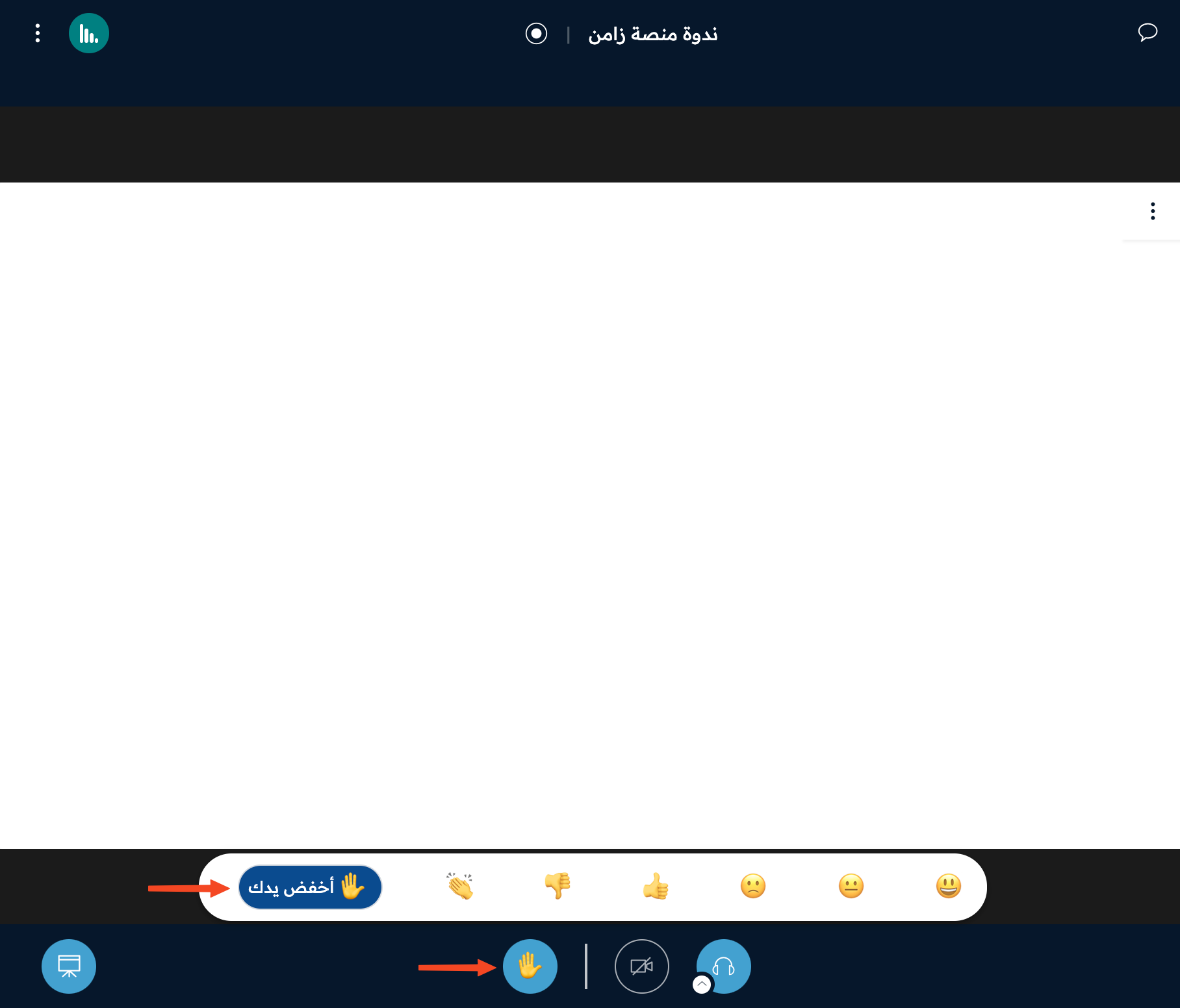
To put your hand down, click Lower your hand.
Steps to show a reaction
-
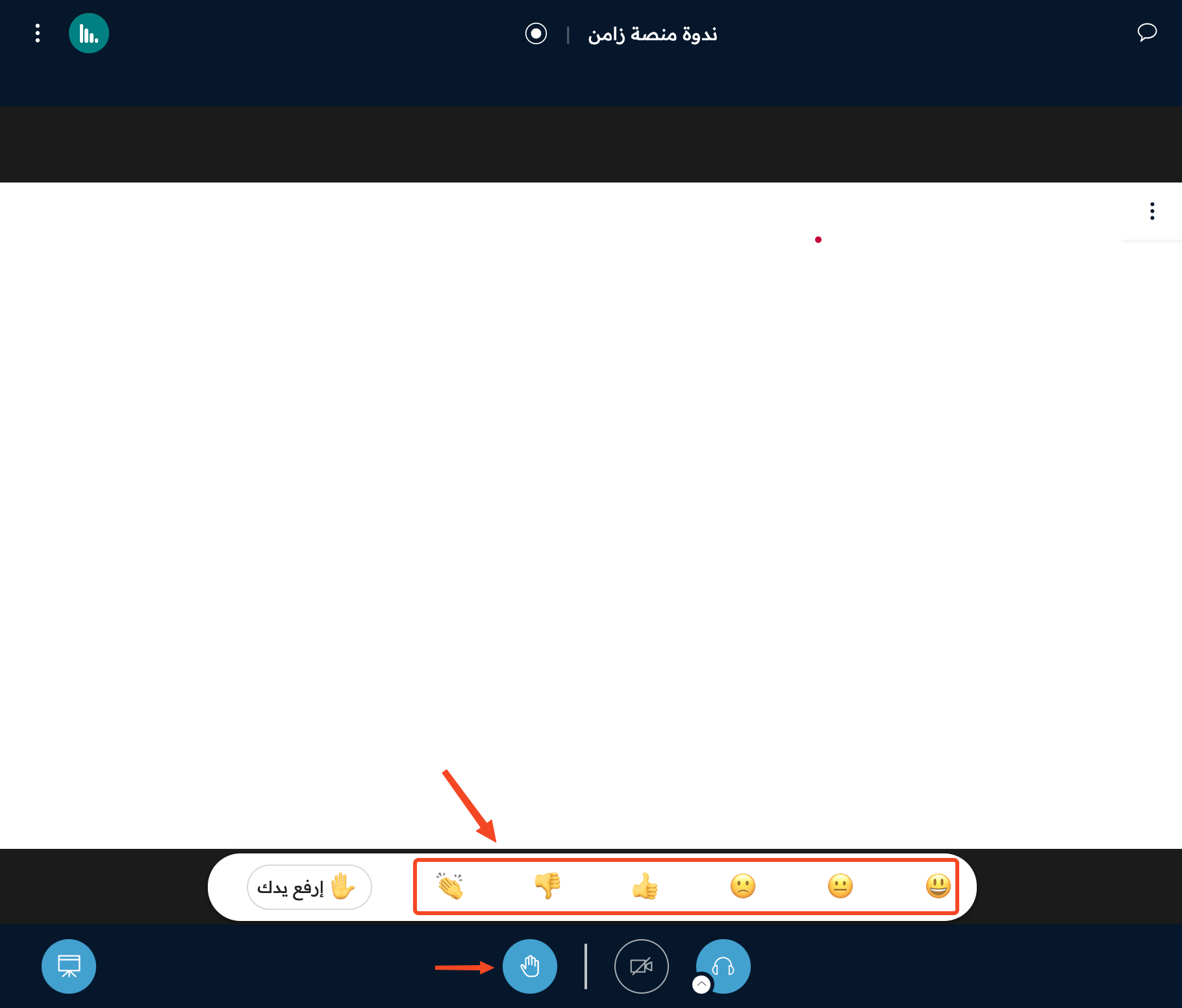
Click the hand button.
-
Choose the emoji that matches how you feel.
To remove the reaction, click the same emoji again.
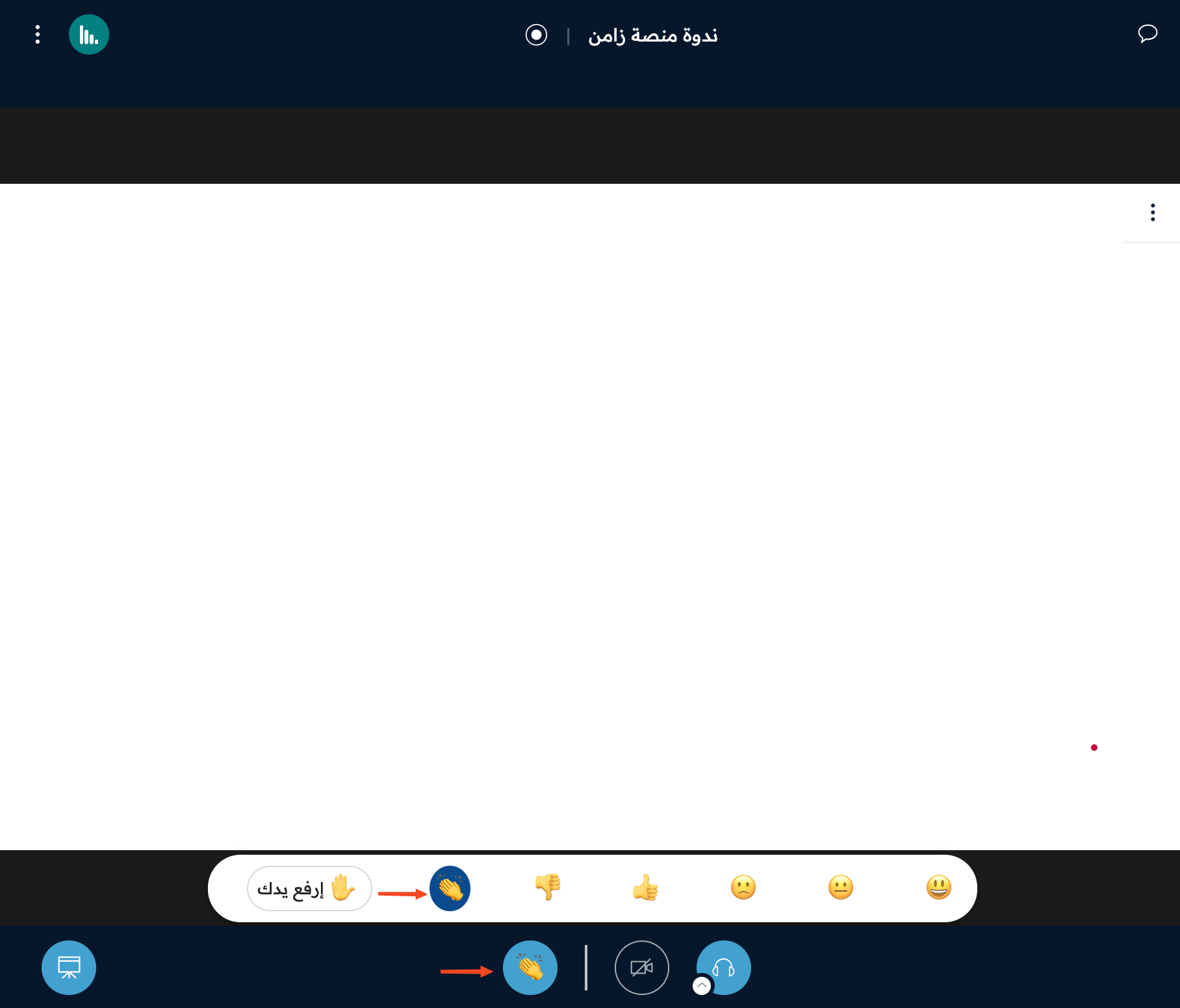
The emoji shows on the user's picture for one minute, and other participants can see the reactions in the users list.