Export room reports
This article shows platform admins how to download the report of a virtual room session as a file.
Steps to export a room report
-
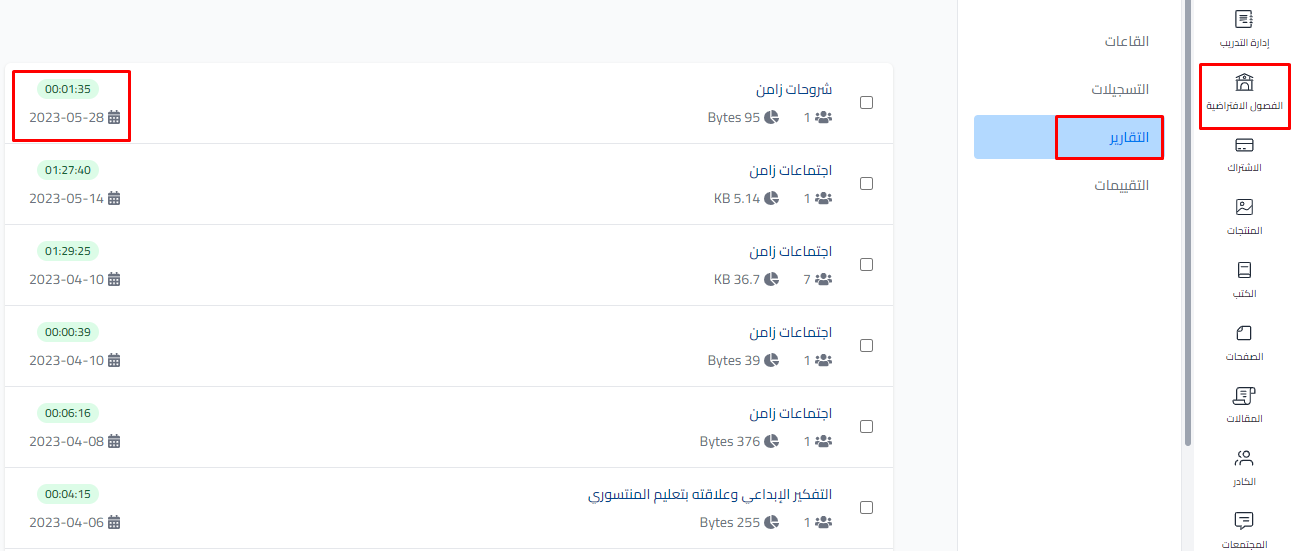
From your platform dashboard, click Virtual Classes, then choose Statistics.
-
Click the name of the room session you want to export.
-
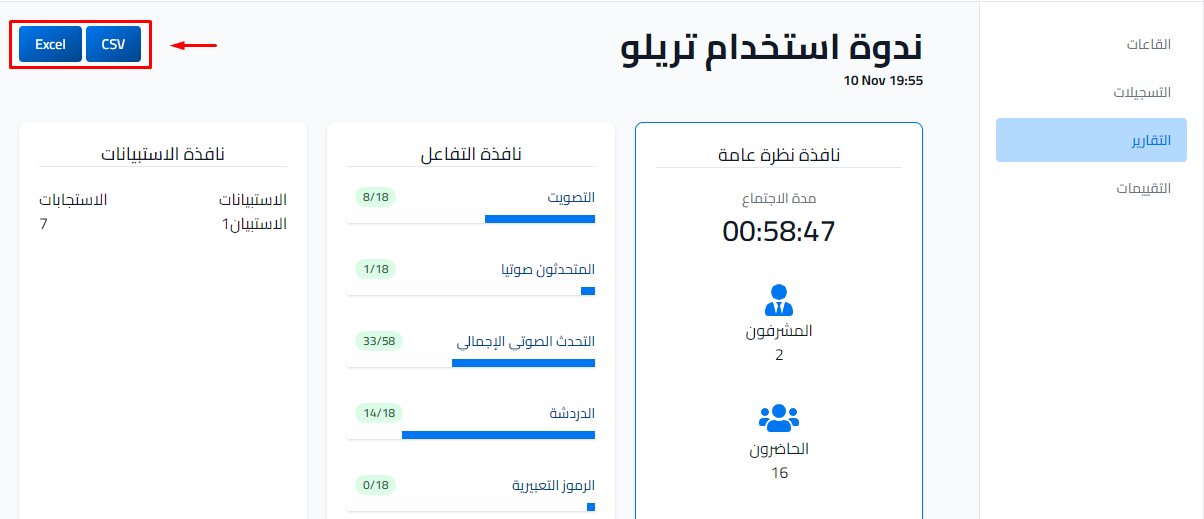
Click the ⋯ (Actions) button at the top of the session report, then click Download CSV or Download Excel, depending on the format you want. The file starts downloading.
tip
You can also download the report right from the sessions list: click ⋯ at the end of the session row.
What the file contains
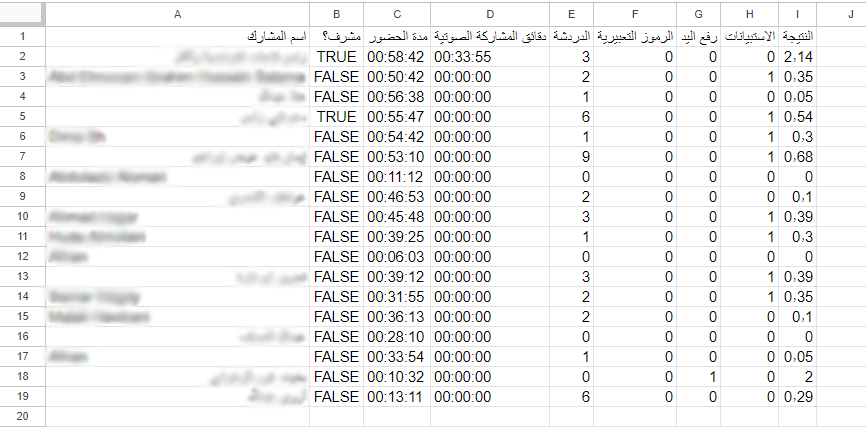
The image below shows an example of the information in the file.