Turn on the microphone in the room
This article shows how to turn on your microphone in the room so you can talk with the attendees.
Steps to turn on the microphone
-
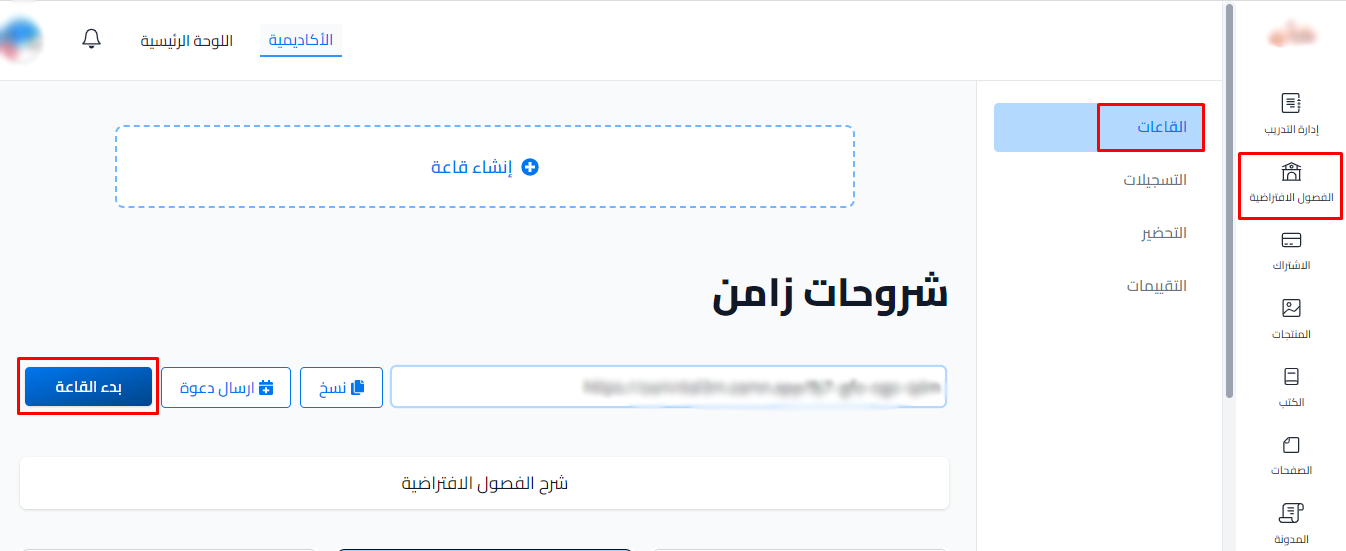
Enter the room. If you are the room's moderator, click Start on the Rooms page.
-
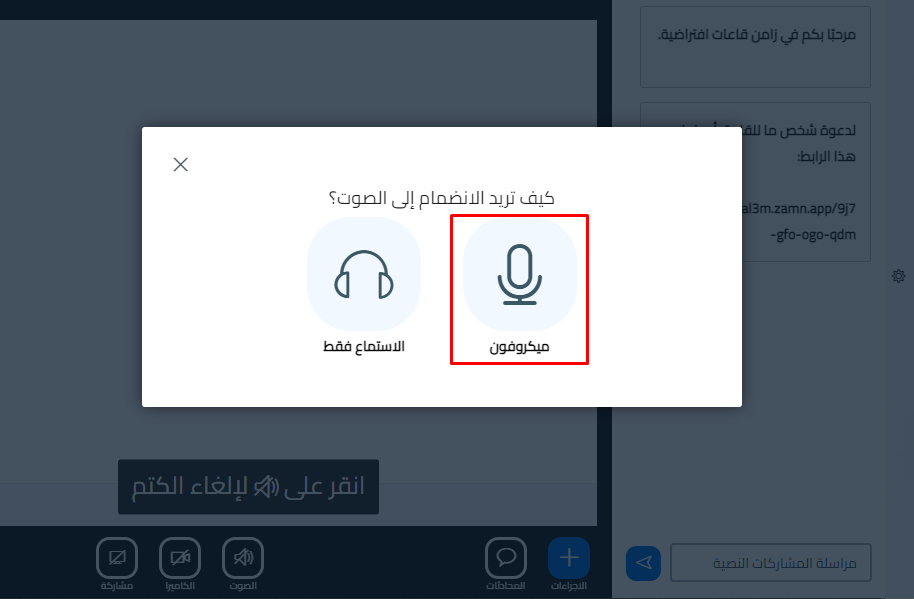
A window asks you: How would you like to join the audio? Choose Microphone.
-
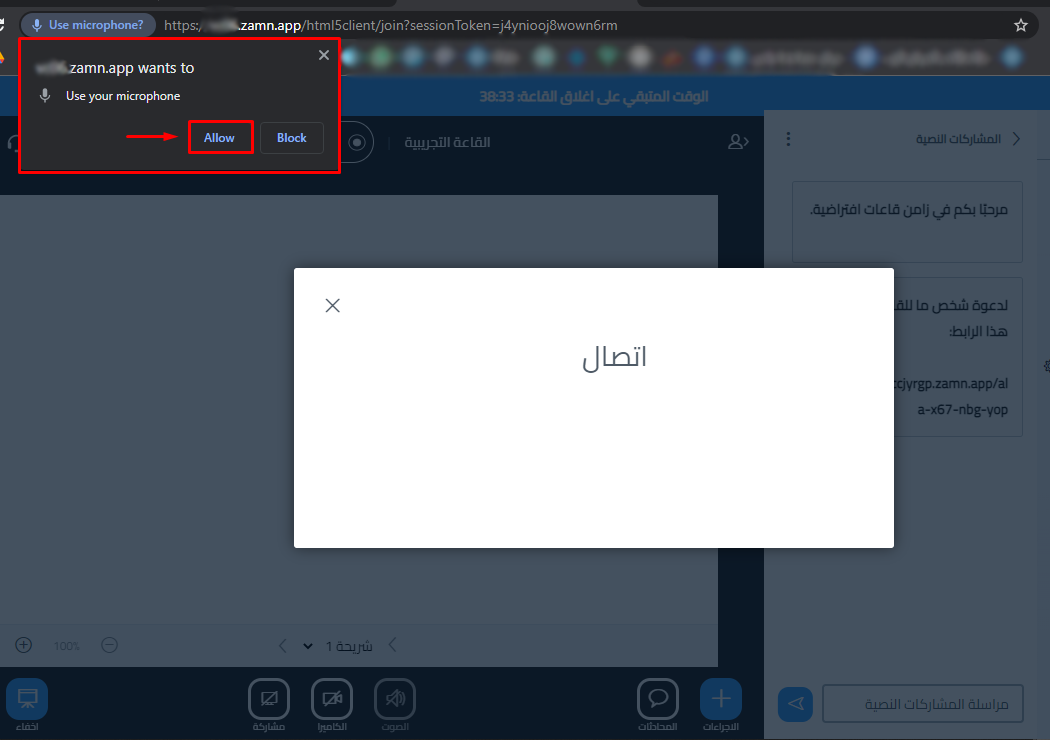
If your browser does not have permission to use the microphone, a window asks for it. Click Allow to let the browser use the microphone.
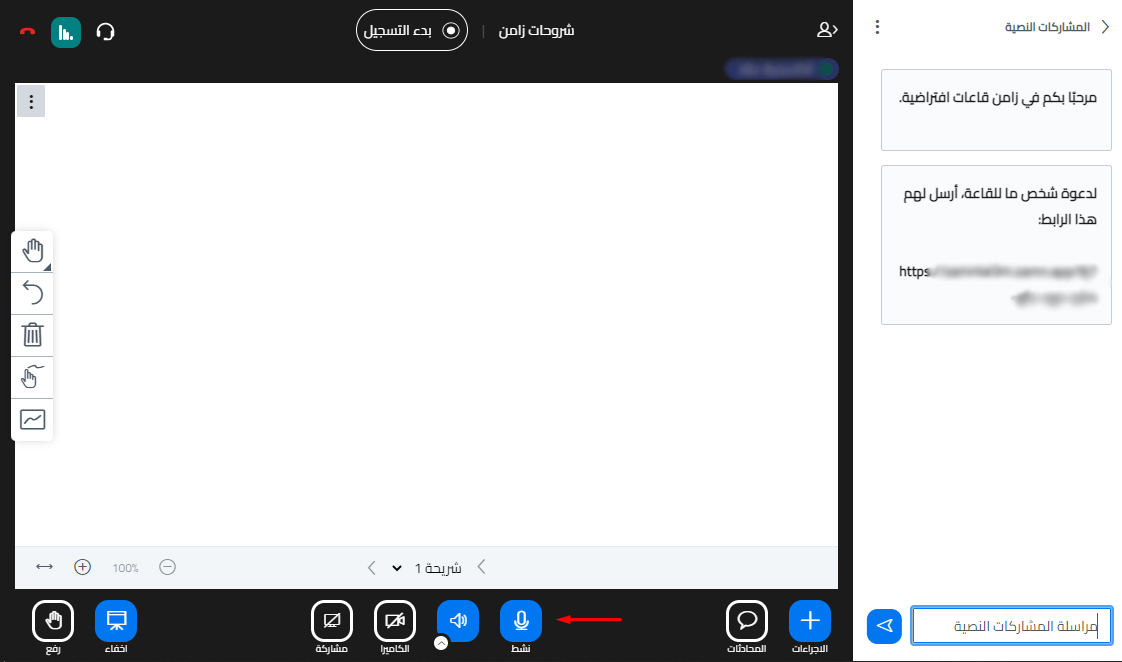
If you chose "Listen only" and want to turn on the microphone
-
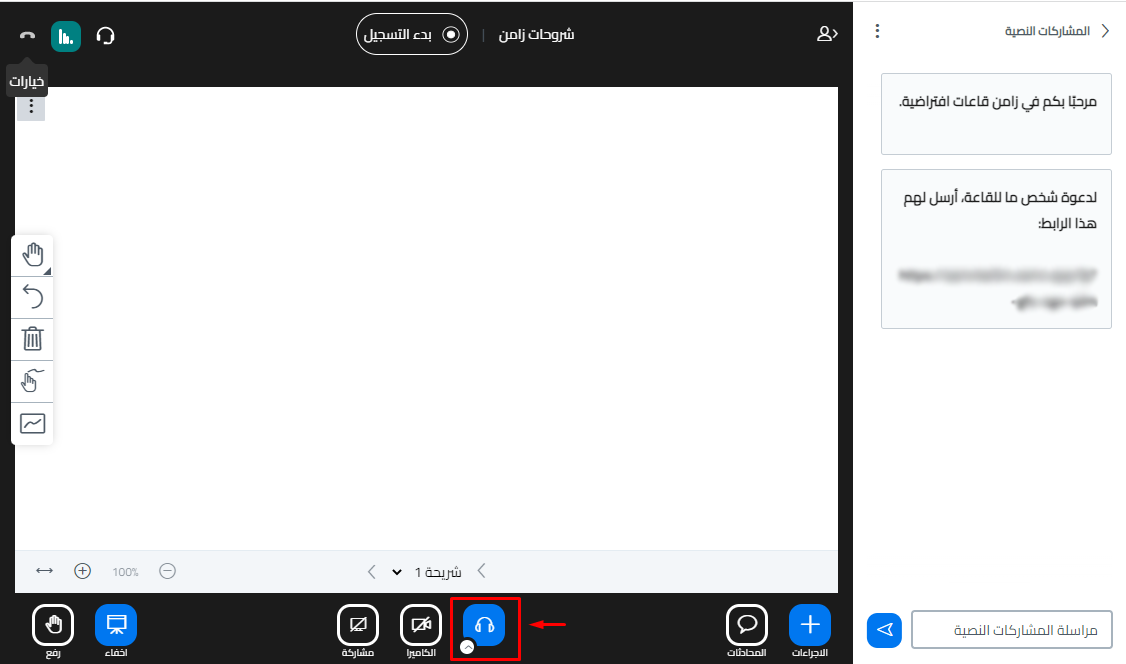
Click the headphones button twice.
-
The window shows again. Choose Microphone.