Remove a coach from a virtual classroom
This article shows how to remove a coach from a virtual room on your platform, so they can no longer reach it.
Steps to remove a coach from a room
-
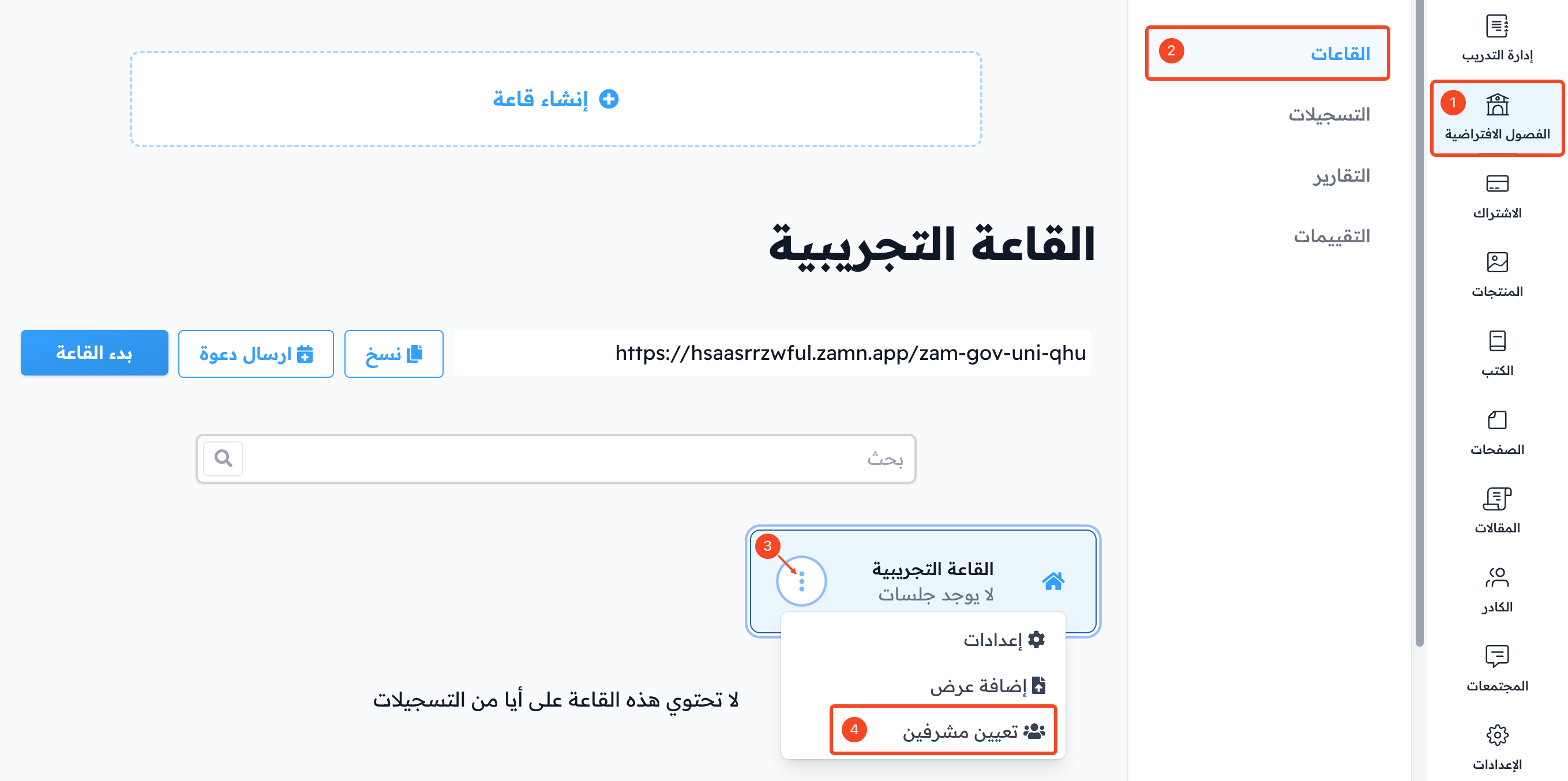
From the dashboard, click Virtual Classes.
-
Choose Rooms, then find the room you want to remove the coach from.
-
Click the ⋯ (Actions) button at the end of the room row.
-
Choose Share.
-
Click Unshare next to the coach you want to remove from the room.
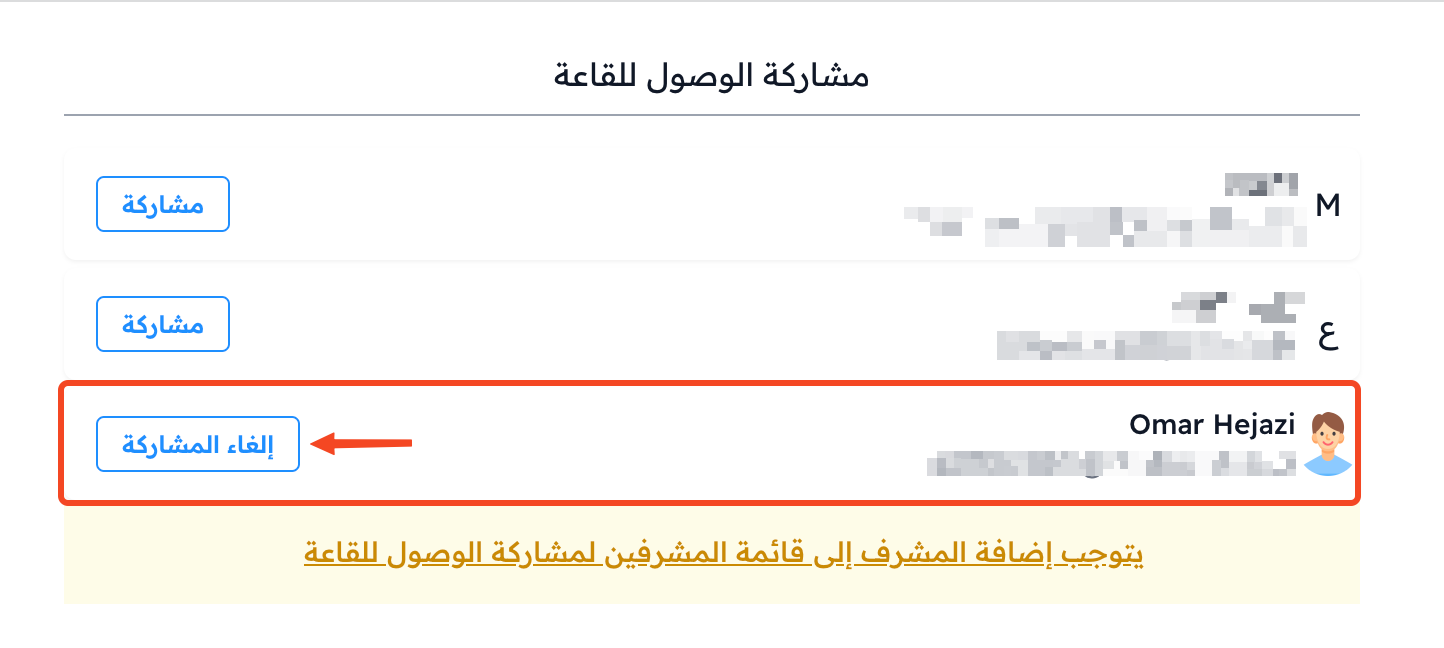
A message tells you the room was unshared successfully.