Change the room name
You can change the name of any virtual room on your platform at any time from the room settings.
Steps to change the room name
-
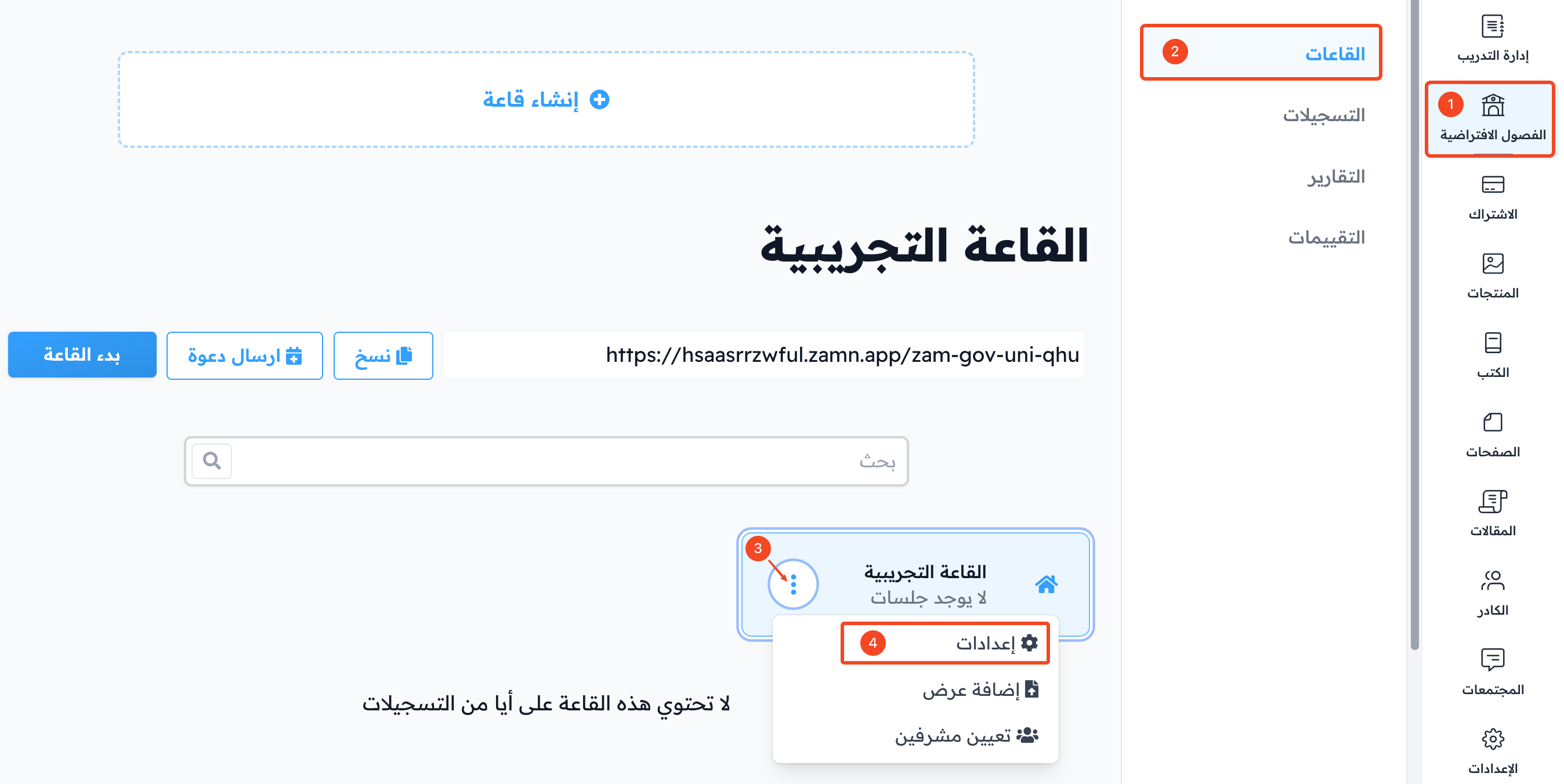
From the dashboard, click Virtual Classes.
-
Choose Rooms, then find the room you want to rename.
-
Click the ⋯ (Actions) button at the end of the room row.
-
Choose Settings.
-
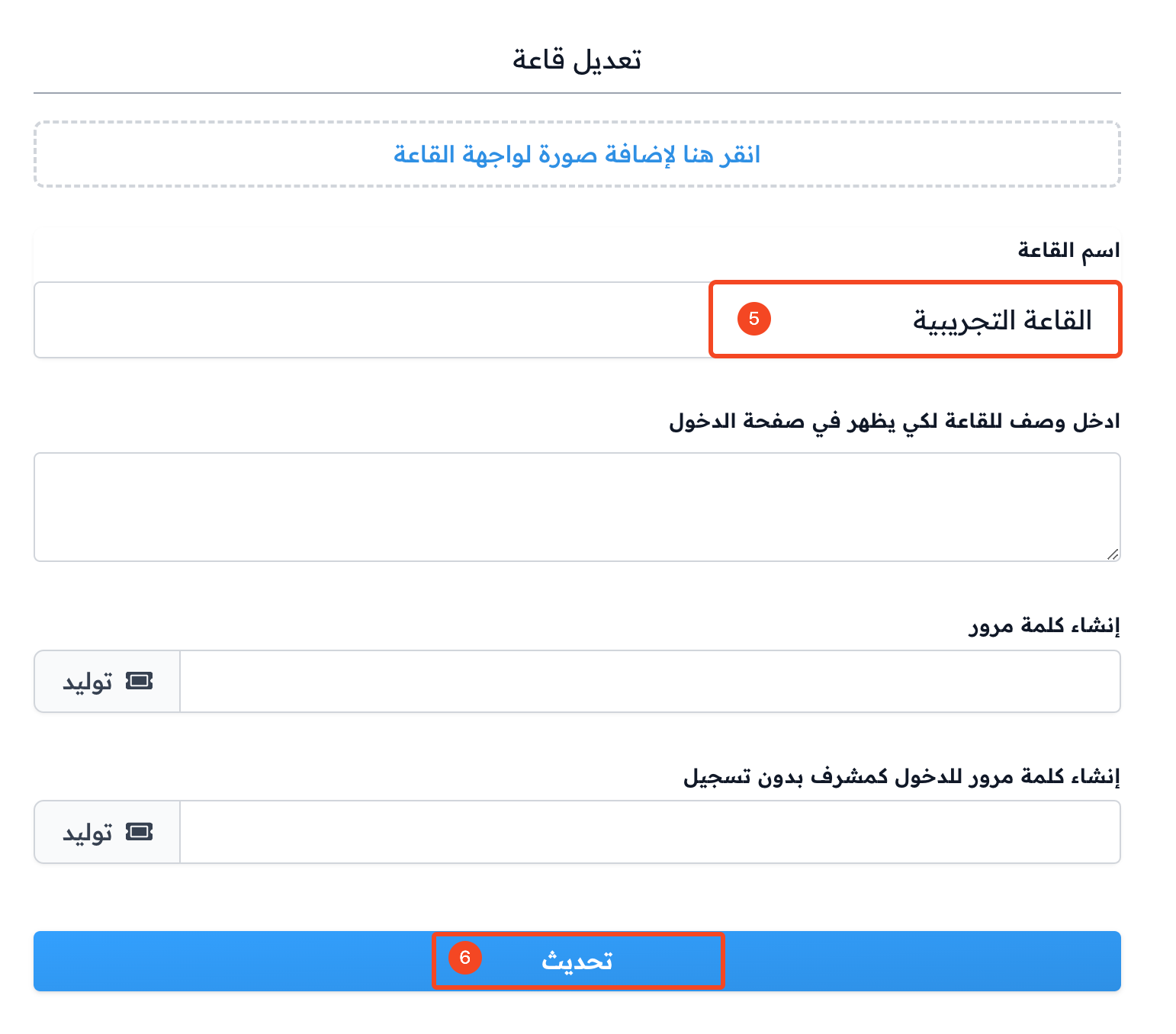
Type the new name in the Room Name field.
-
Click Update at the bottom of the window to save.