Make someone a moderator or presenter in the online room
During a session, you can give an attendee moderator or presenter powers inside the online room, and take them back at any time.
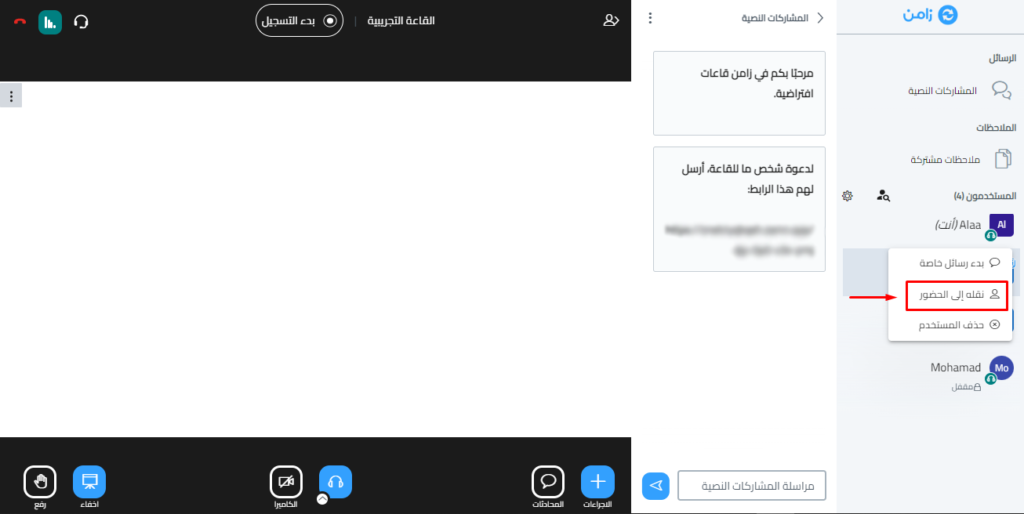
Promote an attendee to moderator
- Click the name of the person you want to make a moderator.
- Choose Promote to moderator.
What a moderator can do in the room
- Make other people presenters.
- Manage the control center (Lock viewers).
- Control the recordings.
- Take presenter powers away.
- Lock the room.
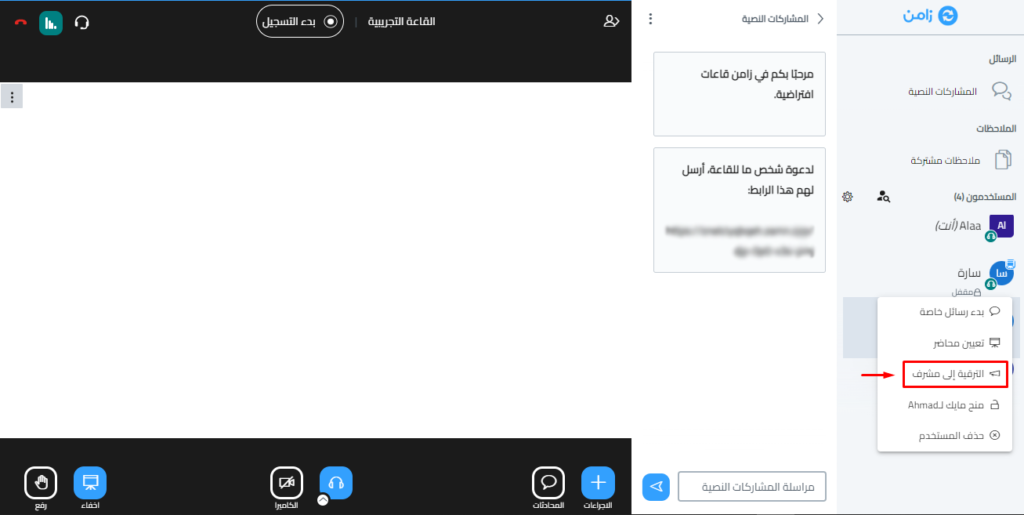
Make an attendee the presenter
- Click the name of the person you want to make a presenter.
- Choose Make presenter.
What a presenter can do in the room
- Control the whiteboard.
- Turn on the microphone and camera.
- Share the screen.
- Upload a presentation or video.
- Let attendees write on the whiteboard.
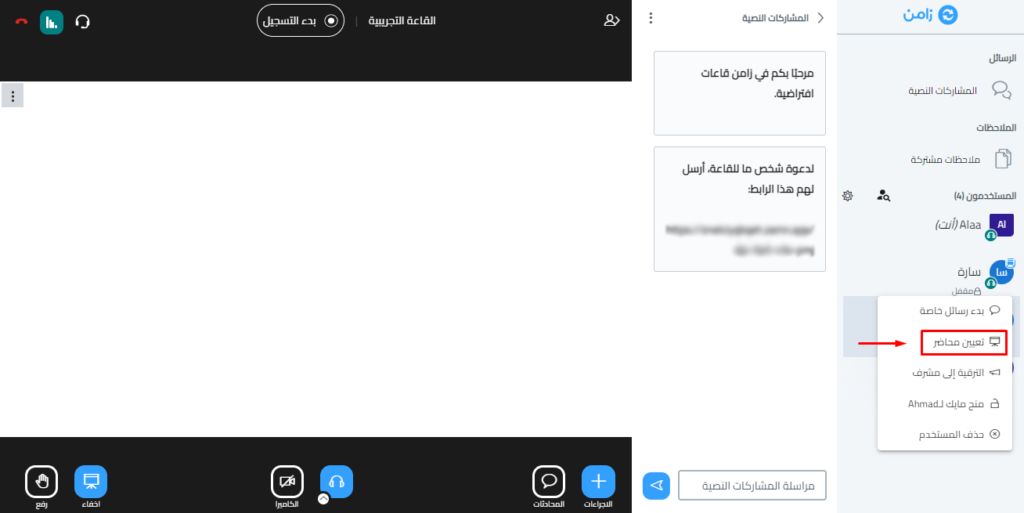
Take powers away
To take powers away from a moderator or presenter:
- Click the name of the moderator or presenter.
- Choose Demote to viewer.
Note
When a moderator or presenter leaves the room, they lose all their powers. The room owner must give them the powers again when they come back.