How to cancel a subscription
This article shows how a platform owner can cancel a subscription that renews by itself, so the next renewal is not charged.
-
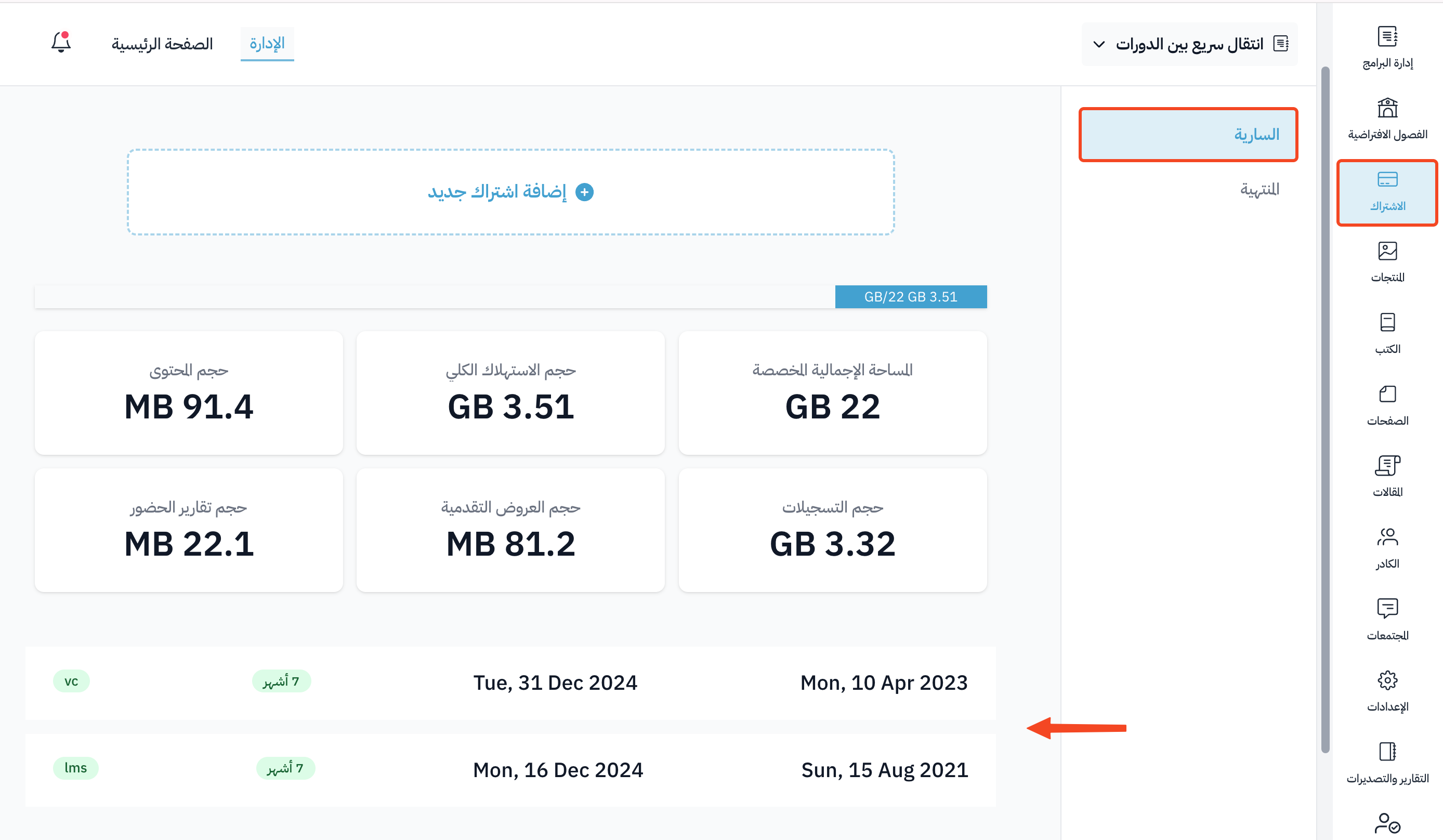
From your platform dashboard, choose Subscription, then Subscriptions.
-
In the Active tab, click the plan name of the subscription you want to cancel.
-
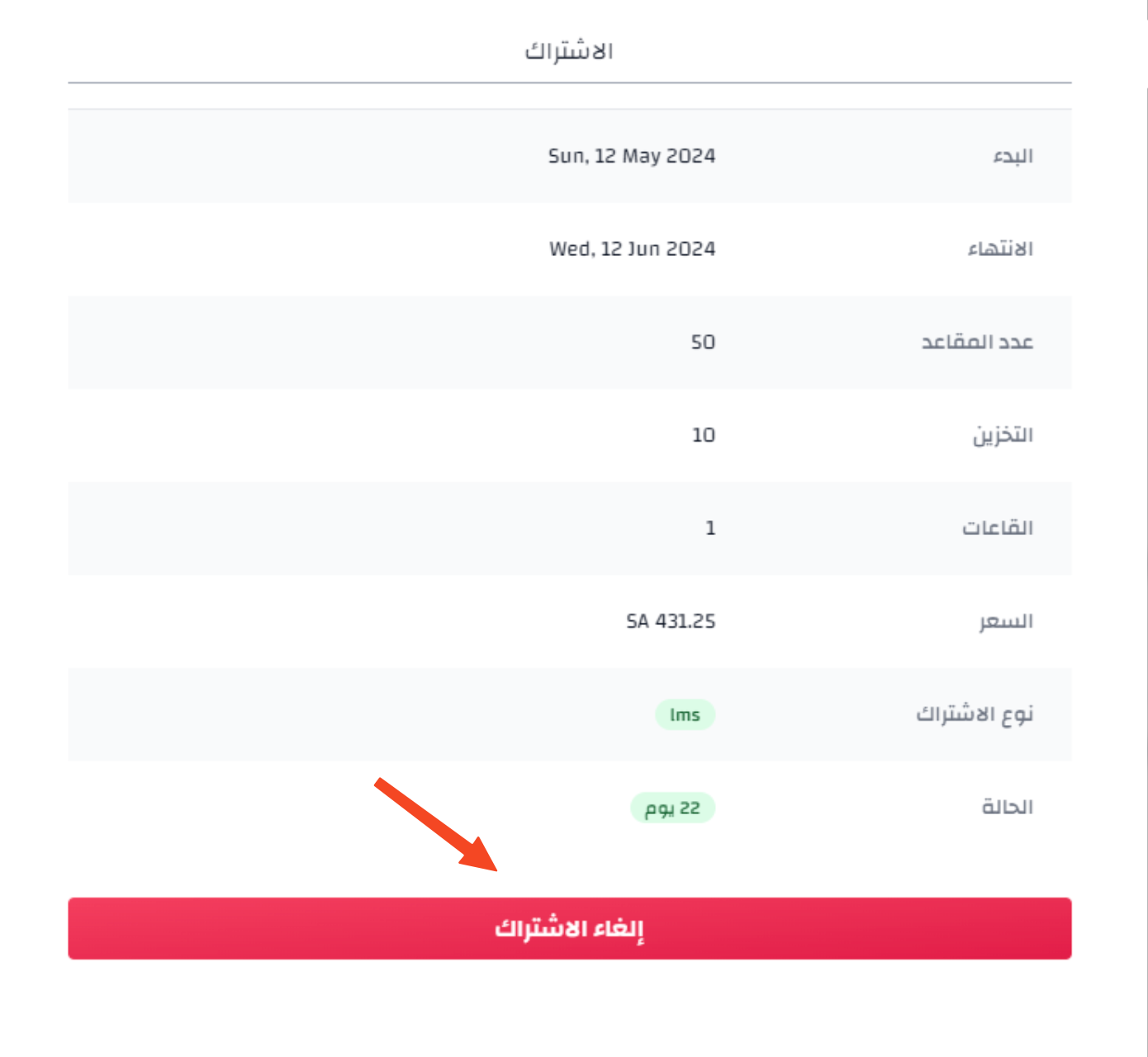
Click Cancel Subscription.
-
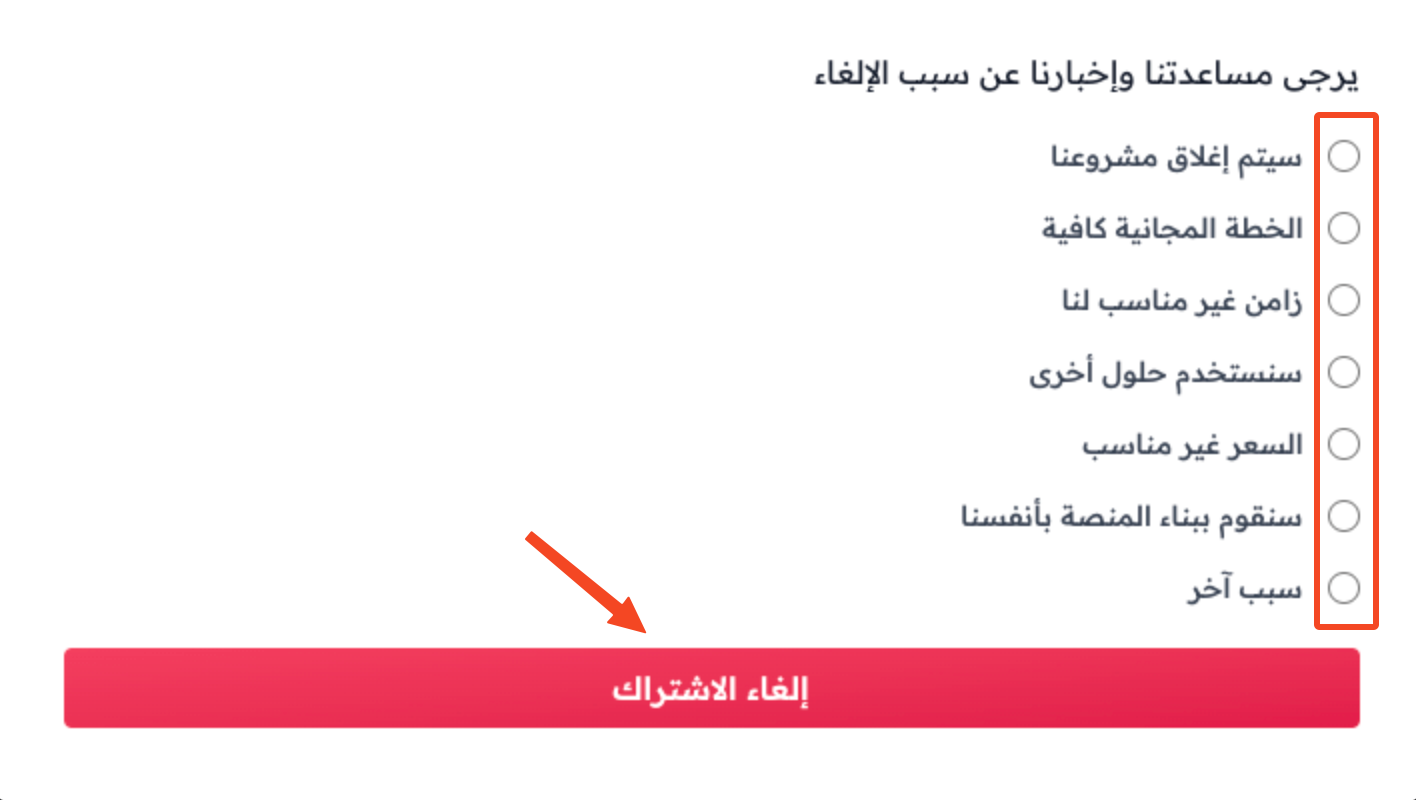
Choose the reason for canceling, then click Cancel Subscription. If you change your mind, click Cancel.
Note
The Cancel Subscription button shows only for subscriptions that still renew by themselves, such as a monthly subscription.
Note
The rest of your subscription period stays active.