Subscription status
On the subscriptions page you can see your platform's Zamn subscriptions, active and expired, and view the details of each one.
-
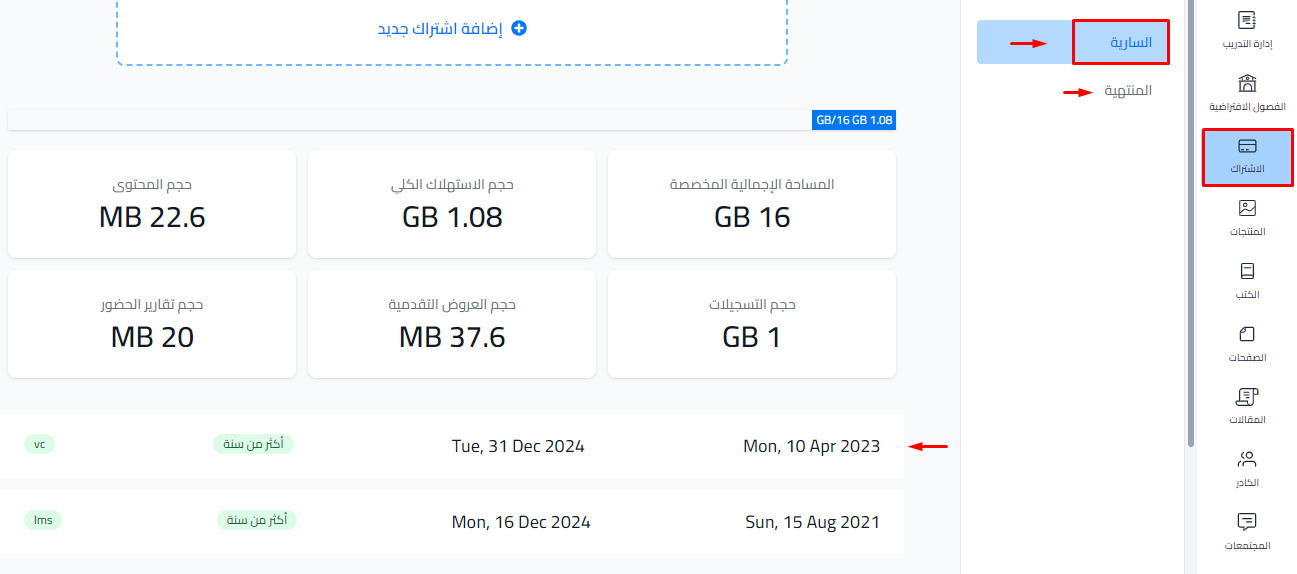
From the dashboard, choose Subscription, then Subscriptions.
-
The subscriptions are shown in two tabs: Active and Expired. Next to each subscription you see how long is left (for example "Ends in ...") or when it ended. The word Recurring shows if the subscription renews by itself.
-
Click the plan name you want in the Plan column. Its details open in a side panel: Start, End, Price and Storage. Rooms and Seats also show for all plans except storage plans.
