Activate your subscription after the trial ends
When your platform's trial ends, you need to subscribe to one of the Zamn plans to keep using the platform. This article is for the platform owner.
Steps to activate your subscription after the trial ends
When the free period ends, we keep your data for 7 days. If you do not renew in this time, all data is deleted for good and cannot be brought back.
Only the platform owner can subscribe or renew a subscription.
-
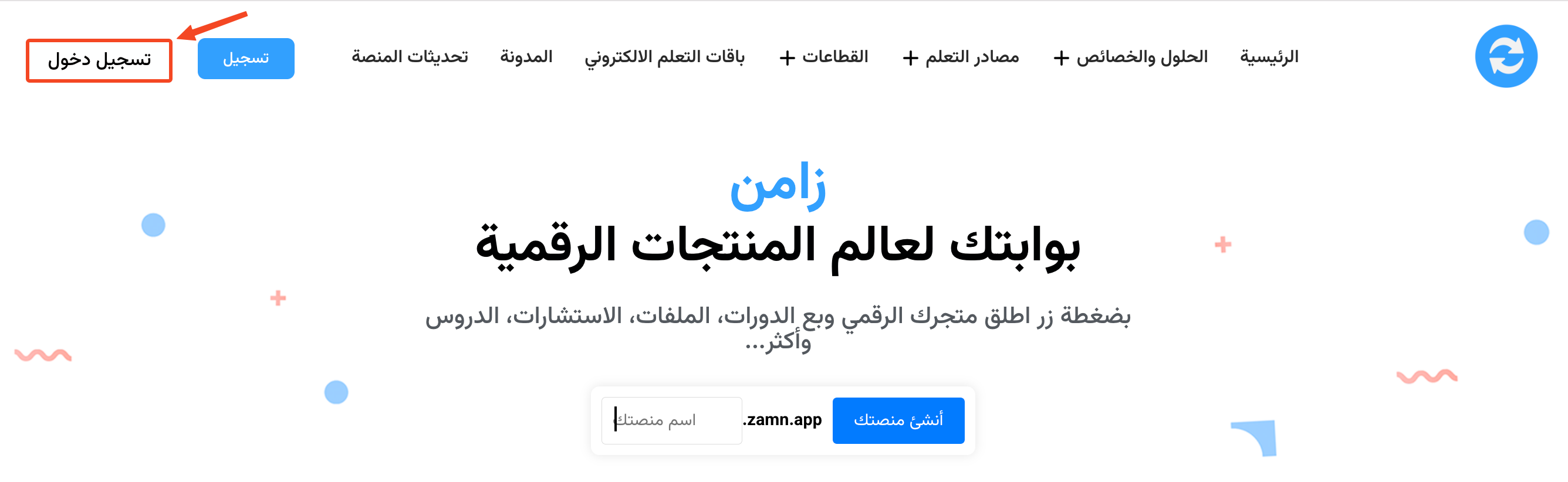
On the Zamn website, click Sign in.
-
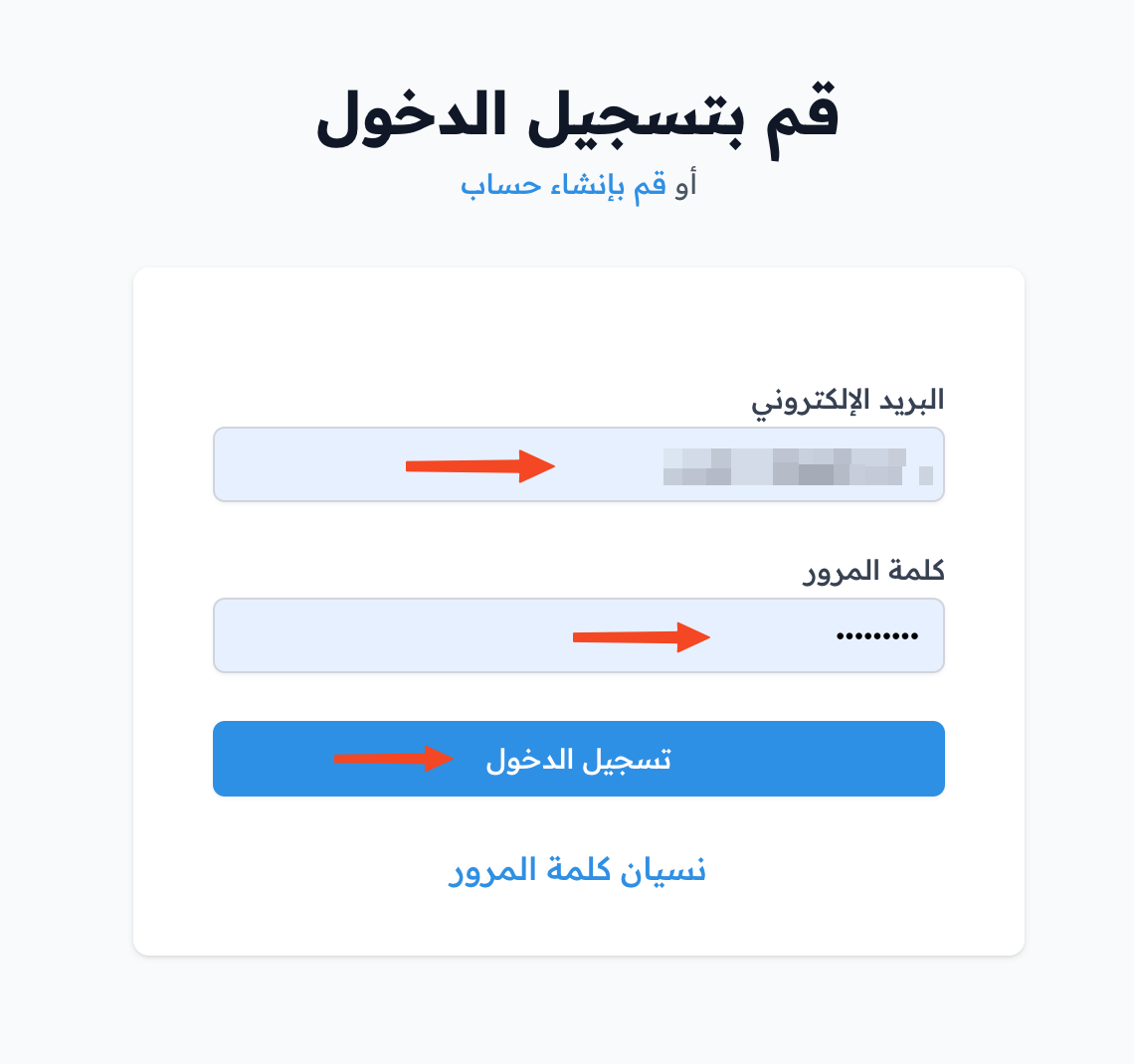
Enter your account email and password, then click Sign in.
-
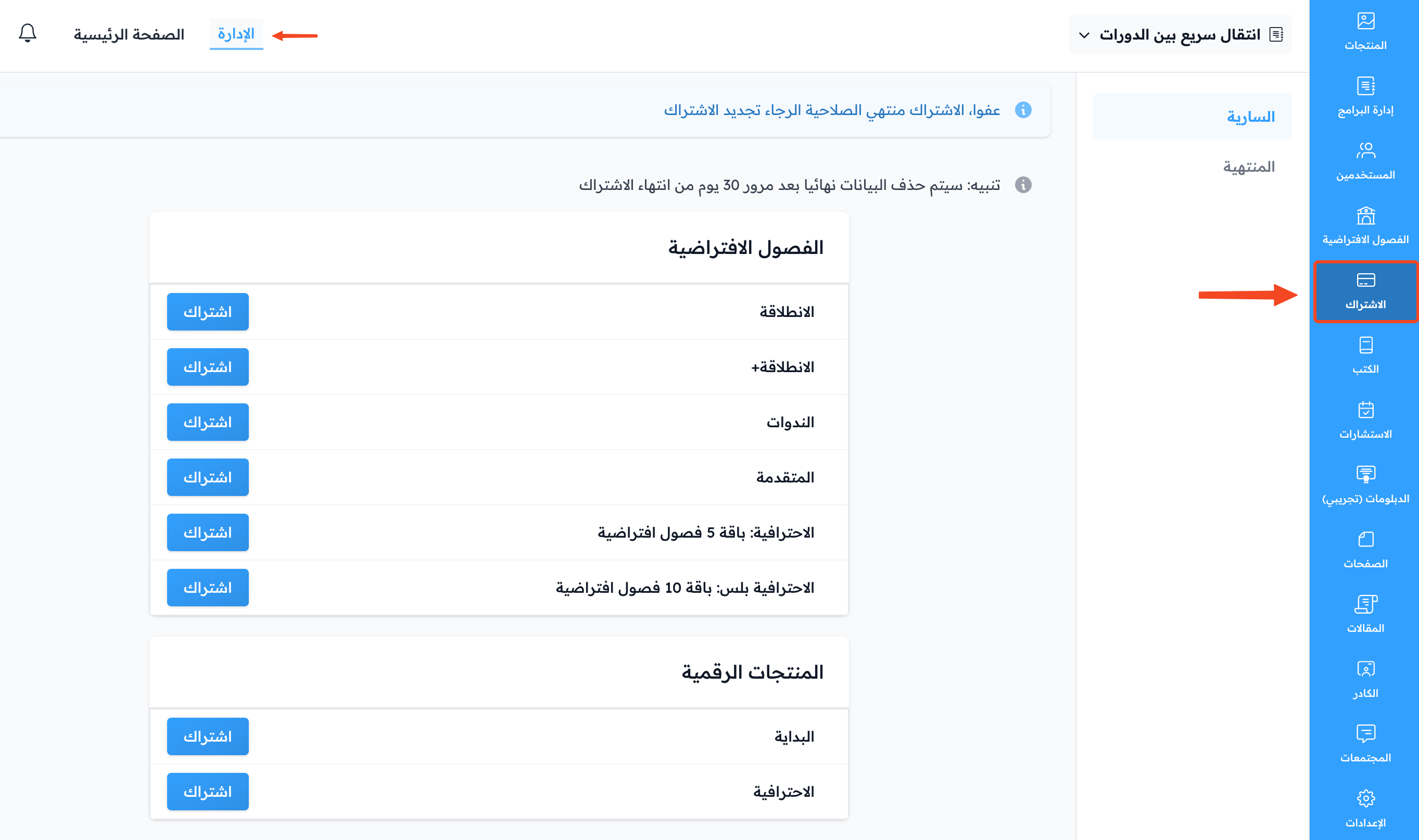
After you sign in, you go straight to the Plans page. Click Subscribe next to the service you want.
-
If you are outside Saudi Arabia, the Complete Your Billing Information page opens first. Enter your billing address, then click Save and Continue to Payment.
-
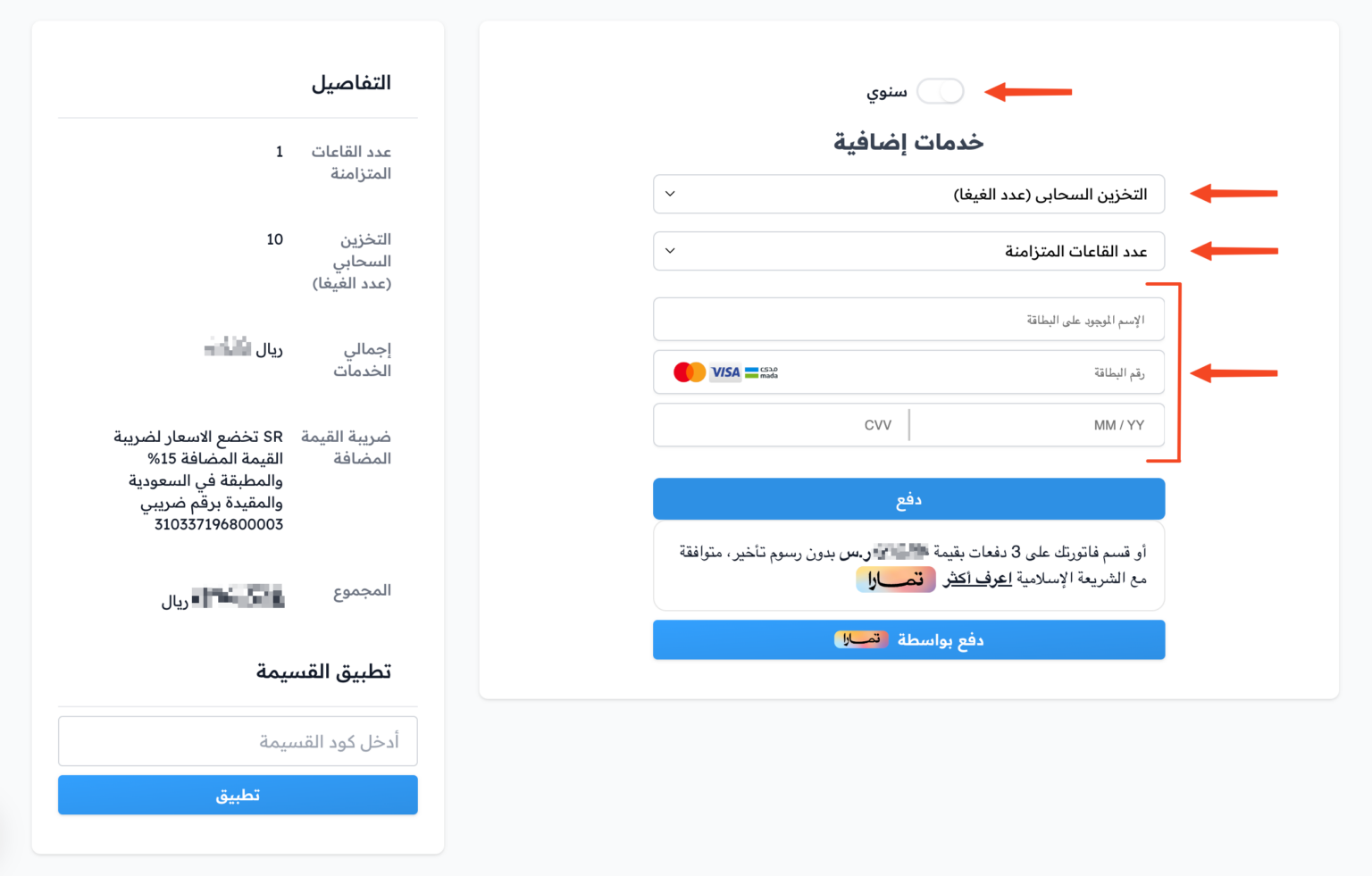
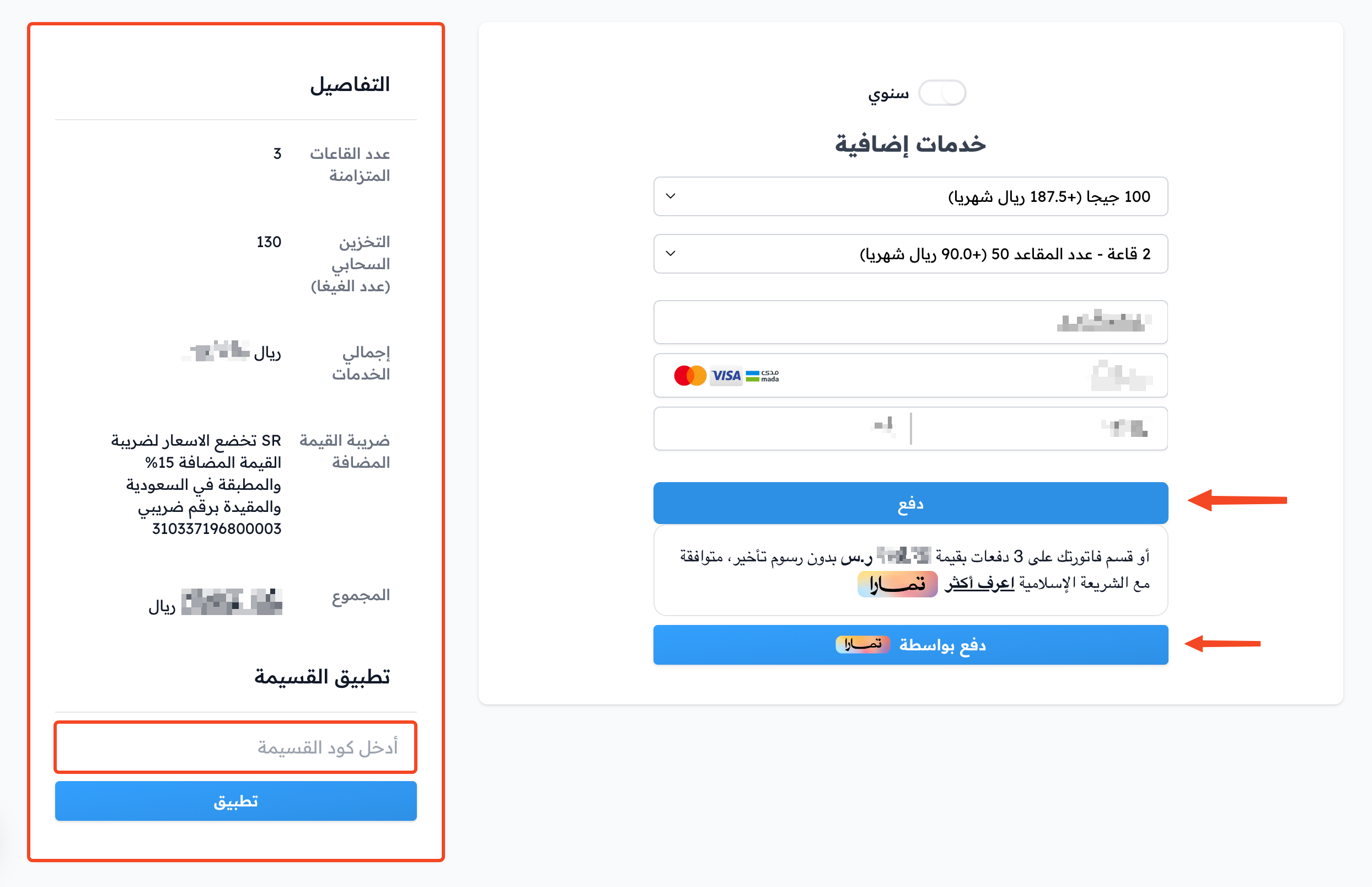
The payment page opens. The subscription is annual at first, and the Annually switch is on. To pay monthly, turn off the Annually switch.
-
You can add more cloud storage from the Storage list under Extra services.
-
You can add more virtual rooms from the Sessions list.
-
Choose a payment method from the ones shown to you. For a monthly subscription, enter your card details.
-
Check the subscription details in the Details section. If you have a coupon, click Have a coupon code?, enter the code and click Apply.
-
Click the pay button: Confirm Payment for a monthly subscription, or Pay with for an annual subscription (with the Tamara logo if paying with Tamara is available to you).
A monthly subscription renews by itself every month. If you do not want it to renew, you must cancel the subscription.
Zamn protects all your information. No one can see it, not even Zamn.