Cancel a subscription and stop auto-renewal
If you bought a product with a subscription that renews by itself, you can cancel the subscription on the platform, so it does not renew and is not charged to your bank card again.
Steps to cancel a subscription
-
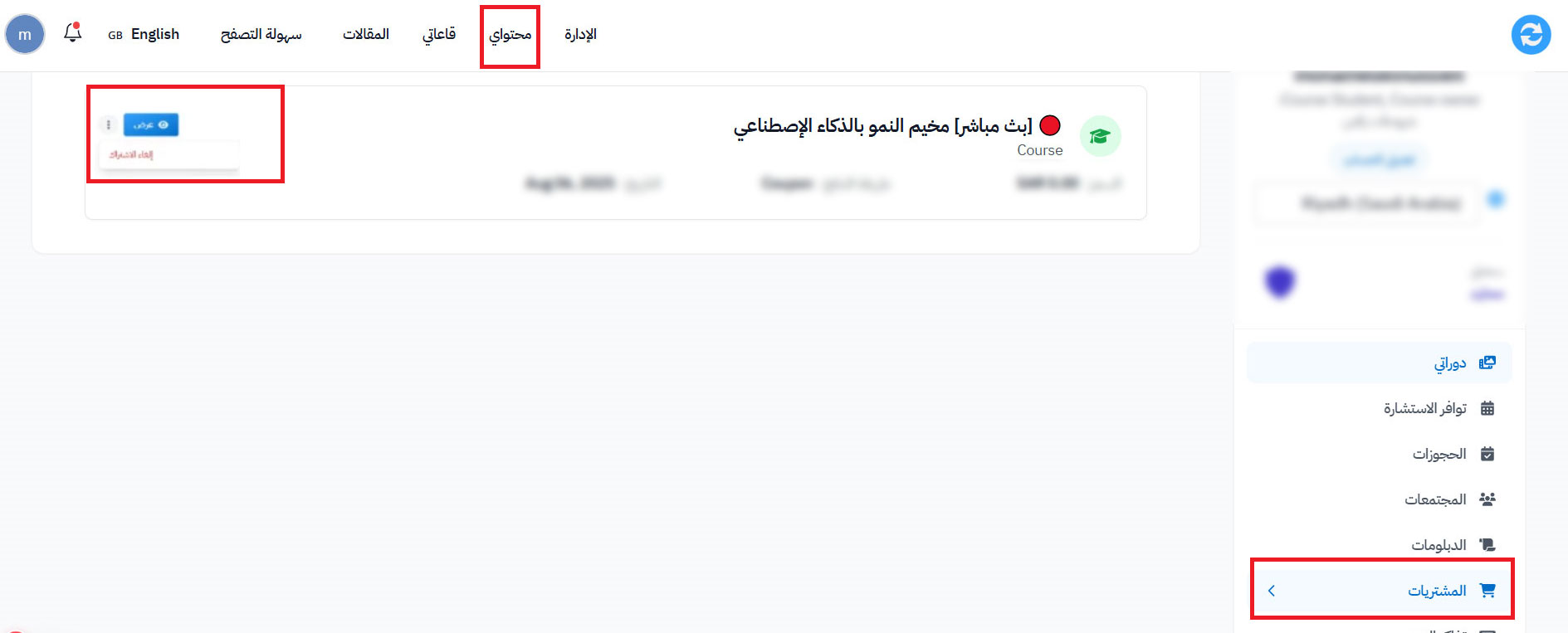
On the platform, choose Dashboard from the top menu.
-
From the side menu, choose Purchases.
-
Find the product (the subscription) that you want to cancel.
-
Click the three-dot icon next to the product.
-
Choose Cancel Subscription.
-
Confirm the cancel in the Are you sure? message.
Note
The cancel takes effect after the current subscription period ends. The subscription does not renew after that.