Track your progress in a training program
The Report page of a course shows how far you have come in completing the targets of each course you joined.
How to open the report
-
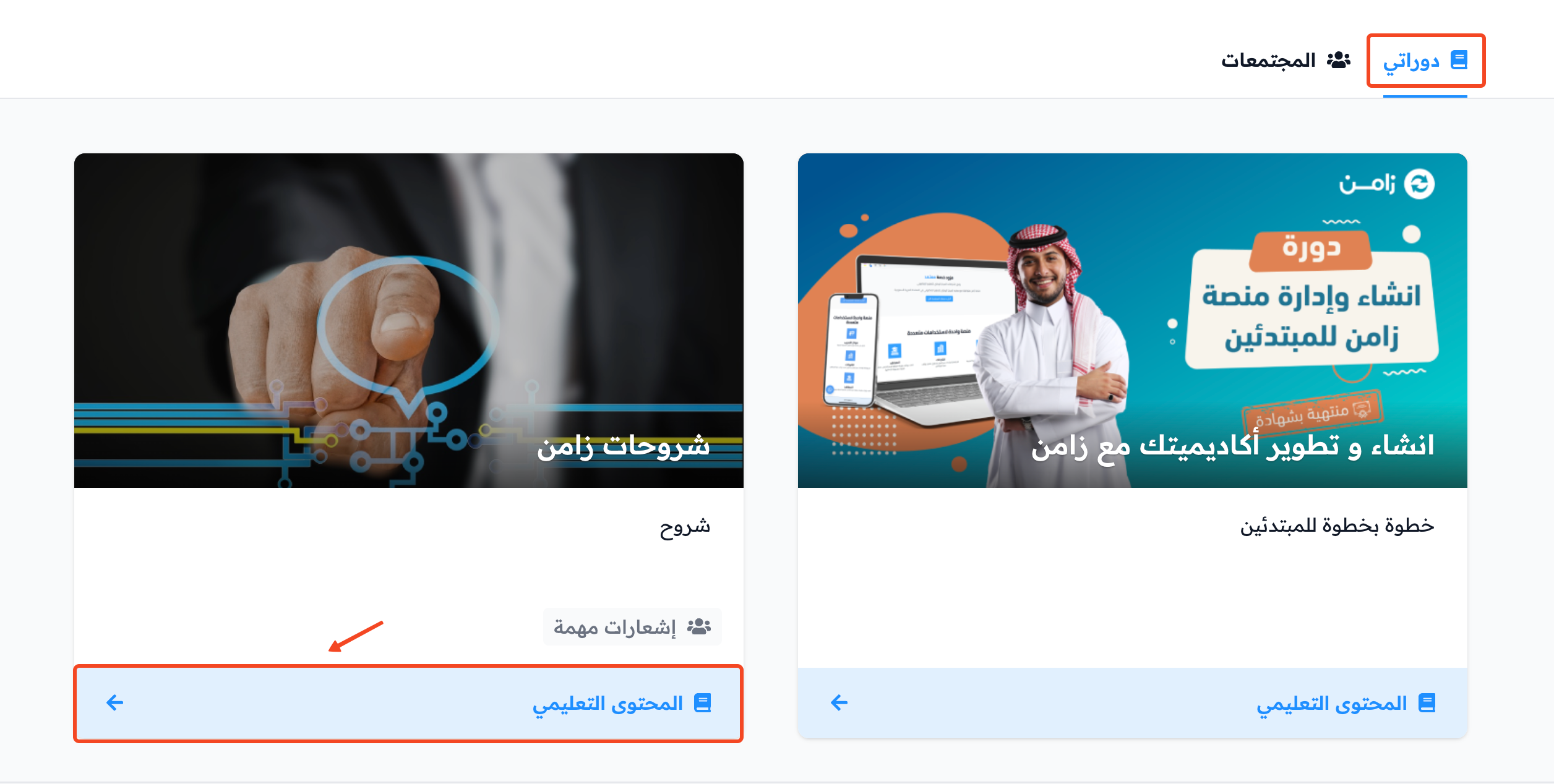
Click Dashboard in the top menu, then click View Course on the card of the course you want to check, in the My Courses tab.
-
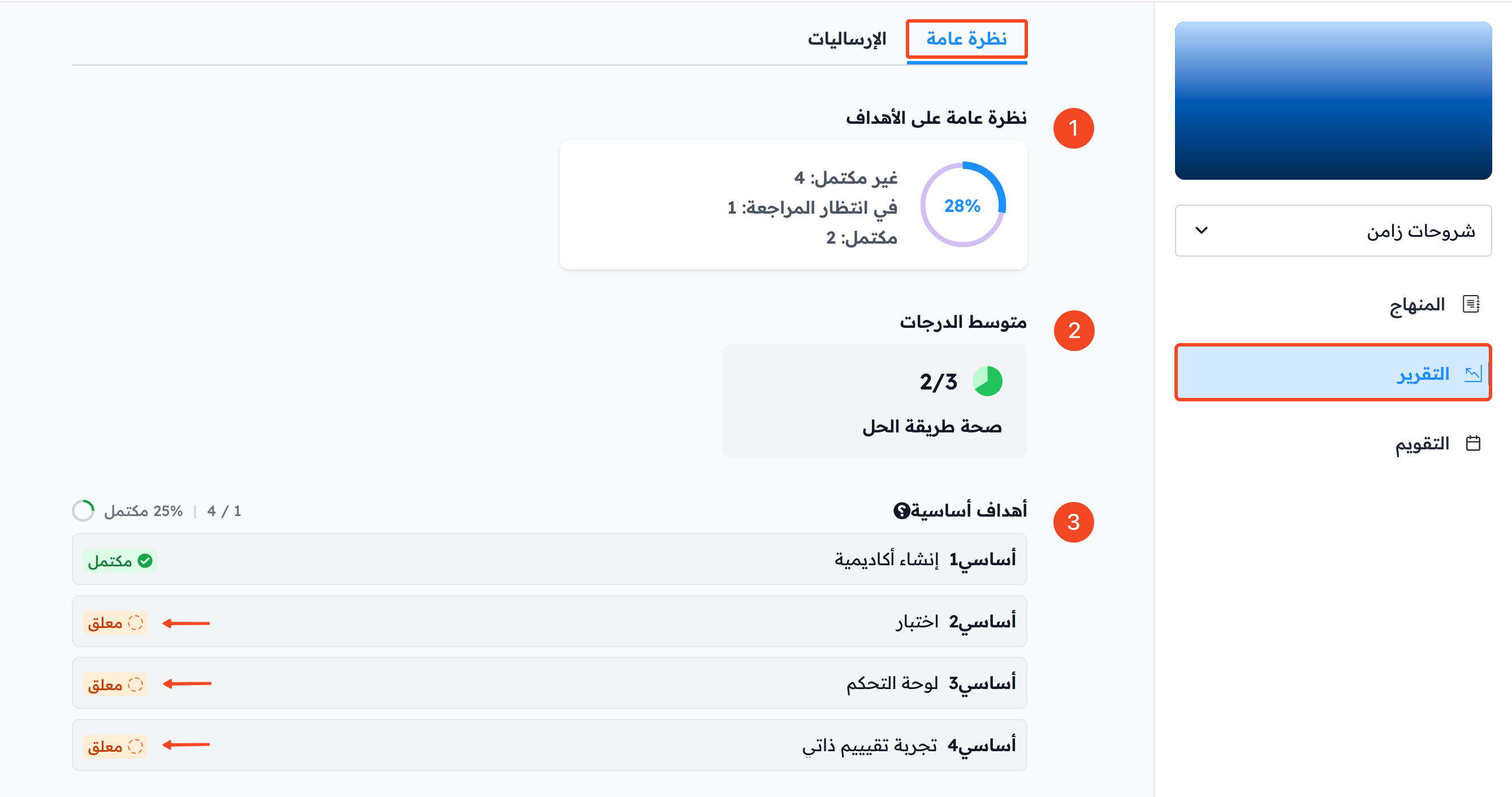
In the course side menu, click Report.
The Overview tab
In the Overview tab you find:
- Targets Overview, which shows:
- The percentage of targets you completed in the course.
- The number of incomplete targets.
- The number of targets pending review by the coach.
- The number of completed targets.
- Average Grades: the average of the grades you got on your submissions in advanced tests.
- Milestone targets: you finish the course by completing its milestone targets, so all milestone targets show here with the status of each one (Completed or Pending). This helps you see which ones you have not completed yet. Click any target to open it.
tip
The Quizzes tab shows your average quiz score and the list of quiz targets with your score in each one.
The Submissions tab
-
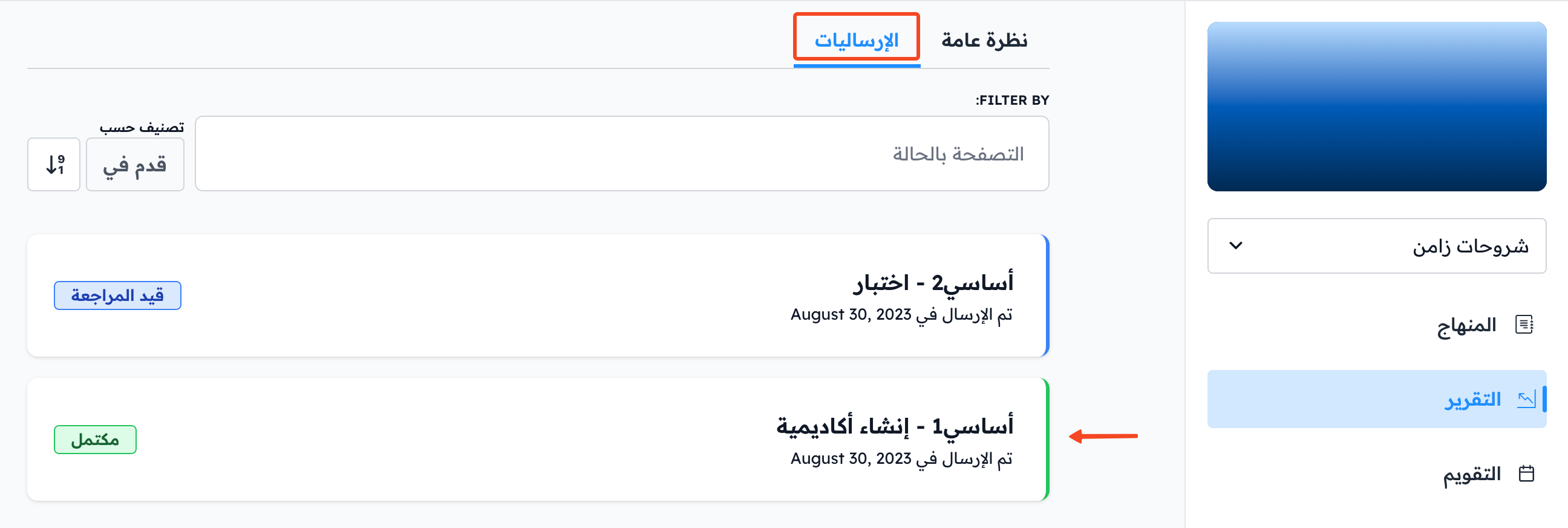
Open the Submissions tab to see all your submissions and the status of each one. You can filter the submissions by status.
-
Click a submission to see the details of its review.
-
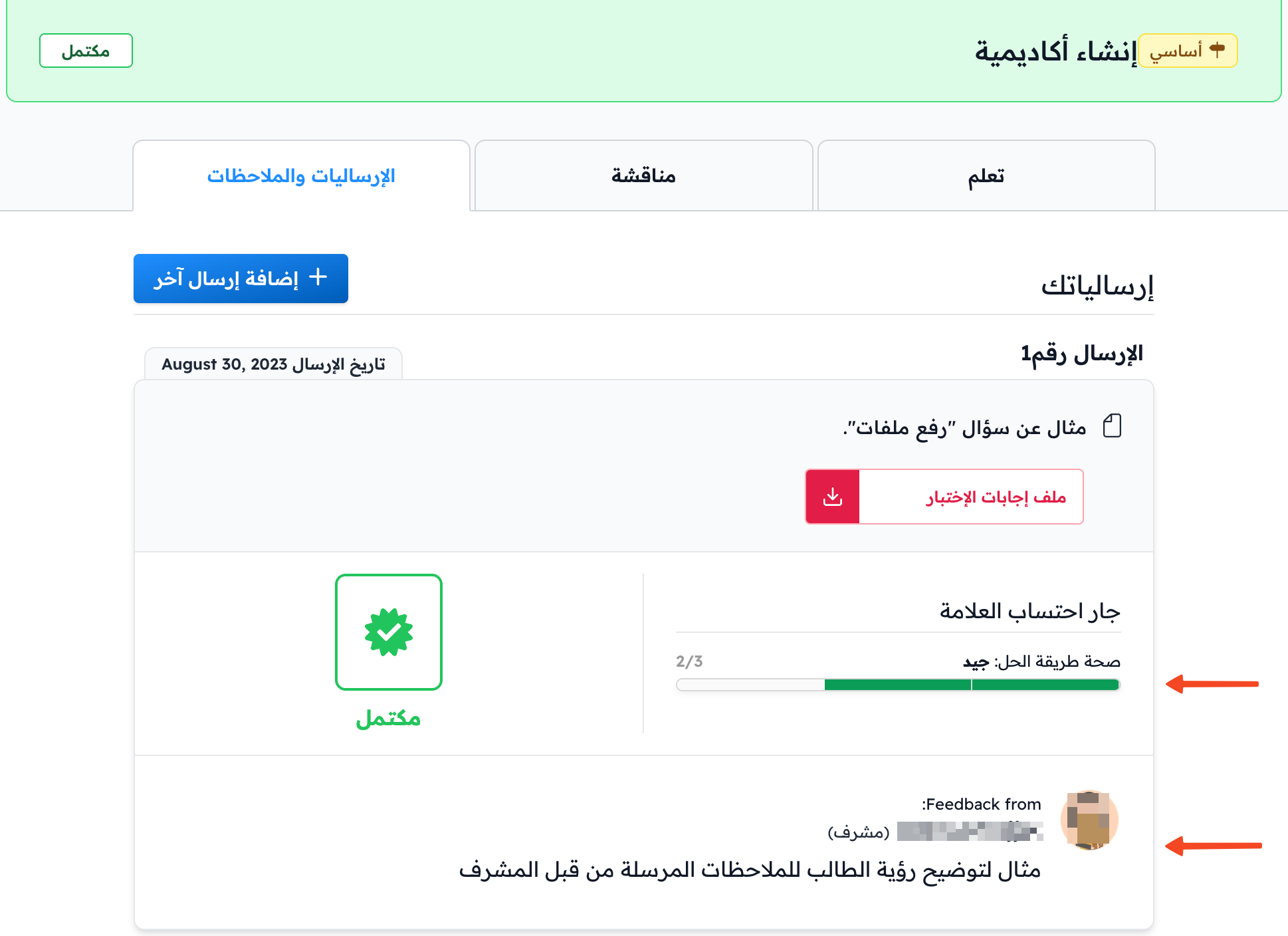
The target page opens. Open the Submissions & Feedback tab to find:
- The grades you got on the submission.
- The coach's feedback on the submission.