Change your profile photo (for students)
As a student, you can change the profile photo that shows on your account on the platform.
Steps to change your profile photo
-
Click Login and sign in to the platform.
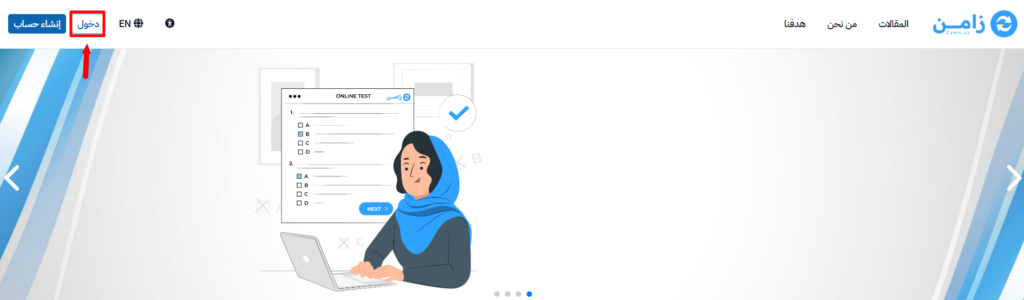
-
Click your profile icon, then choose Edit Profile.
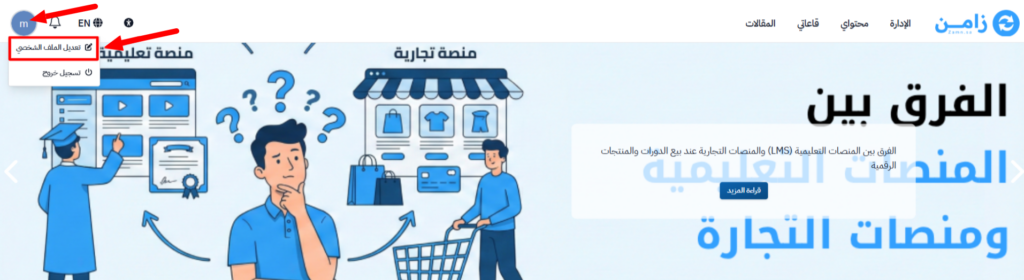
-
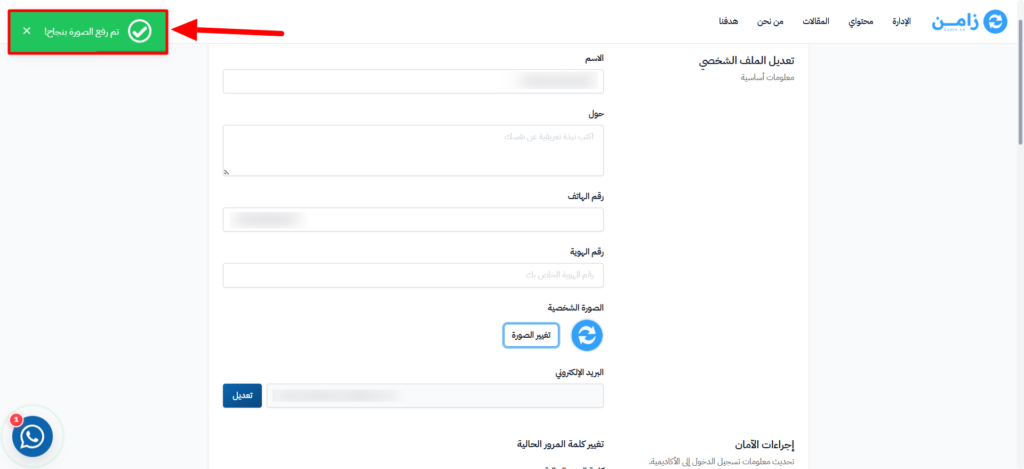
Go to the Photo section and click Change photo.
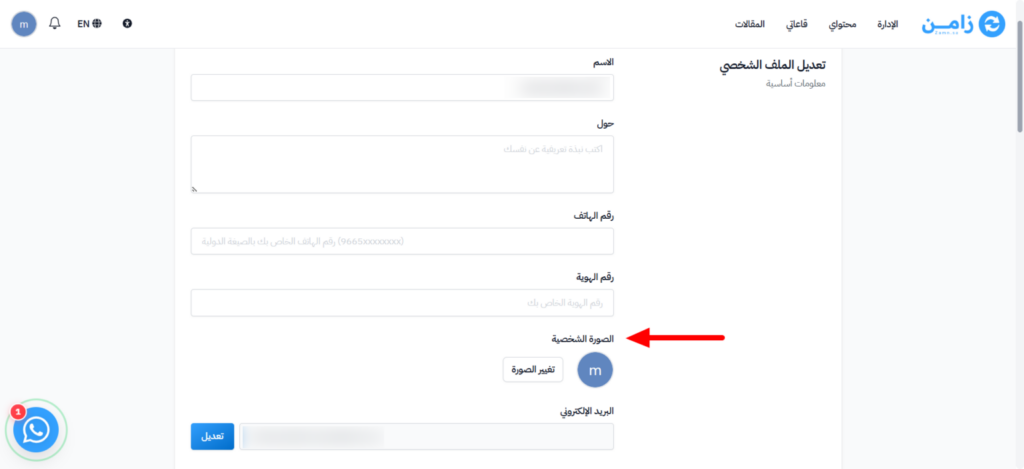
-
Upload the new photo from your device.
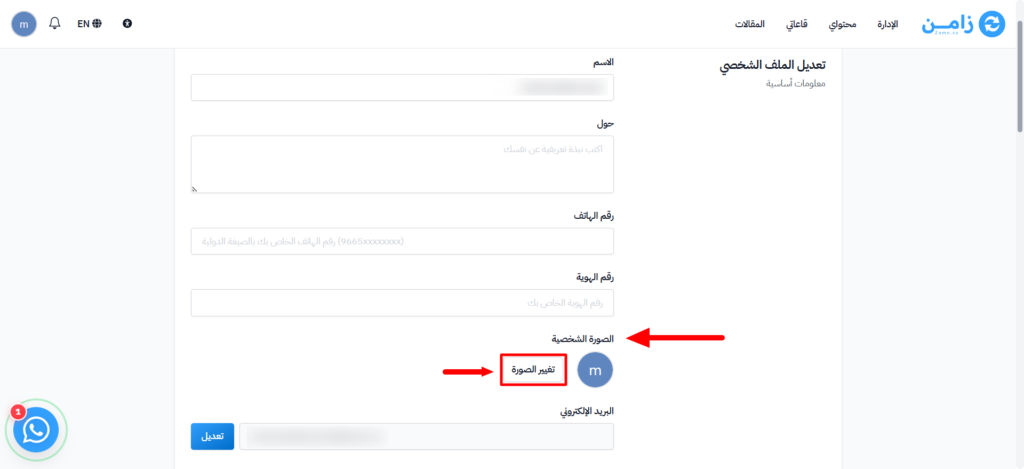
-
Wait a moment until you see the message Avatar uploaded successfully.
tip
Choose a JPG, PNG or GIF image that is smaller than 5 MB.