Recover your account password
If you forgot your account password or want to change it, follow these steps to set a new password through your email.
Steps to recover your password
-
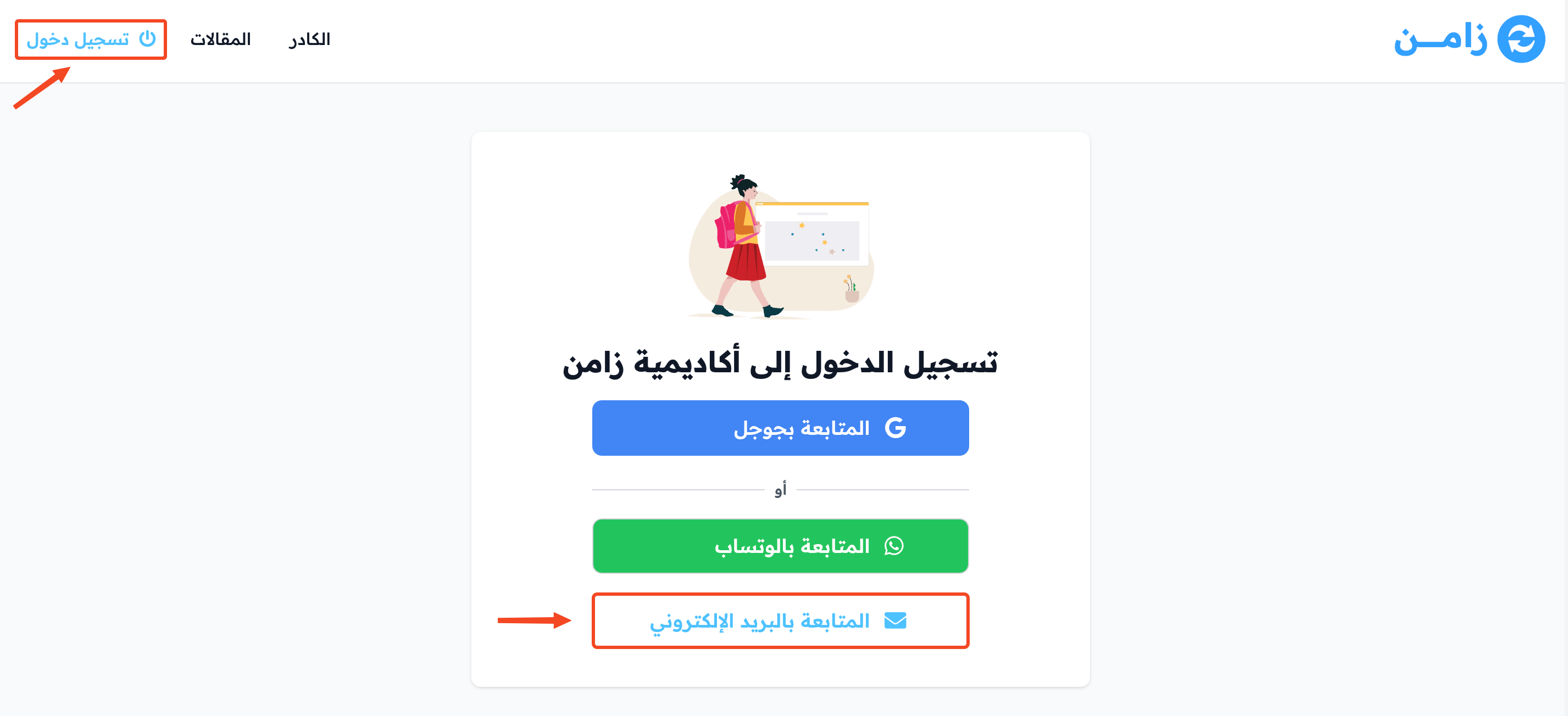
Click Login at the top of the page.
-
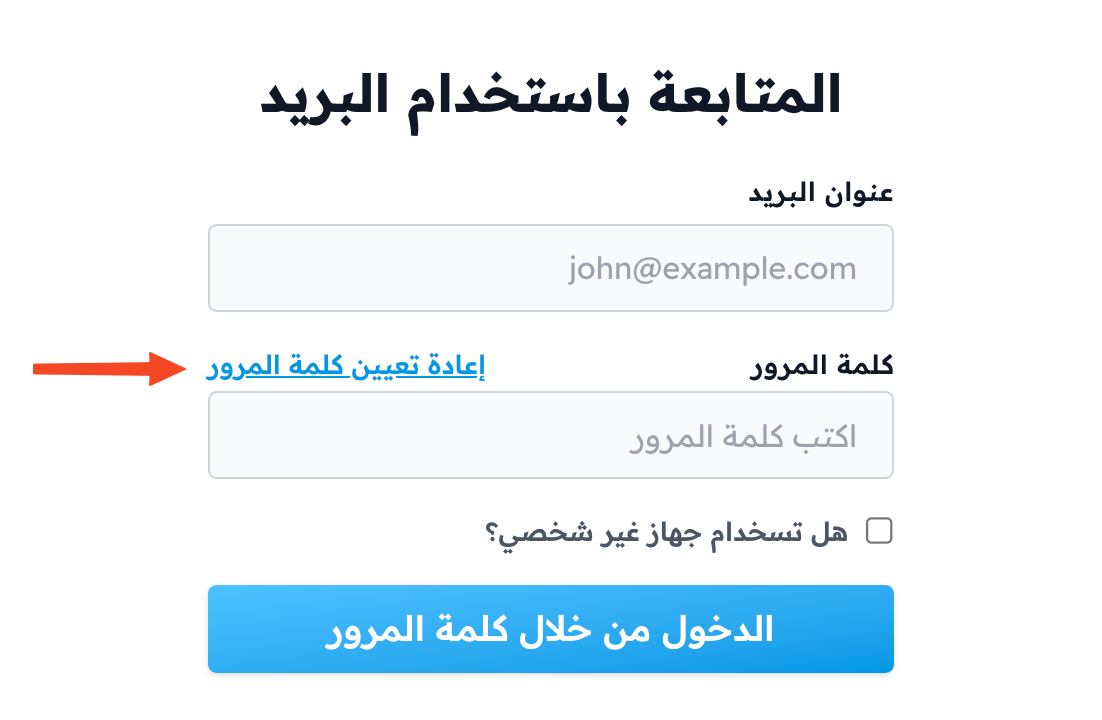
On the sign-in page, click Forgot your password? under the sign-in button.
-
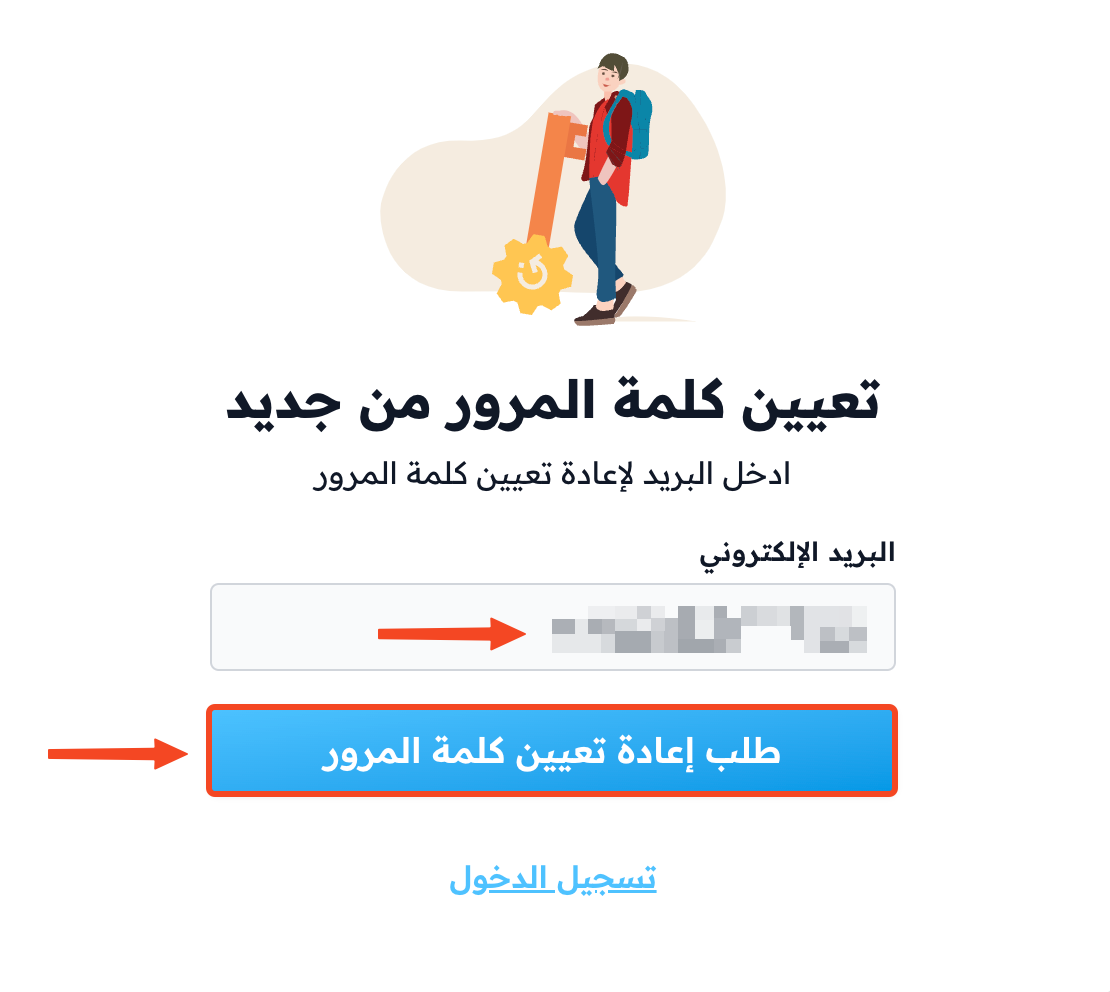
Enter the email of your account, then click Request password reset.
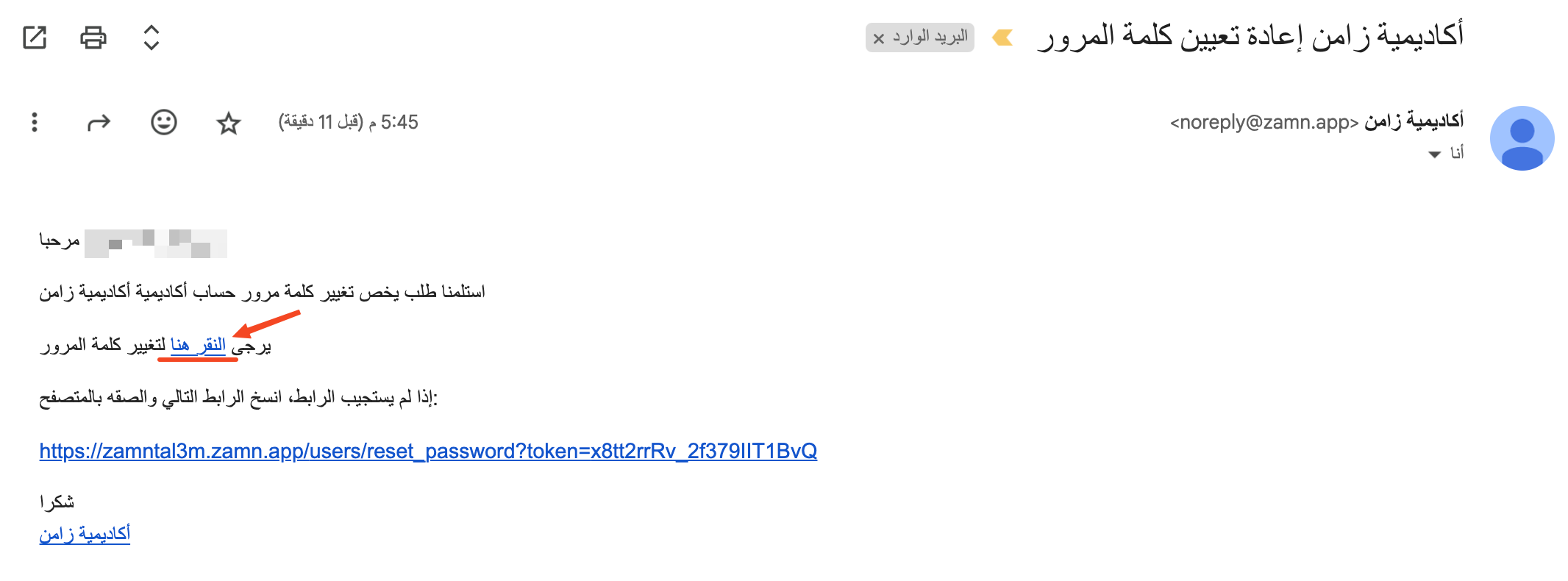
You get a reset link in your email. This link works only once.

-
Open the message in your email, then click click here.
-
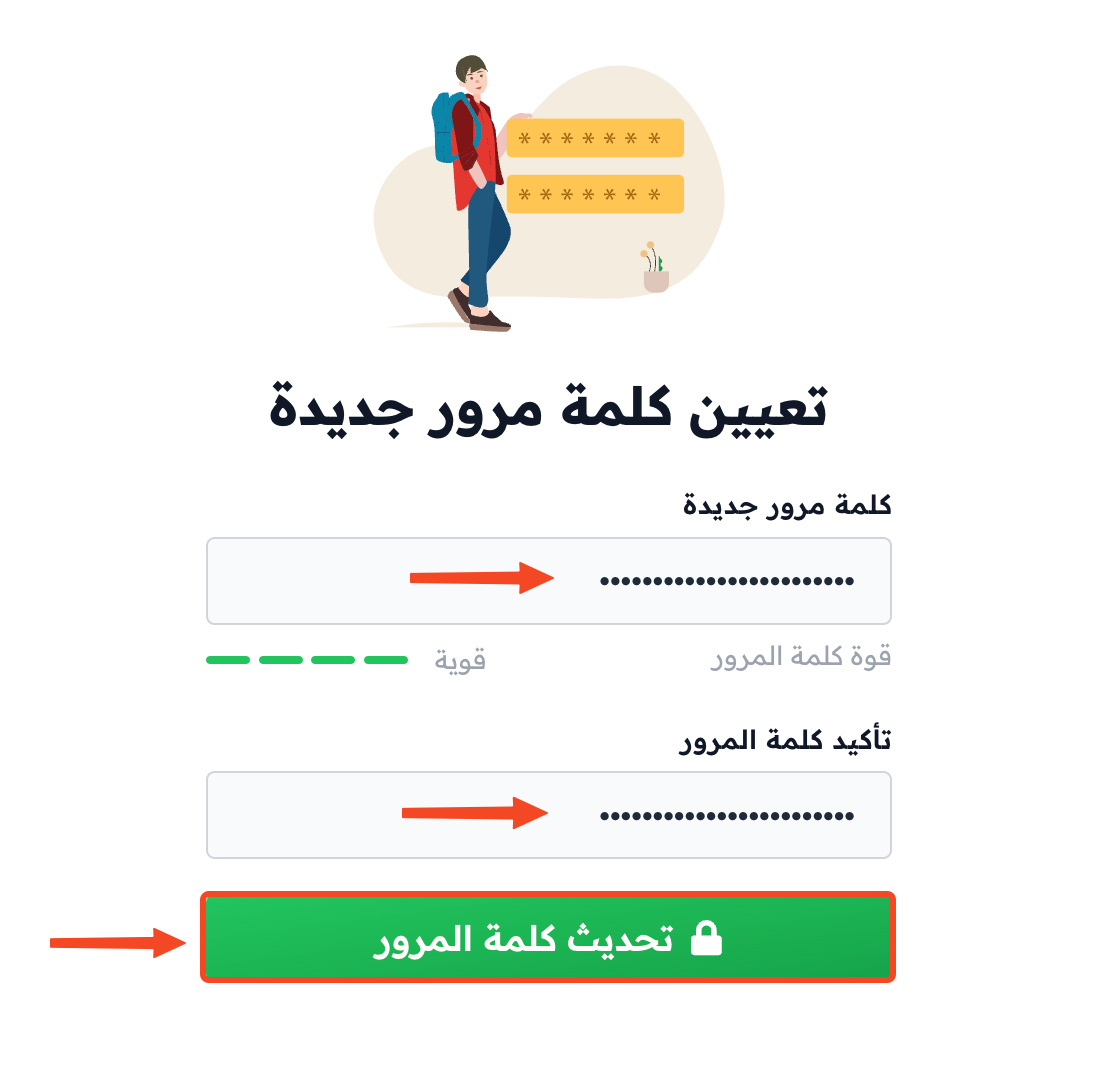
Enter your new password and confirm it, then click Update Password.