Create a support ticket
Support tickets are part of the platform help center. They help you get answers to your questions and send complaints and suggestions to the support team.
How to create a support ticket
-
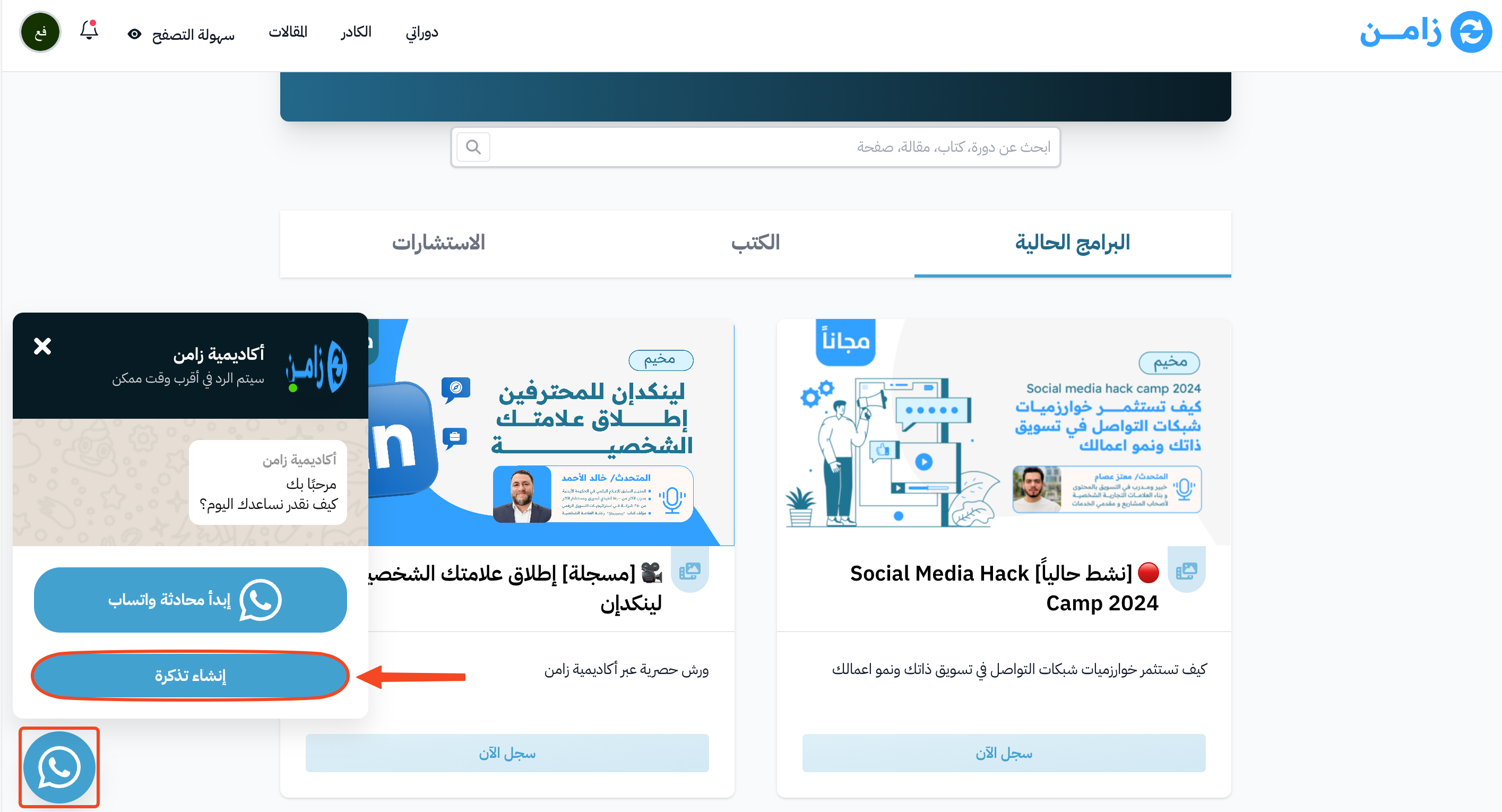
Click the WhatsApp icon.
-
Choose Issue a ticket.
-
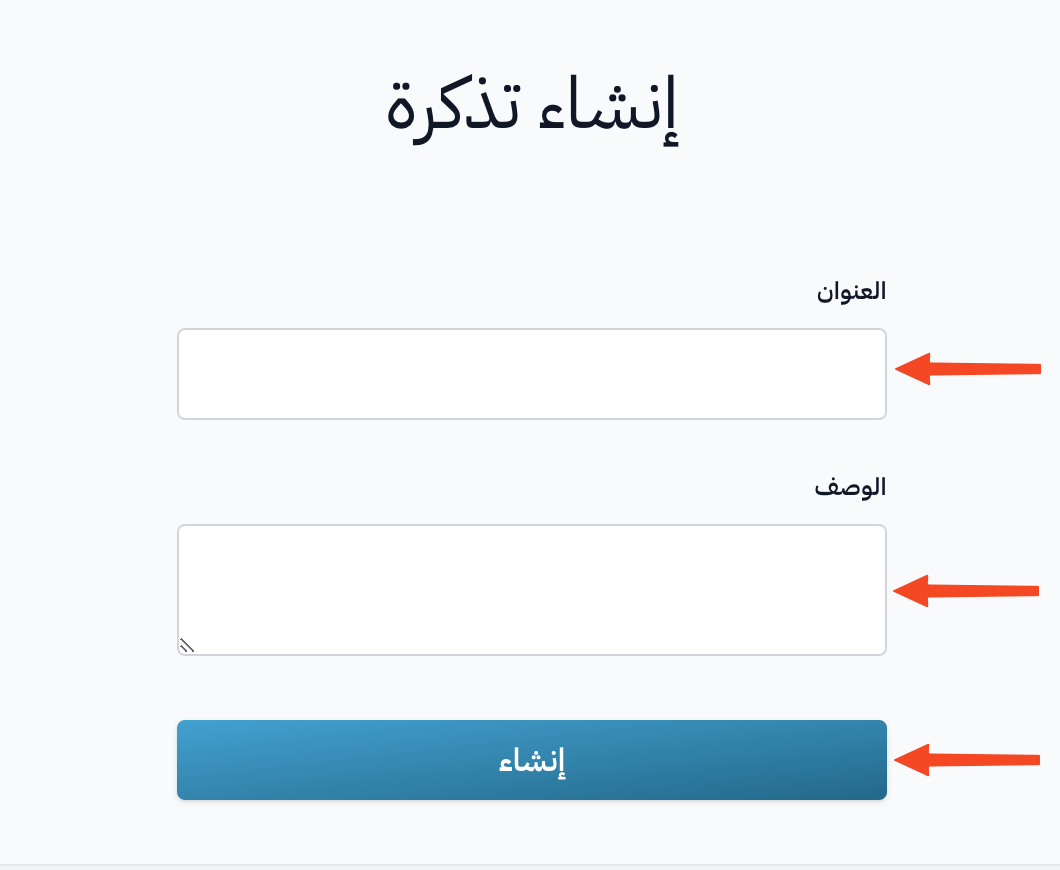
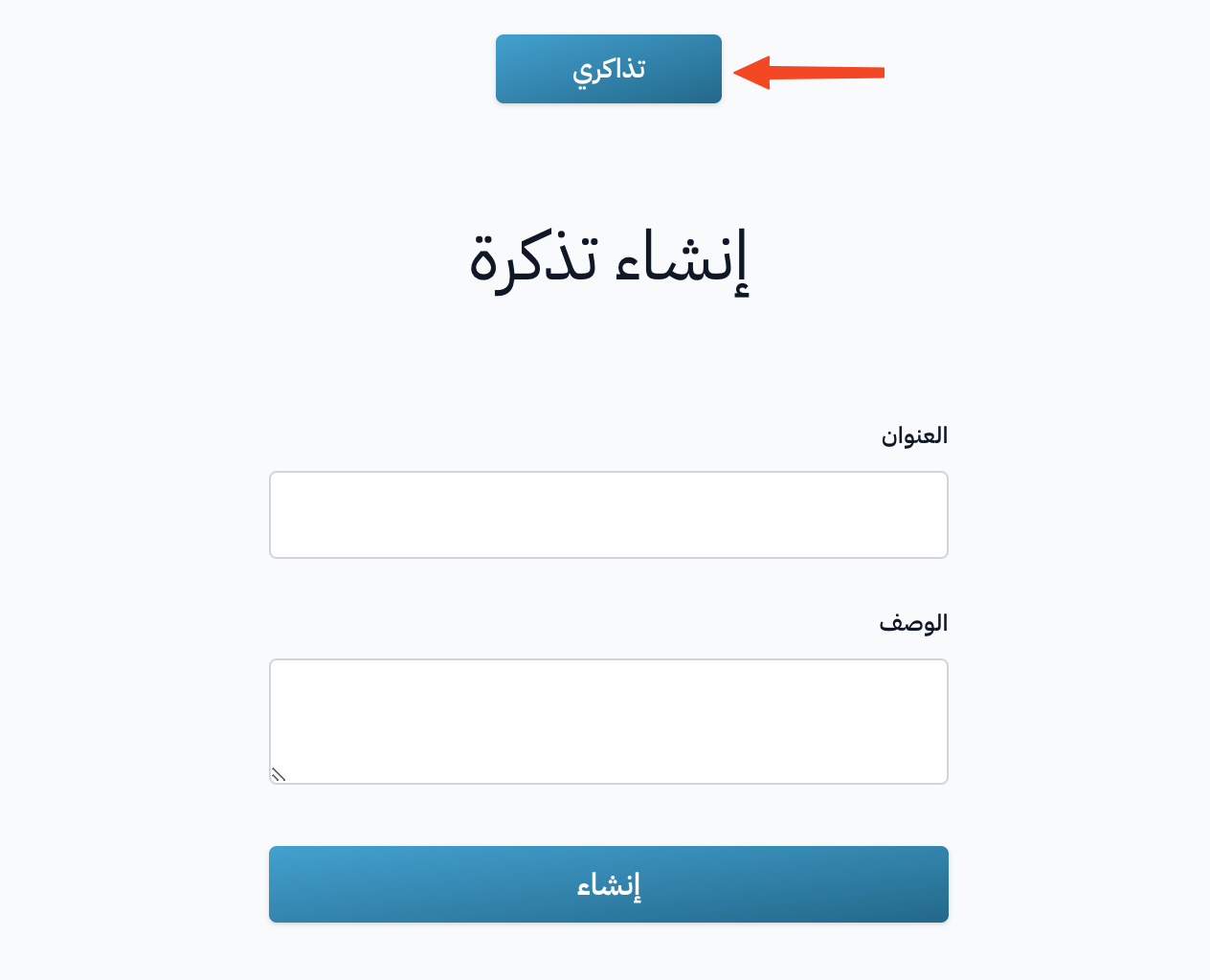
Type the ticket title in the Title field.
-
Type the details of your request in the Description field.
-
If you want, attach images or videos in the Attachments field (up to 5 files, 5 MB each at most).
-
Click Create to open the ticket.
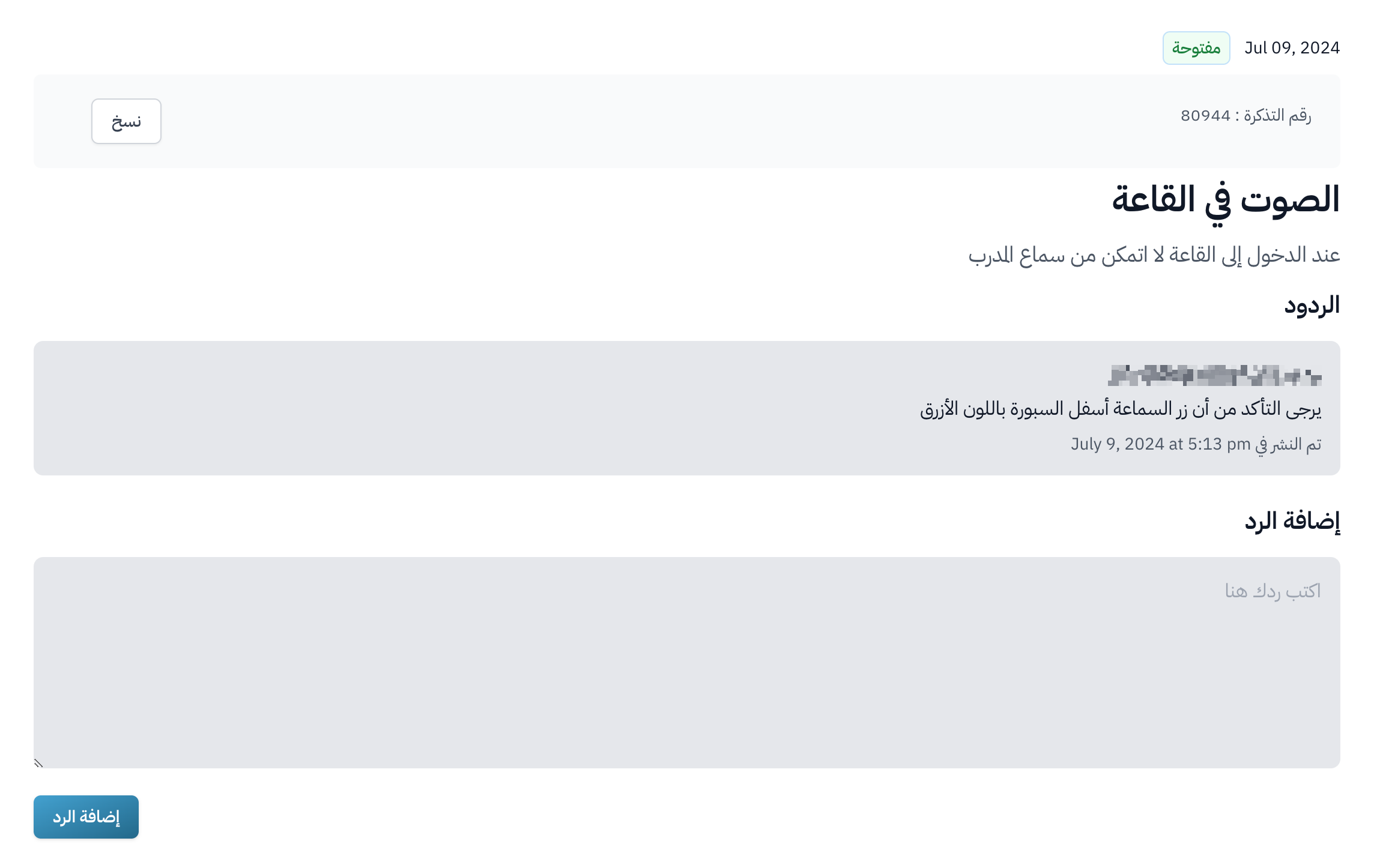
After the ticket is open, you can add your replies and get replies from the support team.
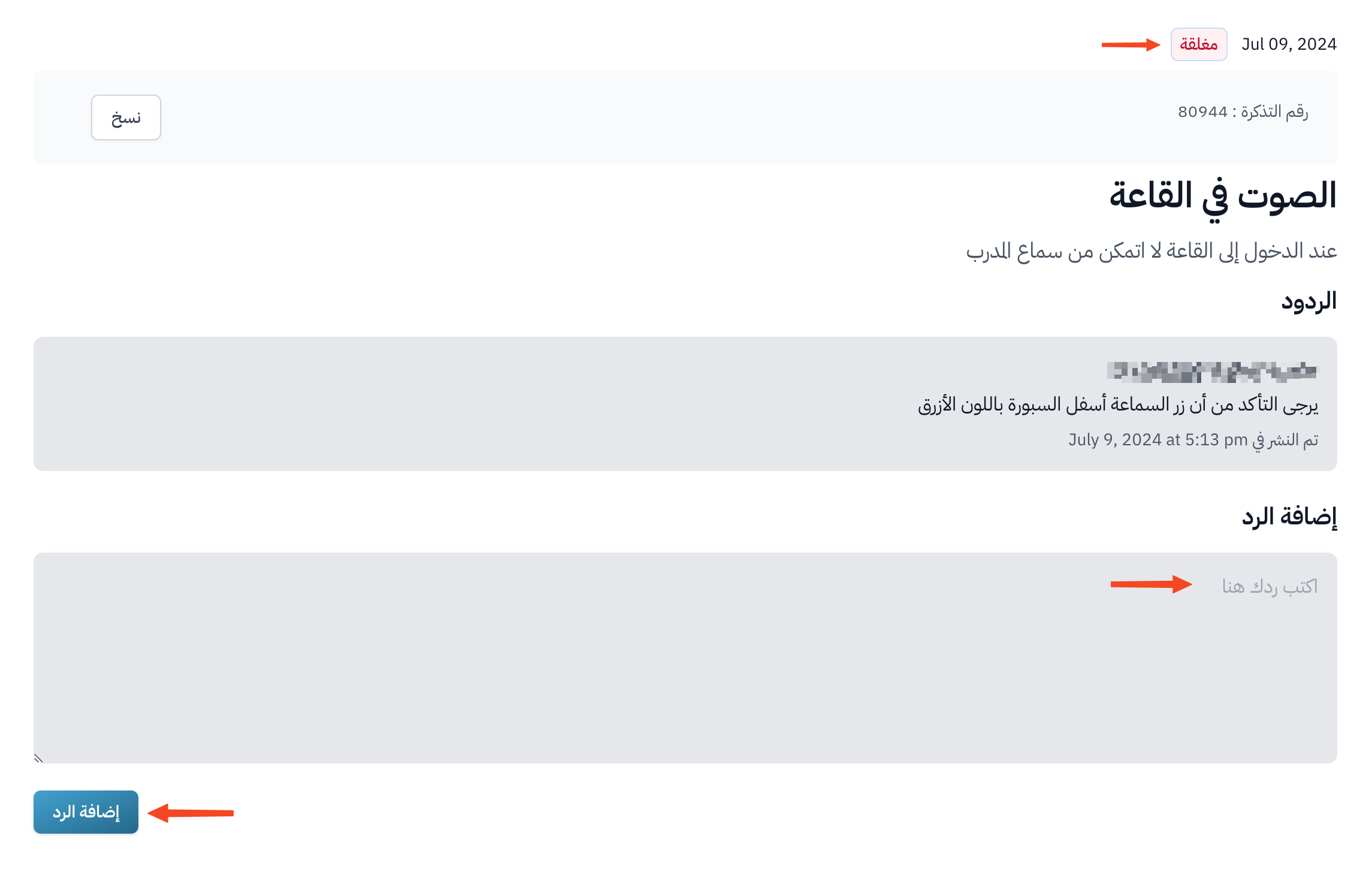
If the platform admins close the ticket, you can open it again by adding a new reply.
How to see all your tickets
-
Click the WhatsApp icon.
-
Choose Issue a ticket.
-
Click My Tickets to see all your open and closed tickets.
You can also see your tickets and create a new one from Dashboard at the top of the page, then Support Tickets.