How to book a free consultation or appointment
You can book a free consultation that the platform offers, and pick the day and time that suit you.
Steps to book a consultation or appointment
-
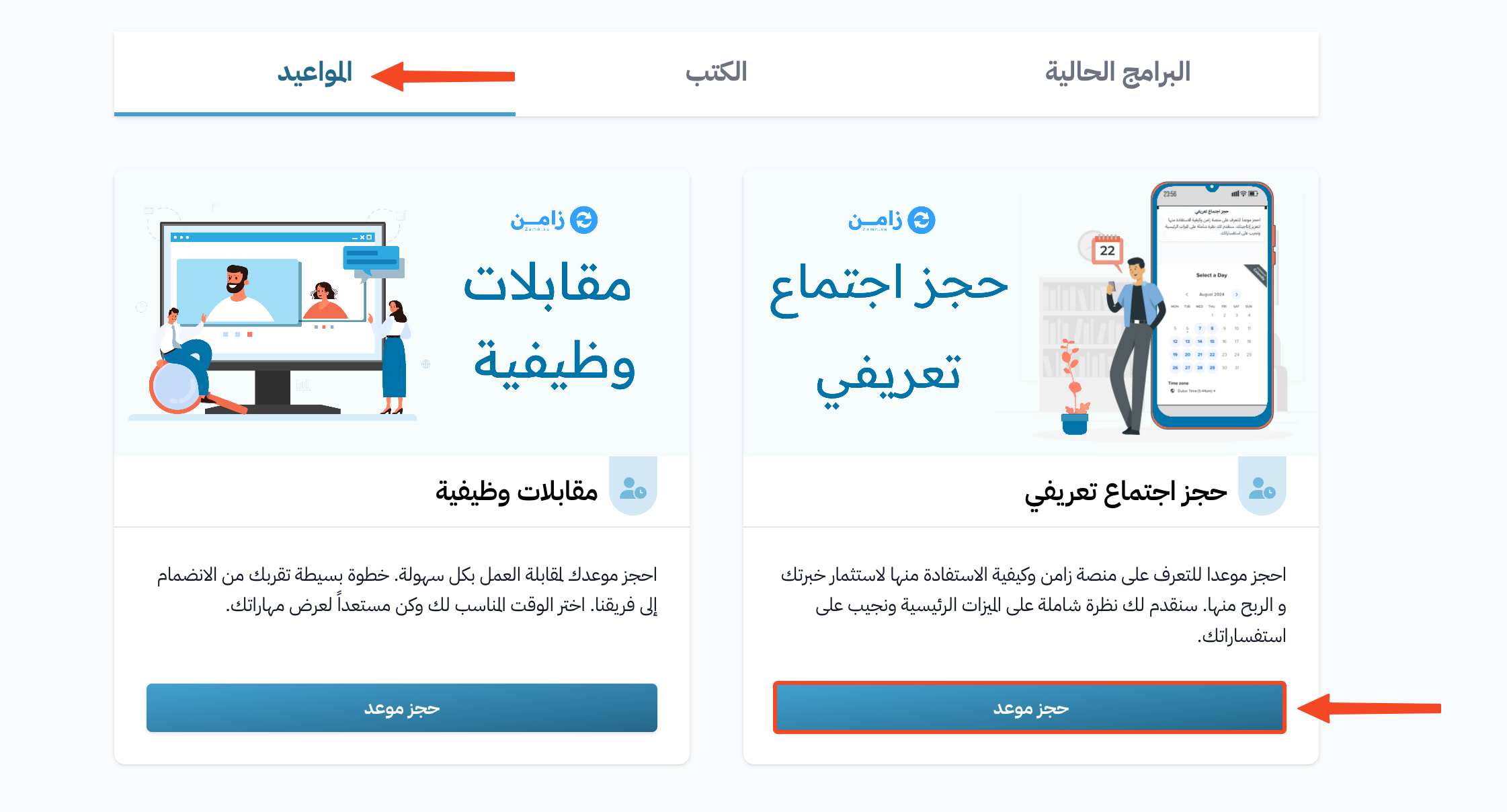
Go to the Consultations section on the platform home page. Your platform may give this section another name, such as Appointments.
-
Choose the consultation you want to book, then click Book an appointment.
-
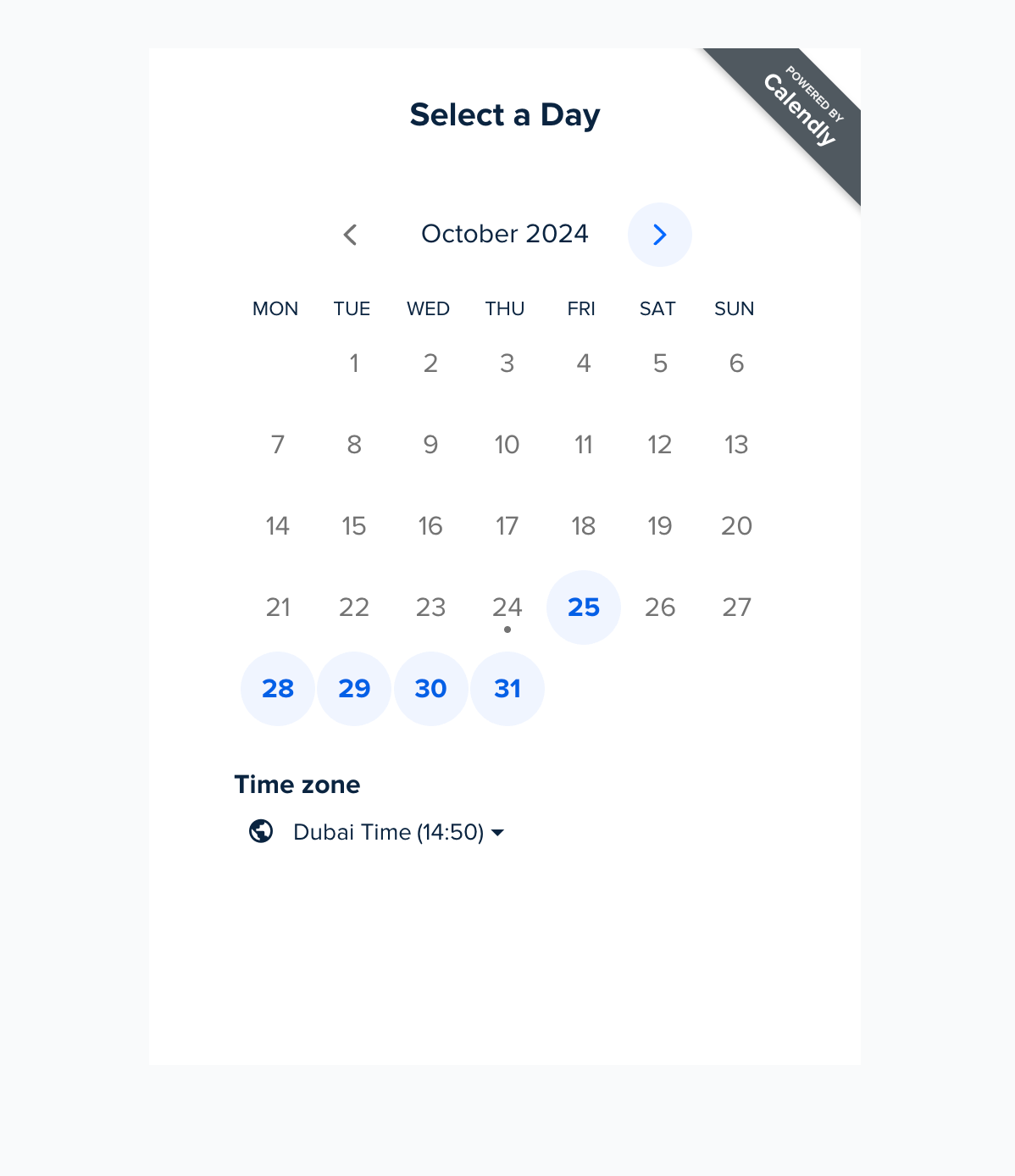
Choose the day of the appointment from the calendar.
-
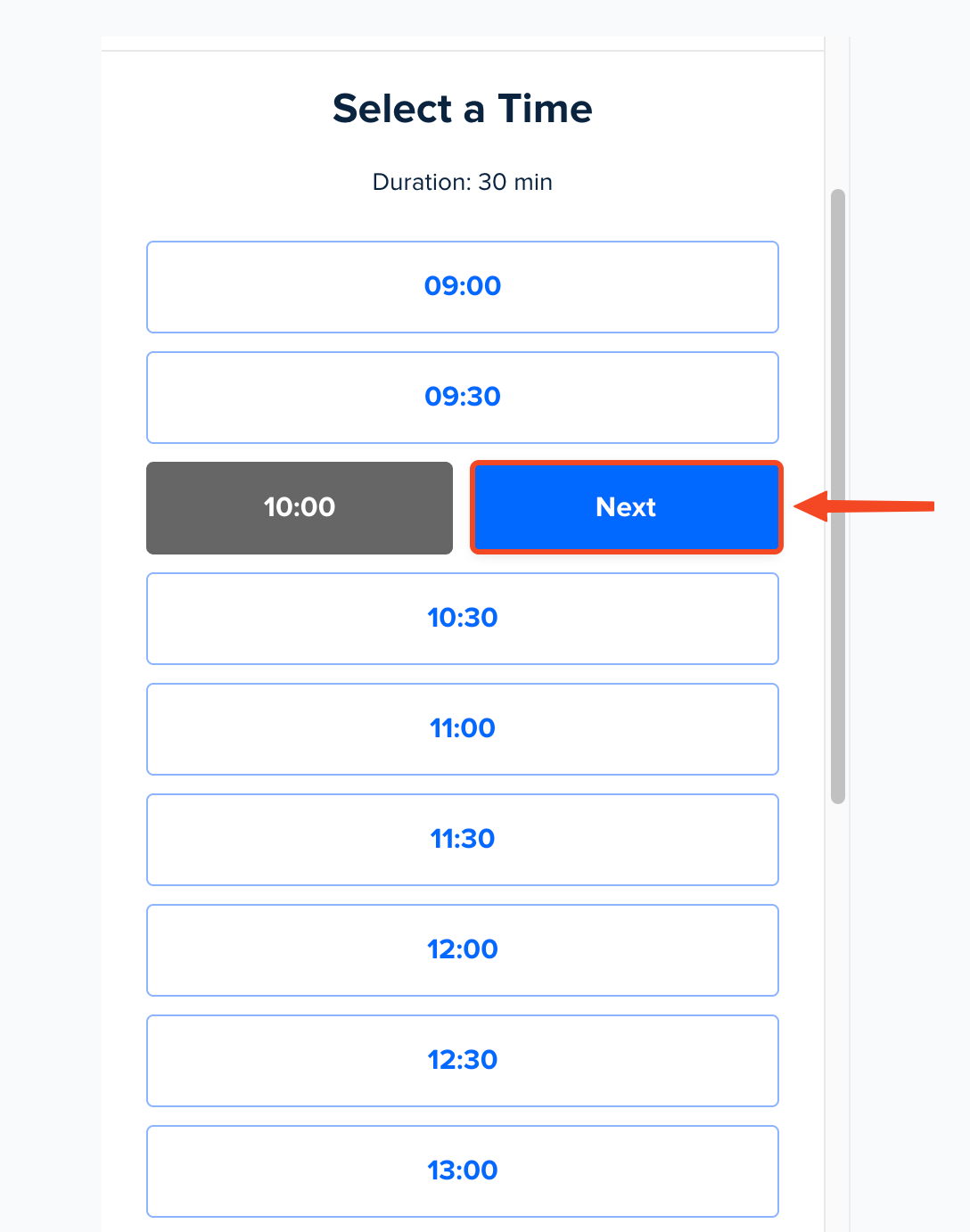
Choose the time, then click Next.
-
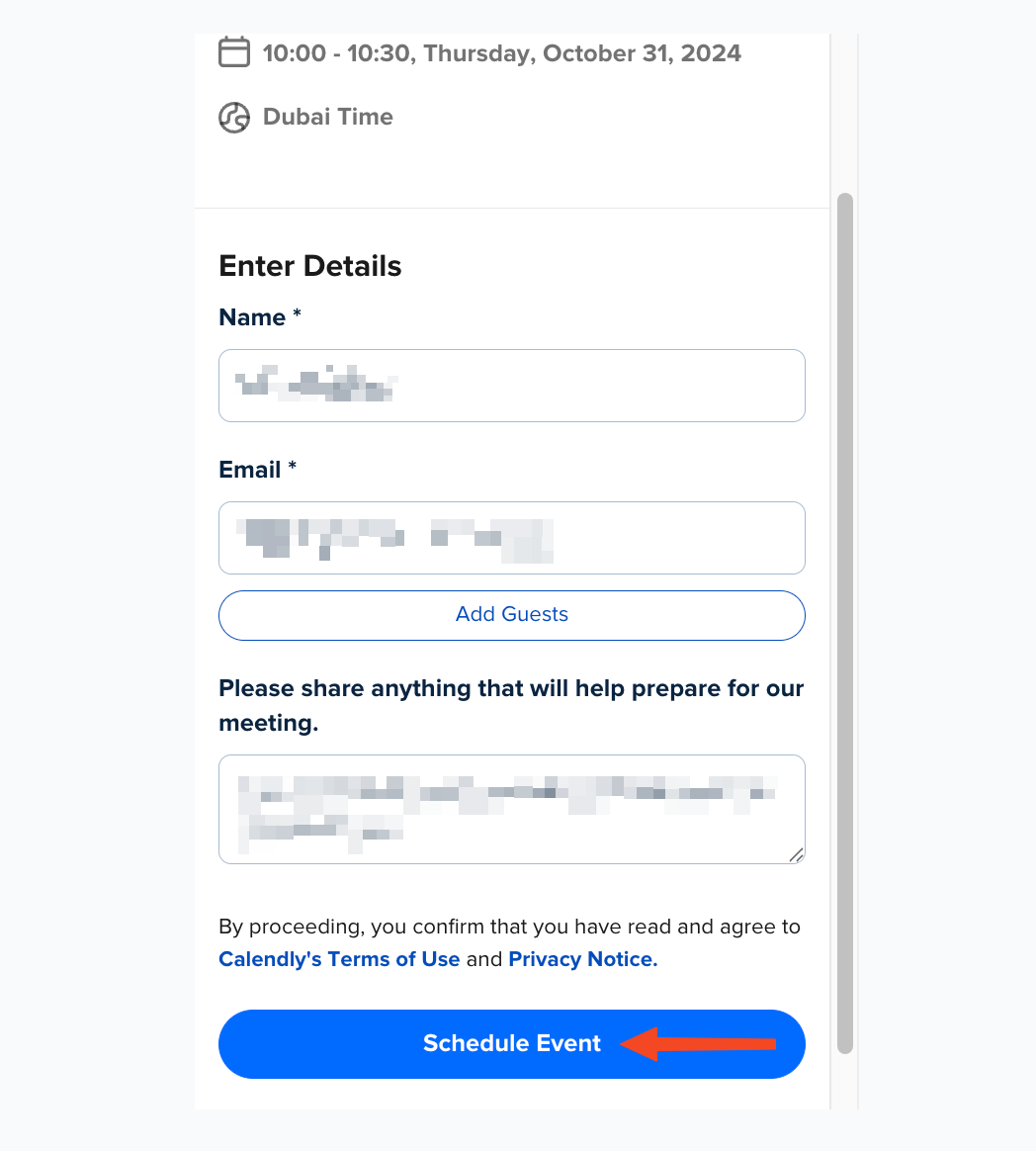
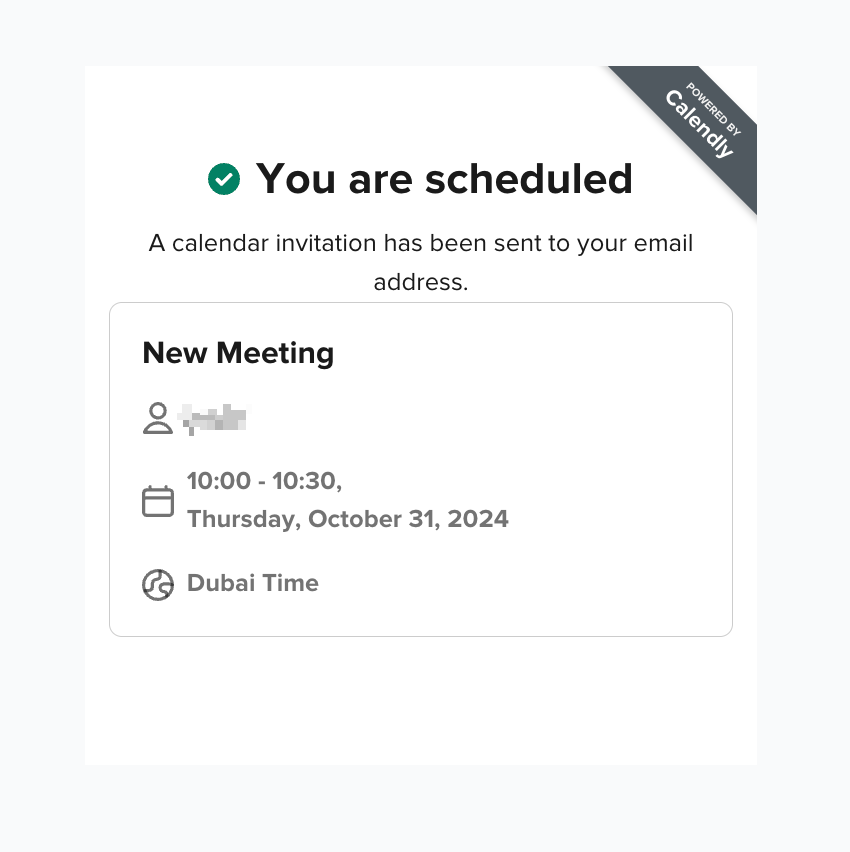
Enter the required details, then click Schedule Event to confirm the booking.
Note
Some platforms use a different booking page from the one in the screenshots. In that case, click Book Now, choose the day, choose the time, then click the same time again when it shows Confirm. If you are not signed in, the platform asks for your email to finish the booking.