Add your phone number to your account
Add your phone number to your account on the platform, so you can sign in with WhatsApp.
How to add your phone number
-
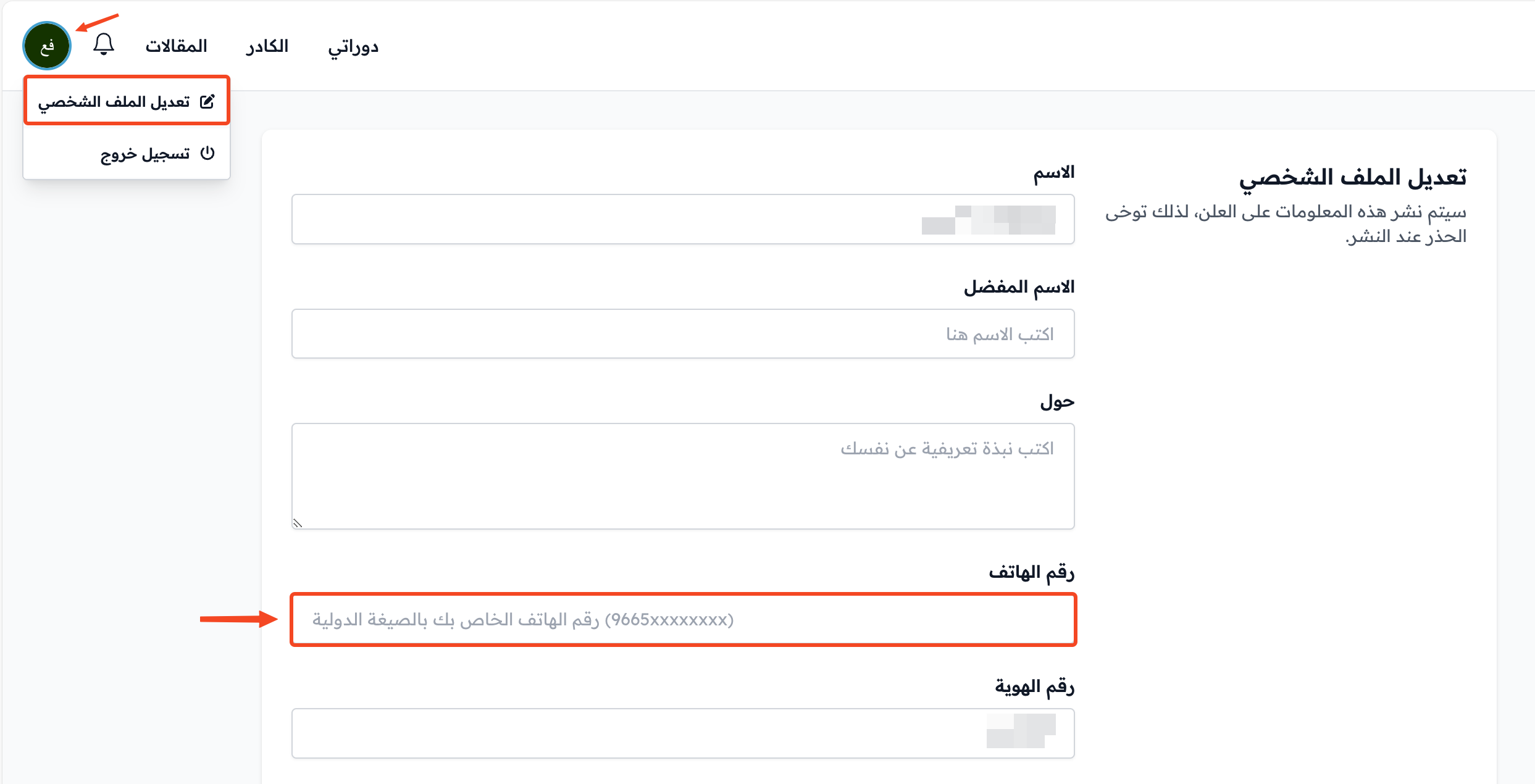
Click your profile icon in the top bar, then click Edit Profile.
-
Type your number in the Phone Number field in international format, for example 9665xxxxxxxx. Use the number that has WhatsApp.
-
Scroll to the bottom of the page and click Save Changes.
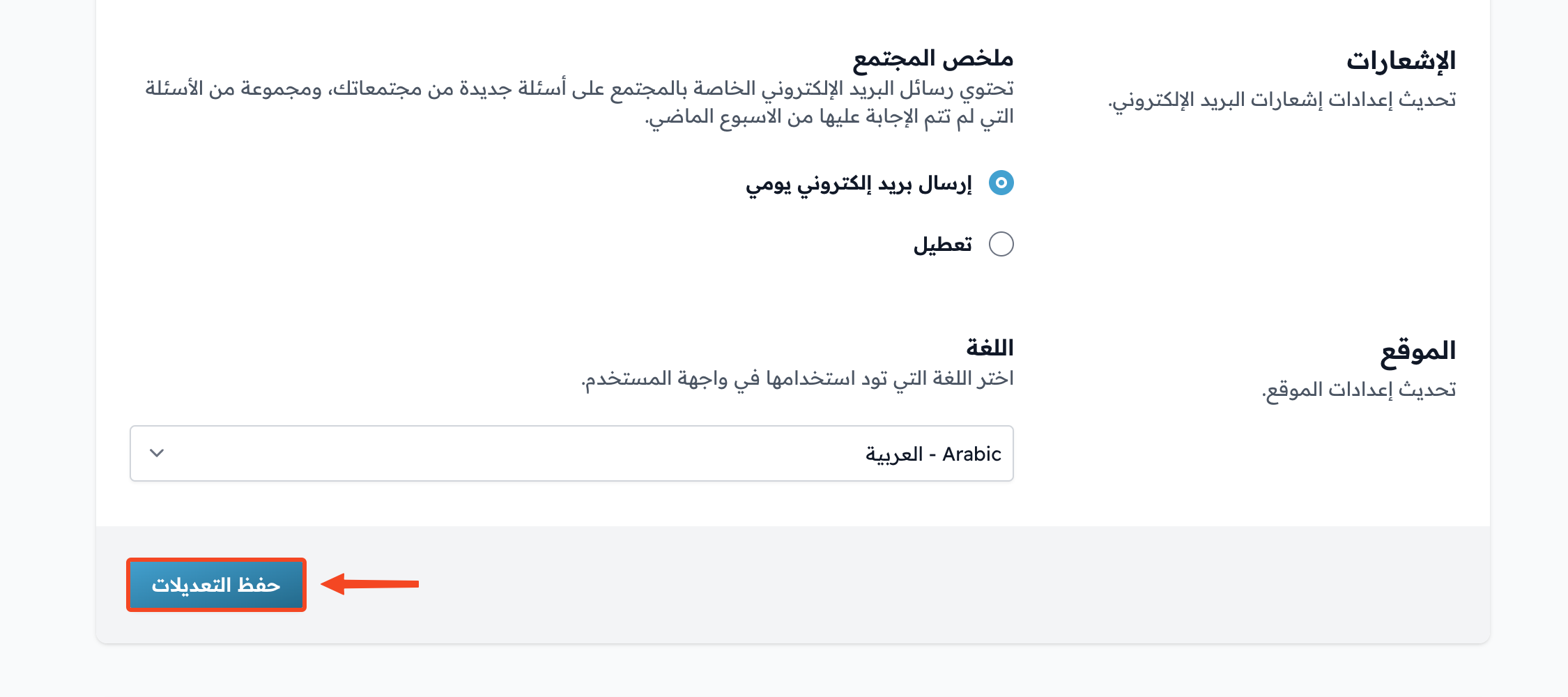
After you save, you can sign in to your account with WhatsApp.
Note
If another account on the platform already uses this number, you see an error message and the number is not saved. In this case, sign in with this number or use a different number.