Add your ID number to your account
You can add your ID number to your account details on the platform from the Edit Profile page.
How to add your ID number
-
Click your profile icon in the top bar, then click Edit Profile.
-
Type your ID number in the ID Number field.
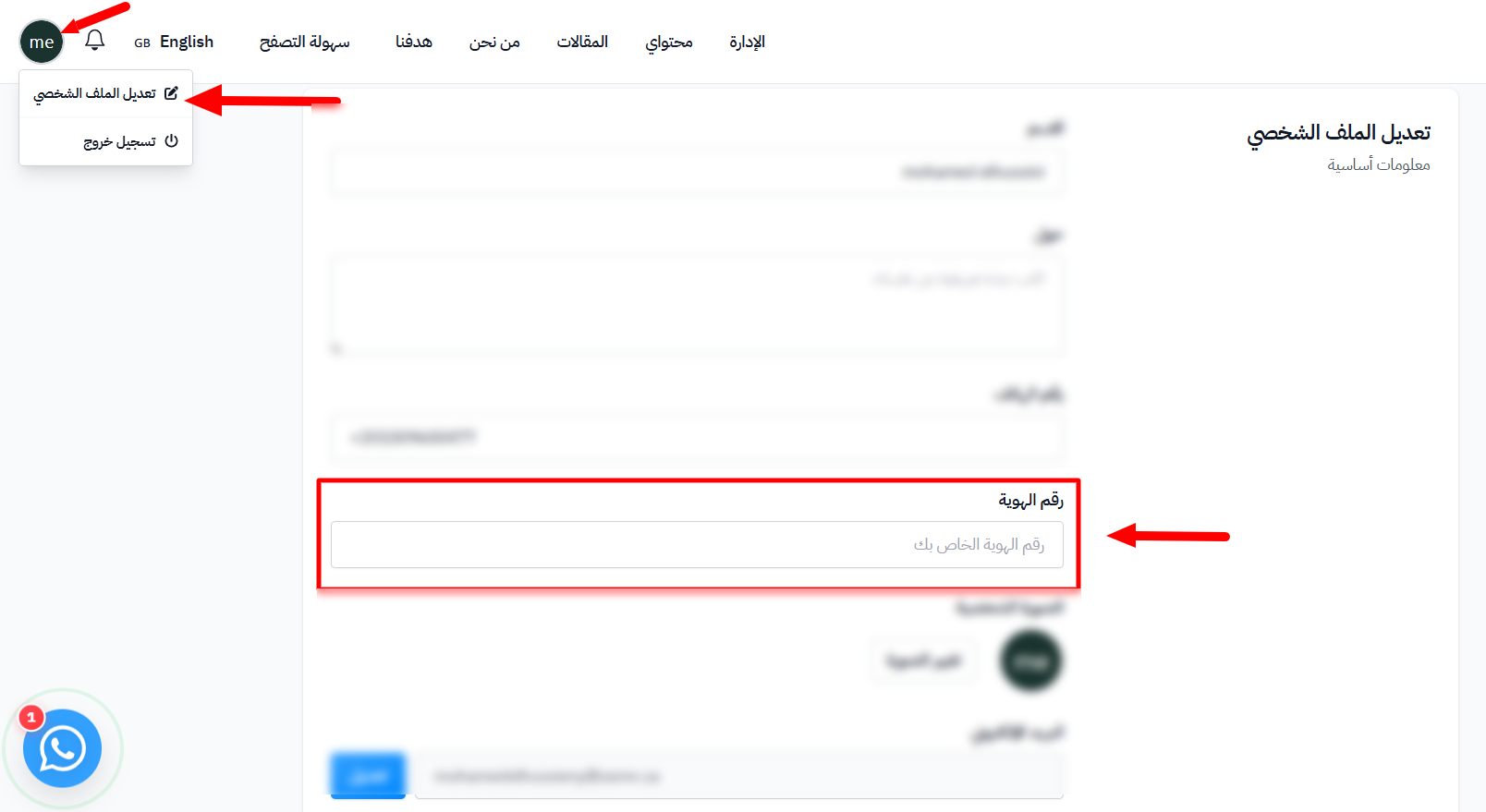
-
Scroll to the bottom of the page and click Save Changes.
Note
If your account already has an ID number and you are enrolled as a student in a course, you cannot change it yourself. Contact the platform administration if you need to update it.