Change your Zamn domain (subdomain)
You can change your platform's subdomain from the dashboard. This is your platform link that ends with zamn.app. Use it if you want to change the link name, or make it closer to your platform name. These steps are for platform admins.
Steps to change the domain
-
Sign in to your platform dashboard.
-
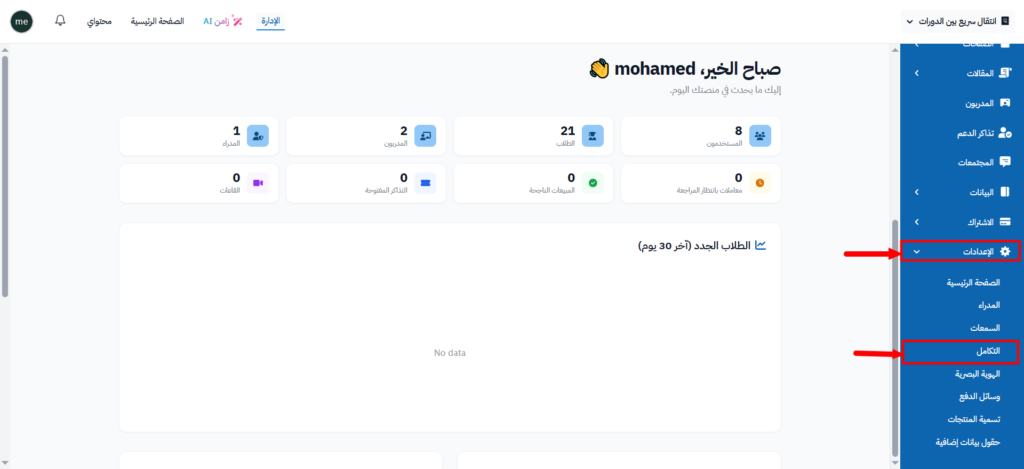
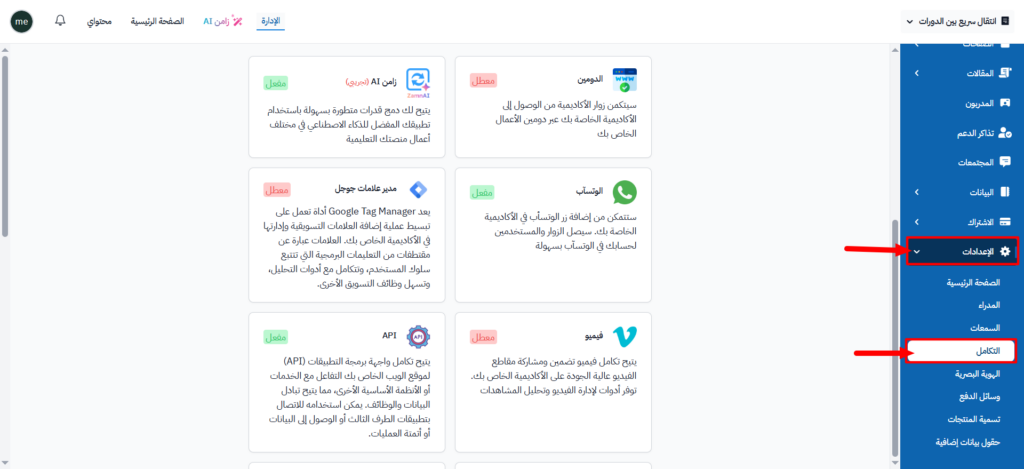
From the side menu, click Settings, then choose Integrations.
-
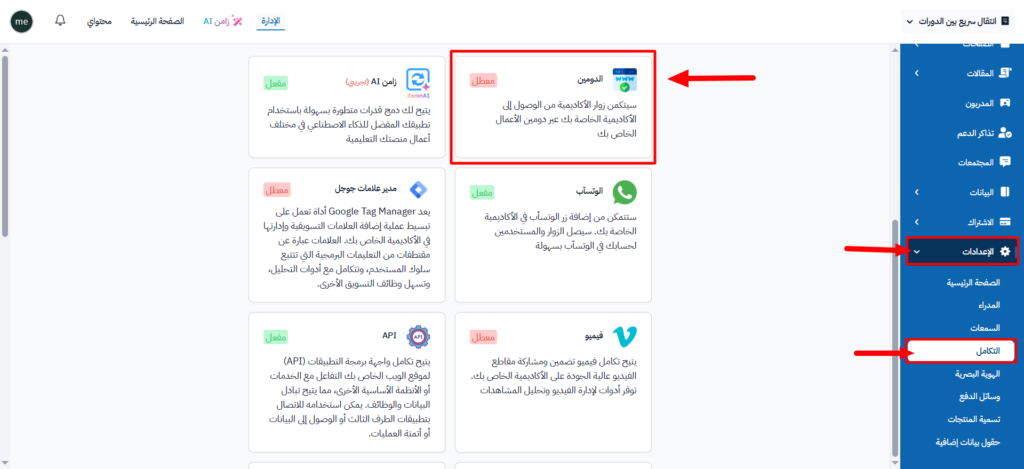
On the Integrations page, click the Domain card.
-
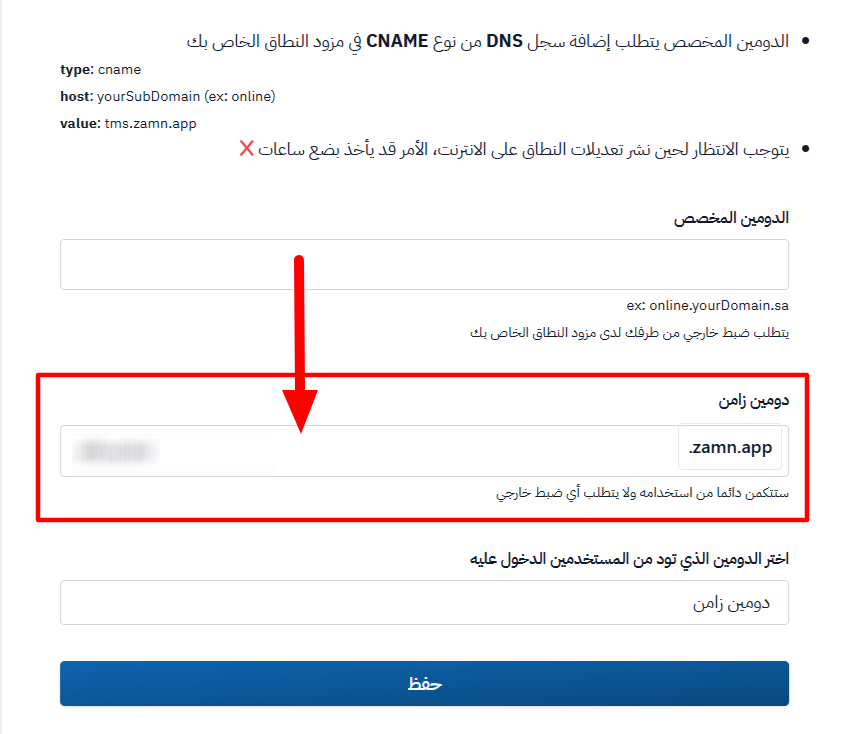
In the Zamn Domain field, type the new name in place of the current one. Do not type zamn.app, because it is fixed next to the field.
-
Click Submit to apply the changes.
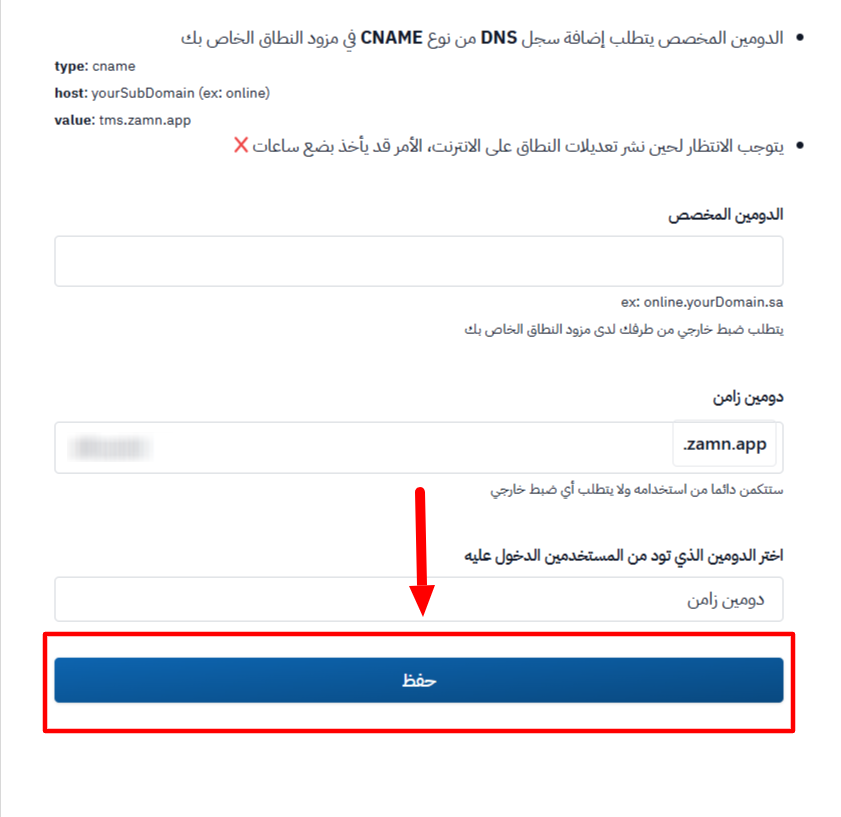
Type at least three characters, using only English letters and numbers. Spaces, dots and dashes (-) are removed for you, and capital letters become small letters.
To change your Zamn domain, you need an active subscription to one of the Websites plans, or your platform must be in the free trial. If not, the field is locked.
Example
Before the change: myacademy.zamn.app
After the change: mynewacademy.zamn.app