Add a slider to your platform home page
You can add a slider (image slides that change by themselves) at the top of your platform home page. These steps are for platform admins.
Steps to add a slider
-
In your platform dashboard, go to Settings, then Customization.
-
Click Edit slider.

-
Add the slide details:
- Description (optional).
- CTA link (optional).
- Cover Image.
-
Click Add a New Slider.
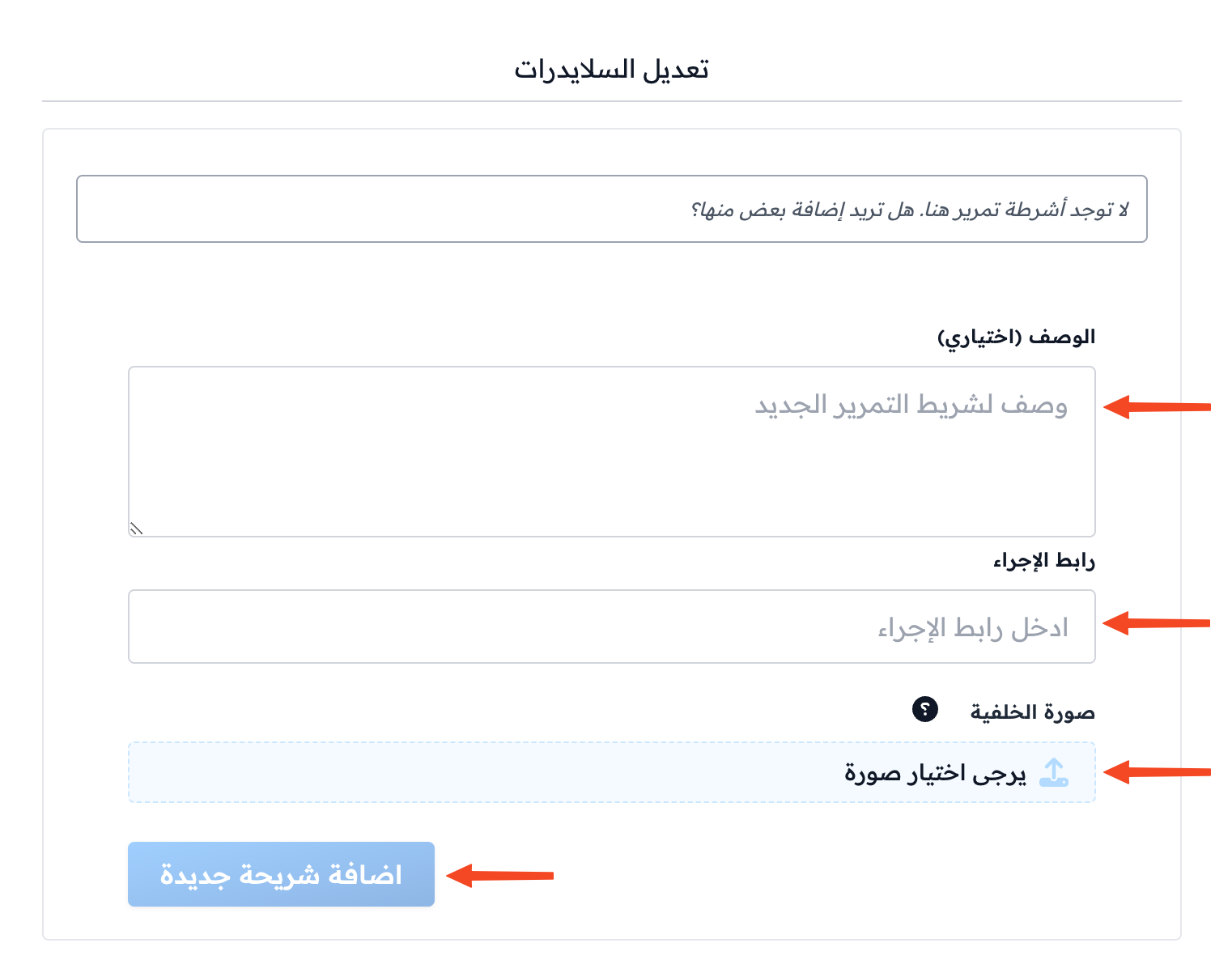

The slides you add show at the top of the home page and change by themselves. If you add a description, it shows on the slide with a Read More button that opens the CTA link.

Note
The slider shows only on the default home page. If you designed your home page with the page builder and it is visible to visitors, the slider does not show.