How to buy a custom domain
Zamn gives you many ways to customize your platform the way you like, and one of them is connecting your platform to your own custom domain.
In this article, you learn how to buy a custom domain.
Many websites sell custom domains, such as:
And many more. Here we show you how to buy a domain from Namecheap.
Steps to buy a domain from Namecheap
-
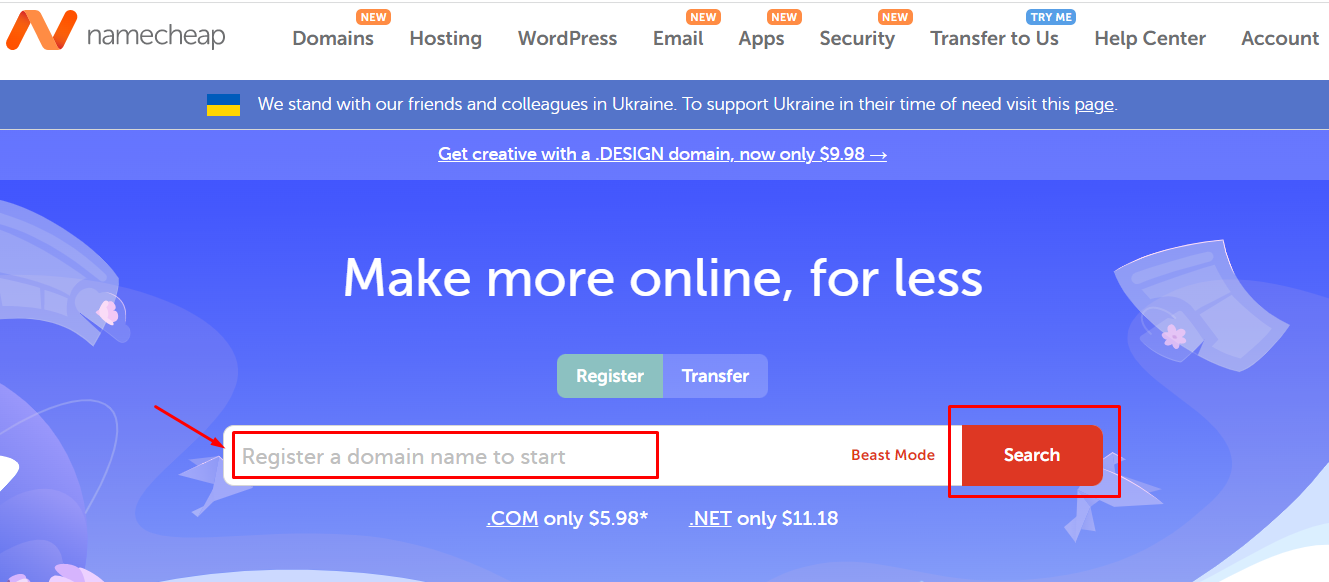
Go to the Namecheap website.
-
Type the domain you want to buy.
-
Click Search.
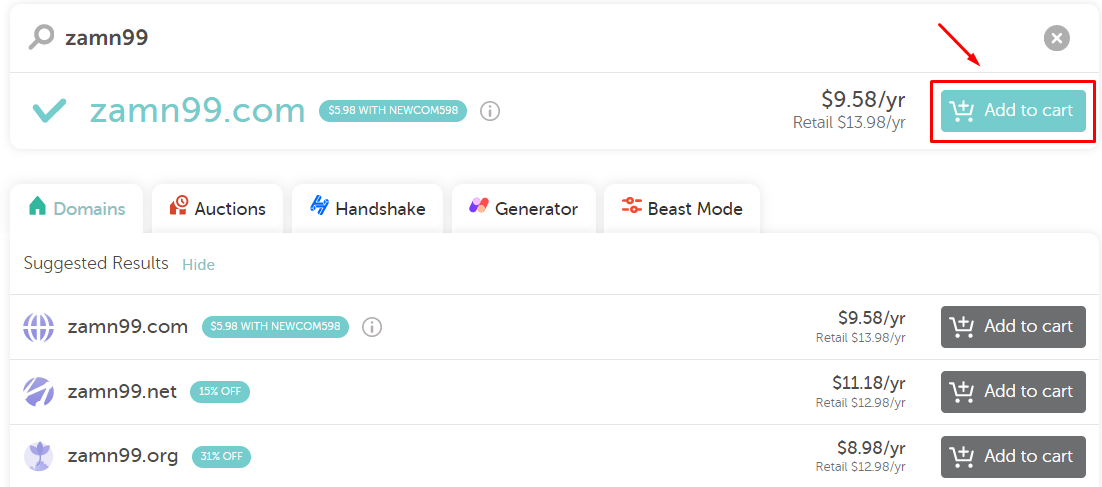
If the domain is available, the Add to cart button shows in blue. If it is not available, the button shows in gray. In that case, choose one of the suggested options, or search for another domain.
-
Click Add to cart to start buying the domain.
-
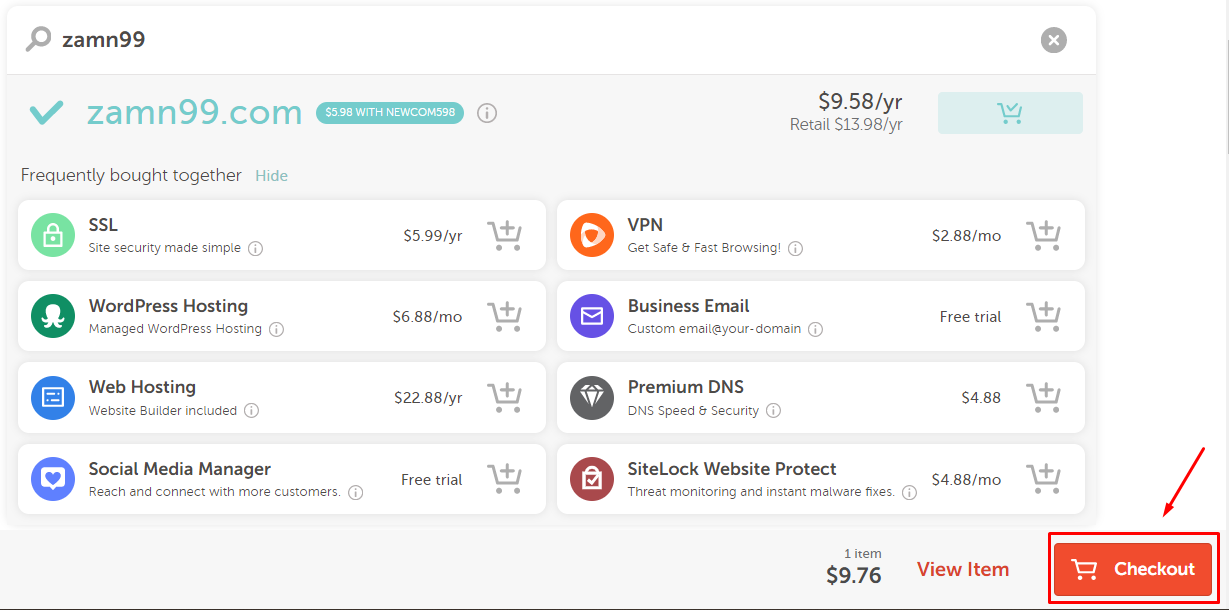
Extra paid services show. Choose the ones you want.
-
Click Checkout.
-
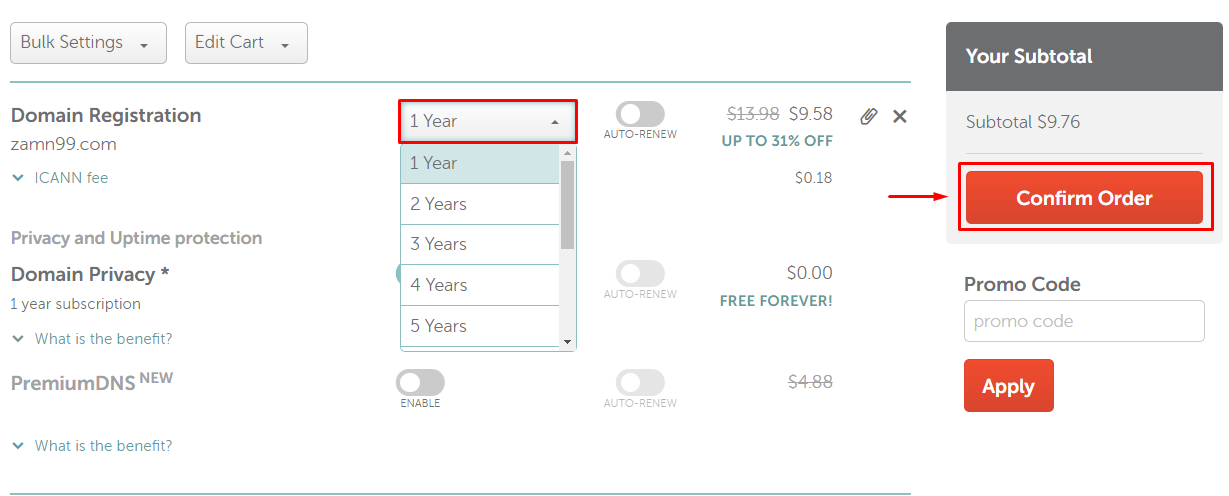
Choose how long you want to keep the domain.
-
Click Confirm Order.
-
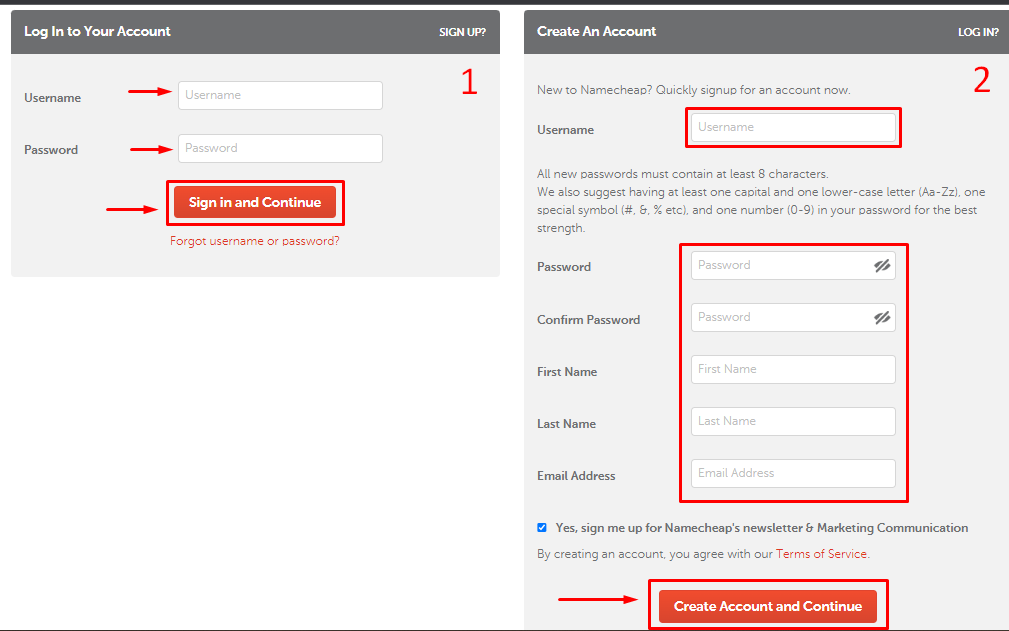
Sign in to Namecheap, or create a new account:
- If you have a Namecheap account: type your username and password, then click Sign in and Continue.
- If you do not have an account: choose a username, choose a password and type it again to confirm, type your first name and then your last name, type your email address, then click Create Account and Continue.
-
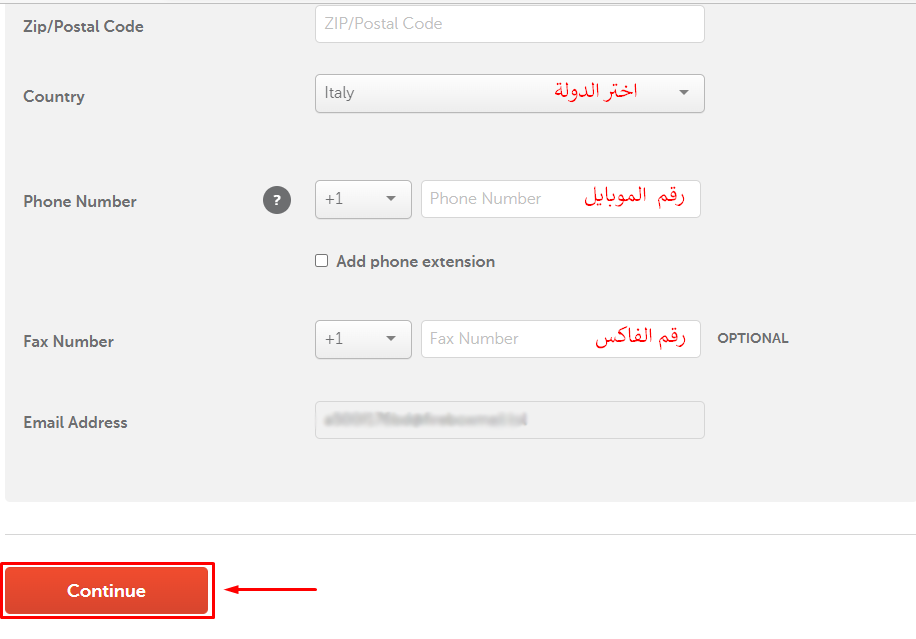
Fill in the needed details as shown in the pictures, then click Continue.

-
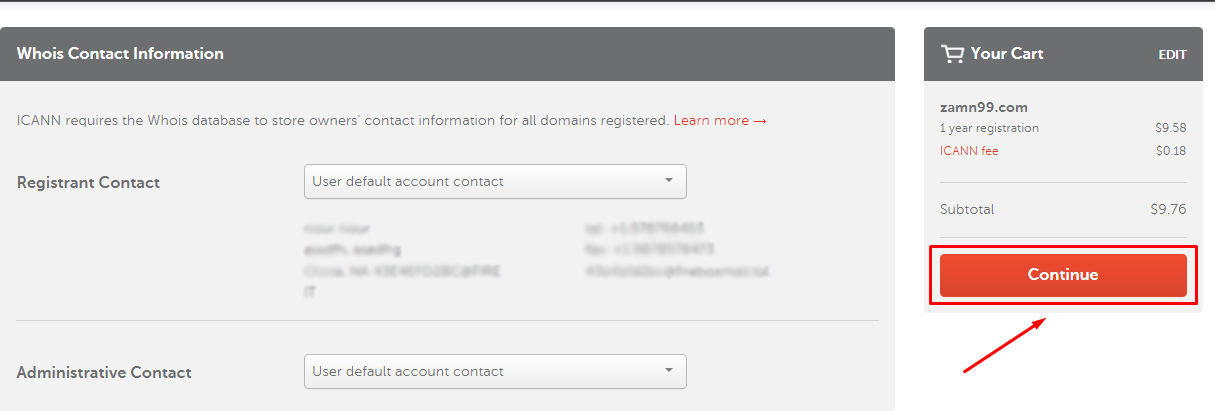
A page with your details opens. Click Continue.
-
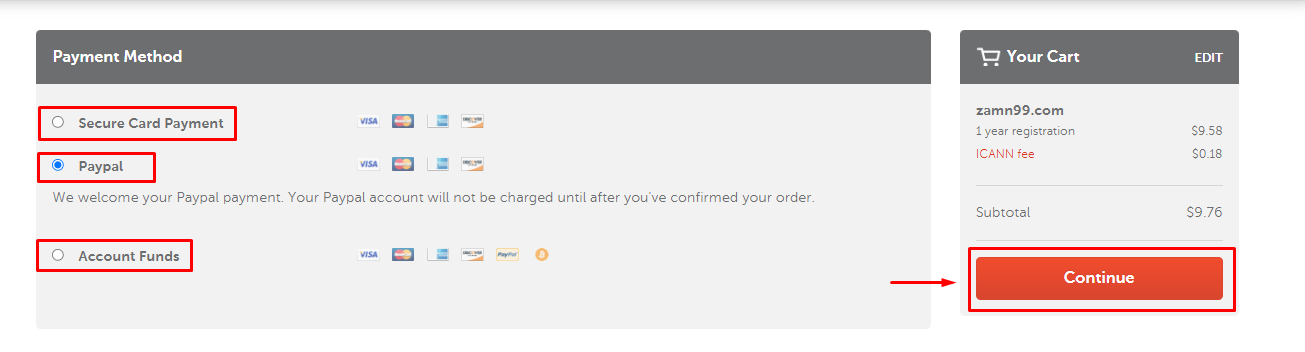
Choose the payment method, then click Continue.
-
Click Pay Now to complete the purchase.
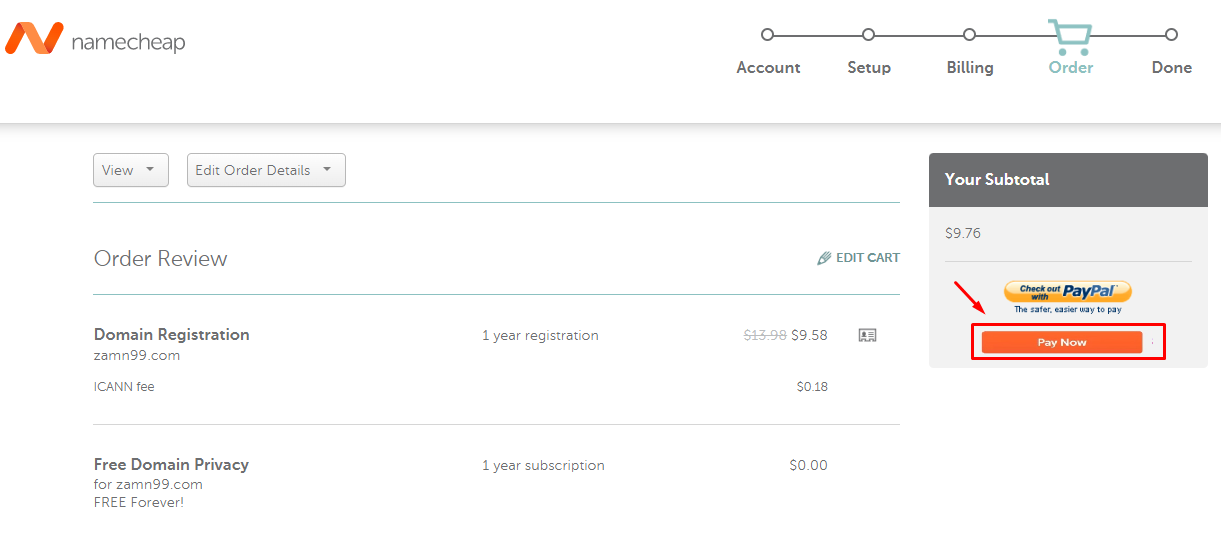
You will get an email with the payment details and the invoice.