Hide the Zamn watermark
The watermark is the Zamn logo that shows in the footer (the bottom bar) of your platform. The platform admin can hide it from the settings.

Steps to hide the watermark
-
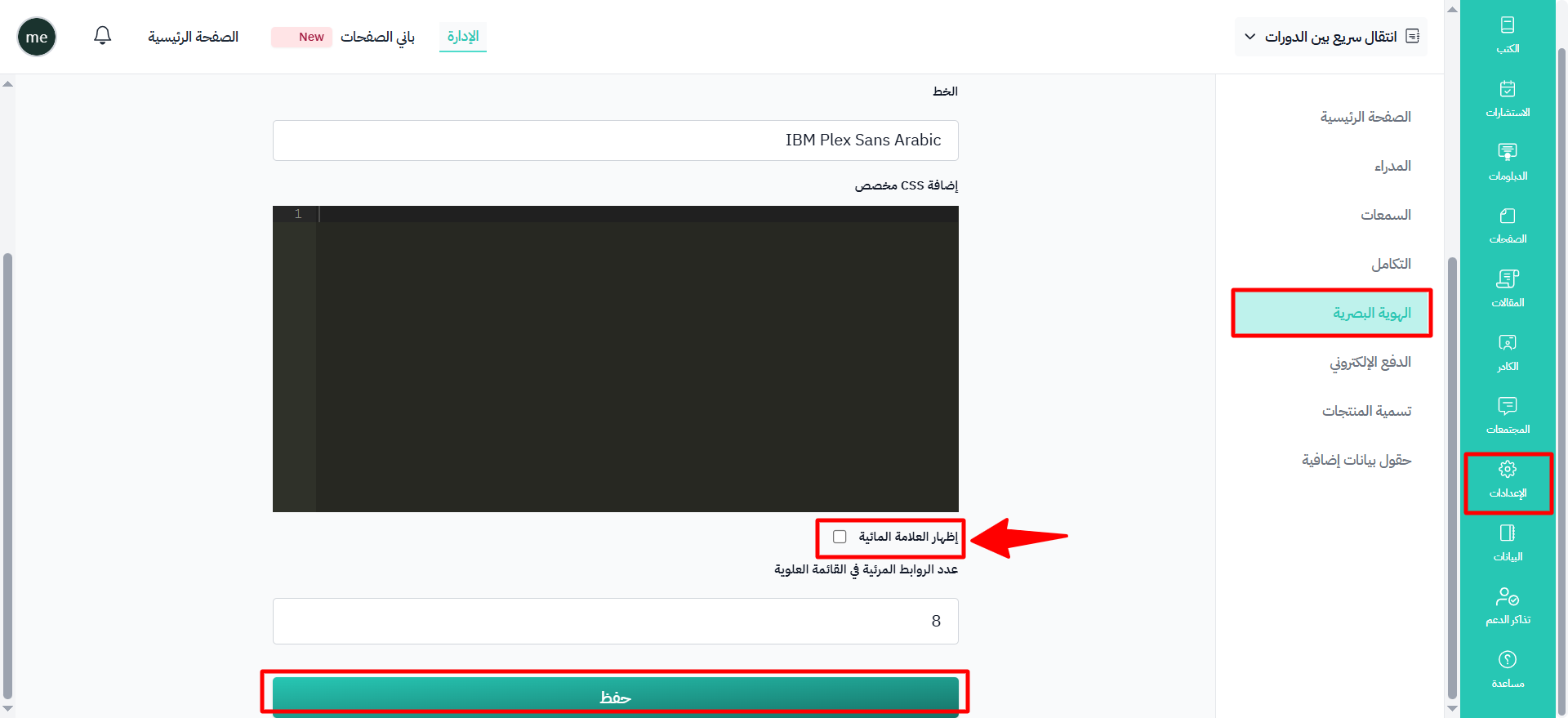
From the dashboard, click Settings.
-
Choose Branding from the menu.
-
Turn off the Show watermark option.
-
Click Save to apply the changes.
Note
Hiding the Zamn watermark is not available on the Basic plan or the free plan.