Connect with Google Tag Manager
Connect your platform with Google Tag Manager to add tracking and analytics codes to your platform from one place. These steps are for the platform admin.
What is Google Tag Manager (GTM)?
It is a free system to manage the codes and tags that you can add to your platform.
Benefits of connecting with Google Tag Manager
- Study how visitors use your platform. For example, you can:
- See how many people browsed your platform or clicked its buttons.
- See how many people watched a certain video on your platform, and how many minutes they watched.
- Add tracking codes for the platforms where you advertise, such as Facebook Pixel, Twitter and others.
- Make the site faster. GTM lets you store and manage the outside codes of your site and put them together in one code that you use on your platform.
Steps to connect Google Tag Manager to your platform
- Create a Google Tag Manager account and copy the connection key.
- Turn on the connection between Google Tag Manager and your platform on Zamn.
1. Create a Google Tag Manager account
-
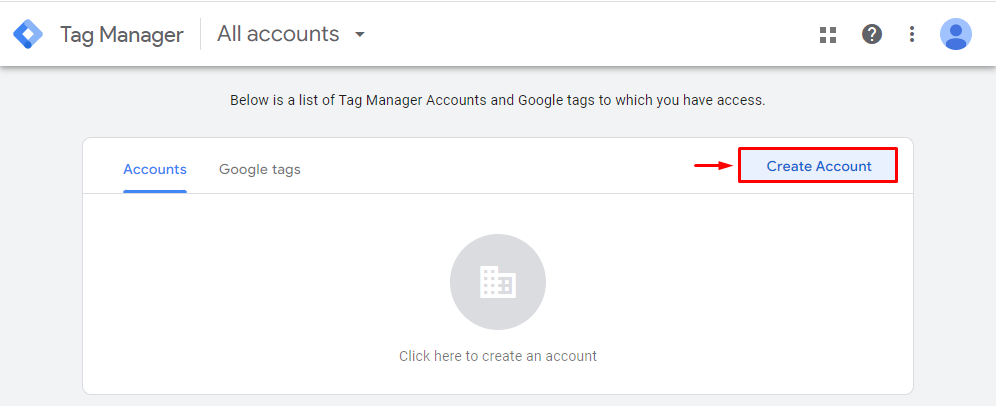
On the Google Tag manager website, click Create Account.
-
Enter the account setup details:
- The account name (for example, your platform name).
- Choose the country.
- Set the option to share data with Google.

-
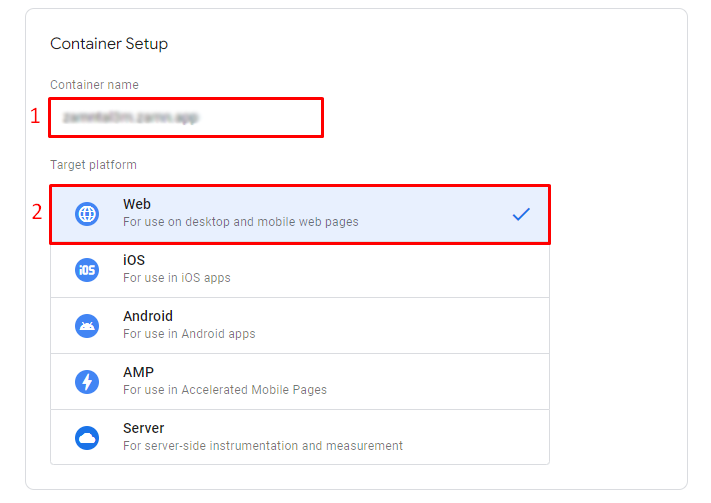
Enter your site details:
- Enter your platform link.
- Choose the target platform Web.
-
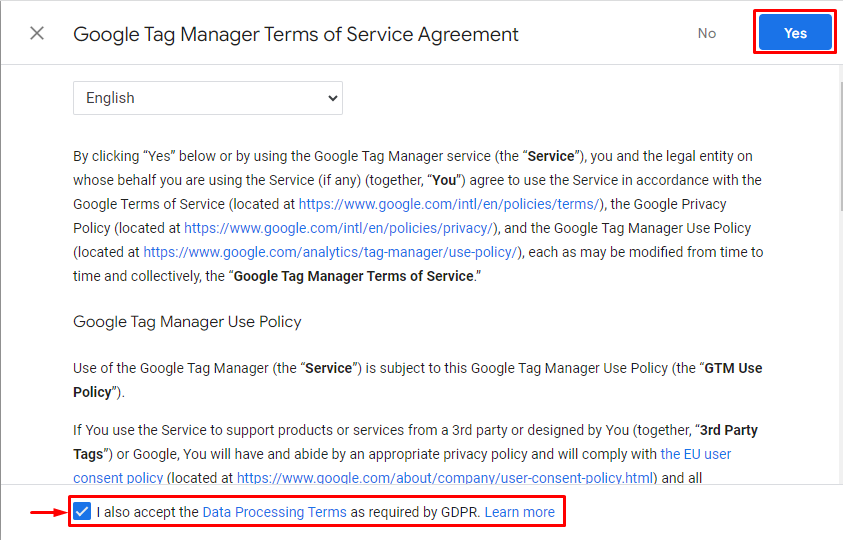
Accept the Google Tag Manager terms of service, then click Yes to create the account.
-
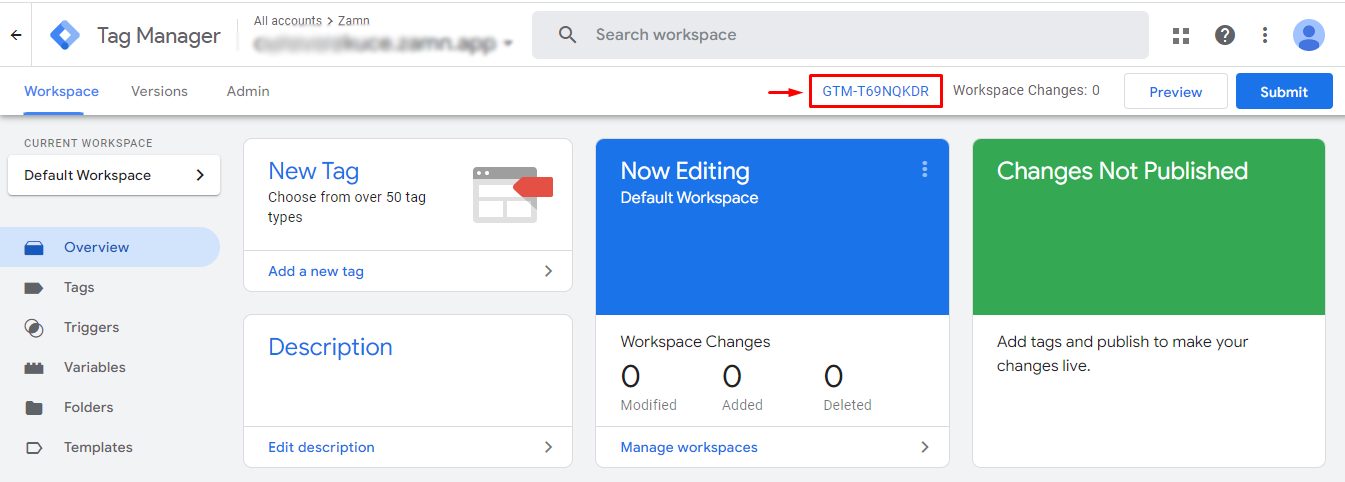
Copy the connection key at the top of the page (it starts with GTM-), as shown in the image.
2. Turn on the connection in your platform
-
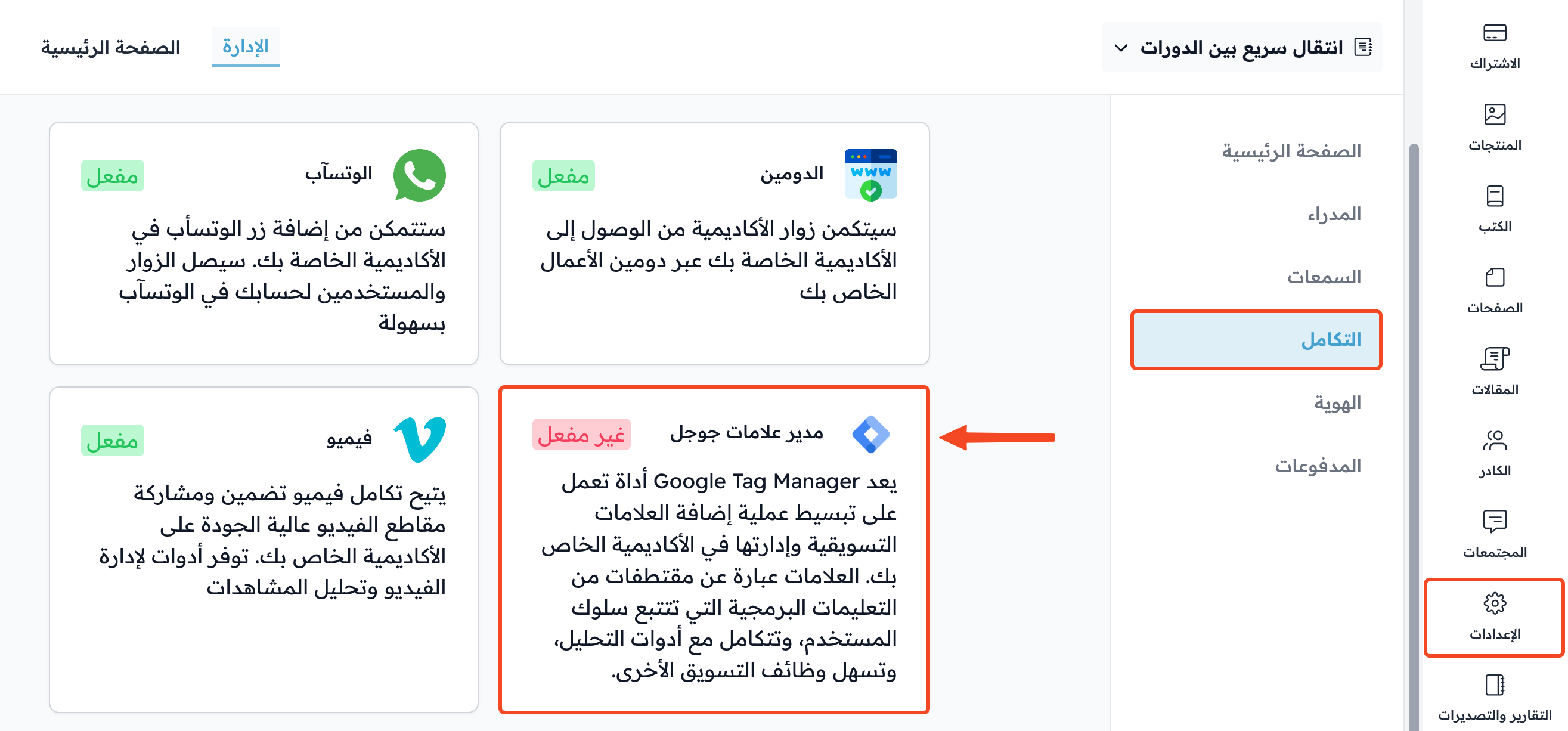
From the dashboard, click Settings.
-
Click Integrations.
-
Choose Google Tag Manager.
-
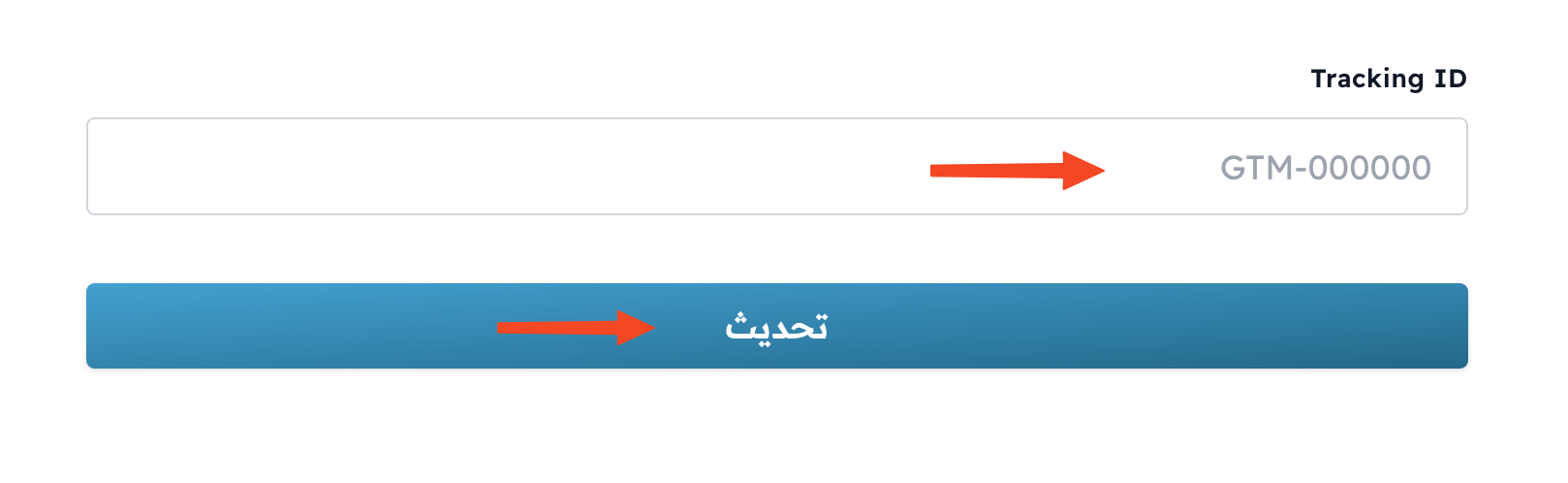
Paste the connection key in the Tracking ID field.
-
Click Update to connect.
This integration is not in every plan. If your plan does not include it, the window shows a message that asks you to upgrade your plan.