Cancel your membership or delete your admin account
If you are an admin on a platform and want to delete your account from it, first check the conditions below, then follow the steps.
Conditions to delete an admin account
- There must be another admin on the platform. You cannot delete the last admin left.
- The platform owner's account cannot be removed from the list of admins.
- If you want to delete your admin account and there is no other admin, this deletes the whole platform.
- If you want to delete the account and the platform, contact the Zamn technical support team.
The Delete account section shows on the Edit Profile page only for accounts that have no admin rights and no payment records. If you do not see this section, your account is still an admin on the platform, or it has subscriptions or sales.
Steps to delete your account when there is another admin
-
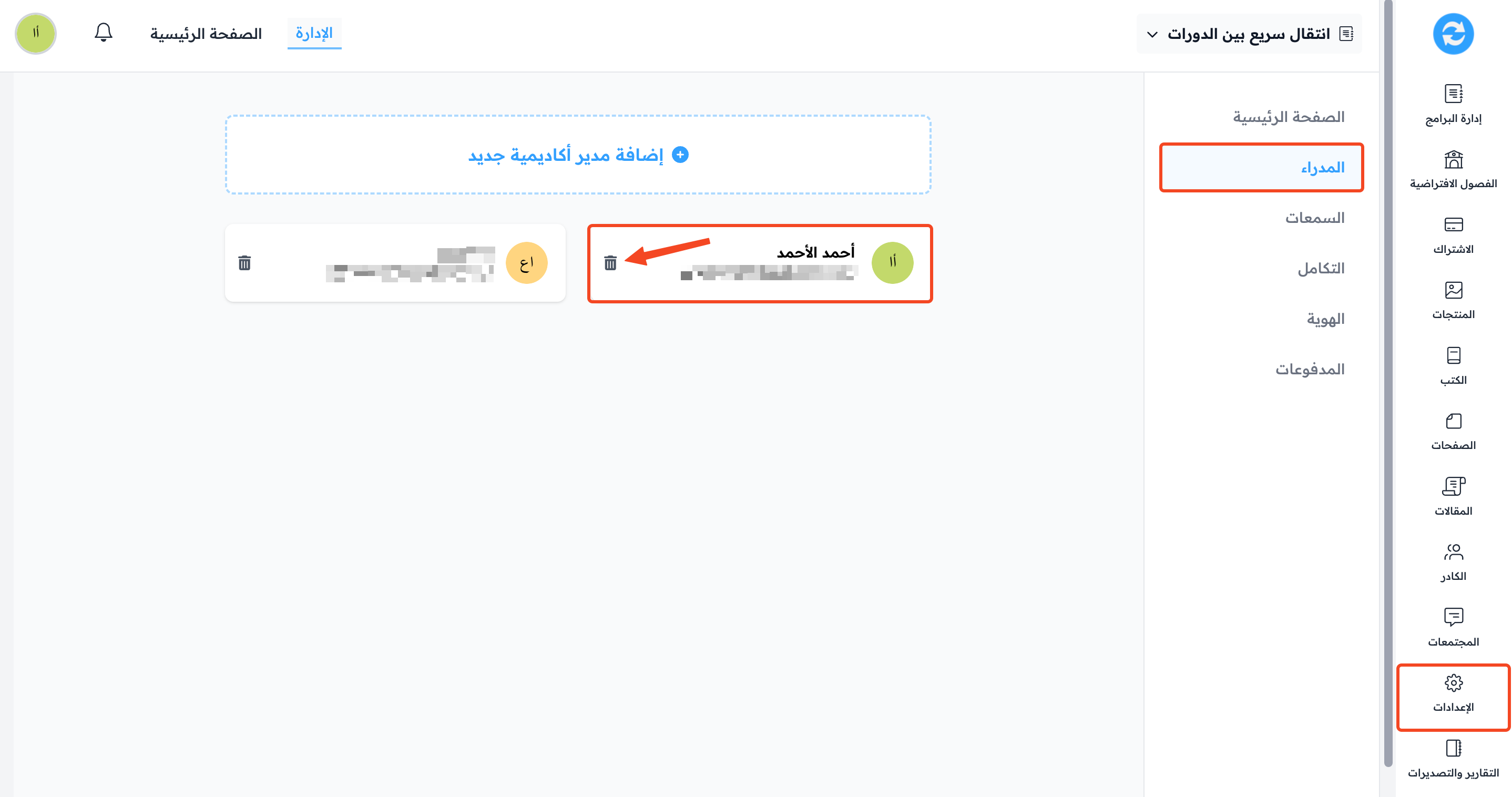
From the dashboard, choose Settings.
-
Go to the Admins page.
-
In the row with the You label, click the ⋯ (Actions) button, then click Delete.
-
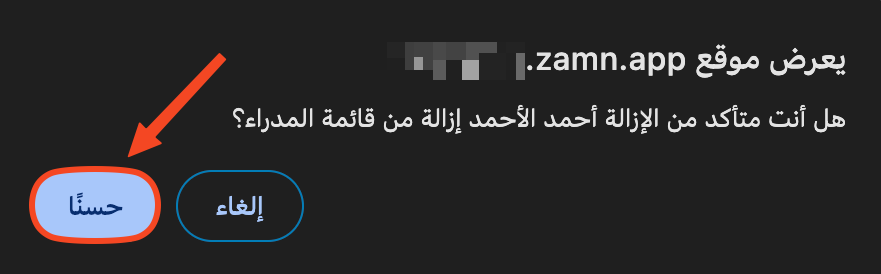
A message asks you to confirm. Click OK.
-
You are signed out of the platform. Sign in again with the same account.
-
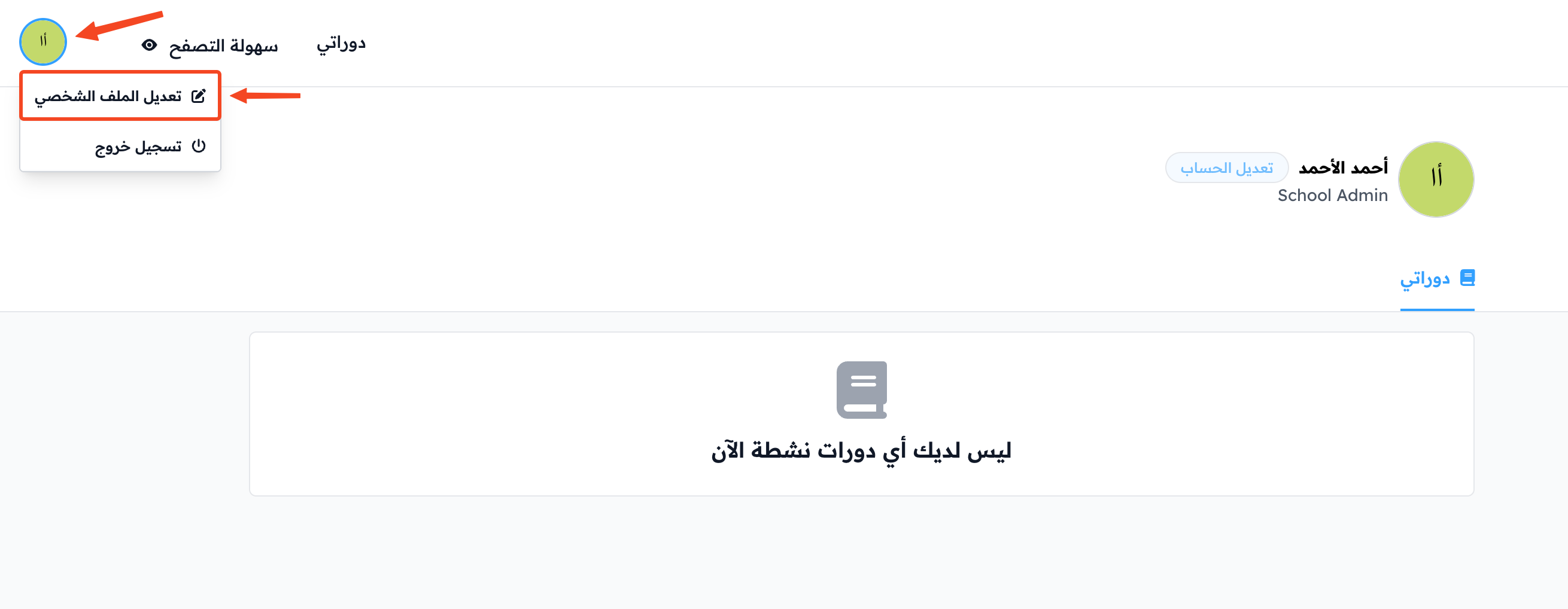
Click your profile icon, then choose Edit Profile.
-
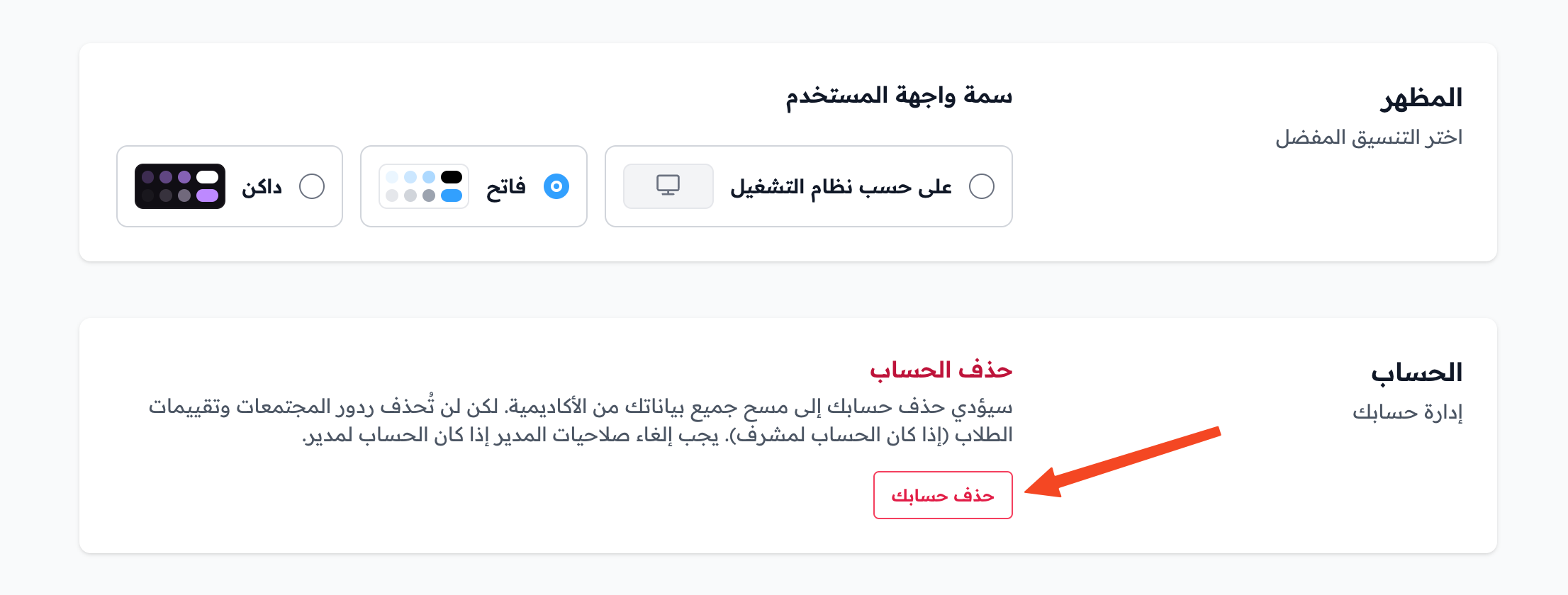
Scroll to the bottom of the page. In the Delete account section, click Delete your account.
-
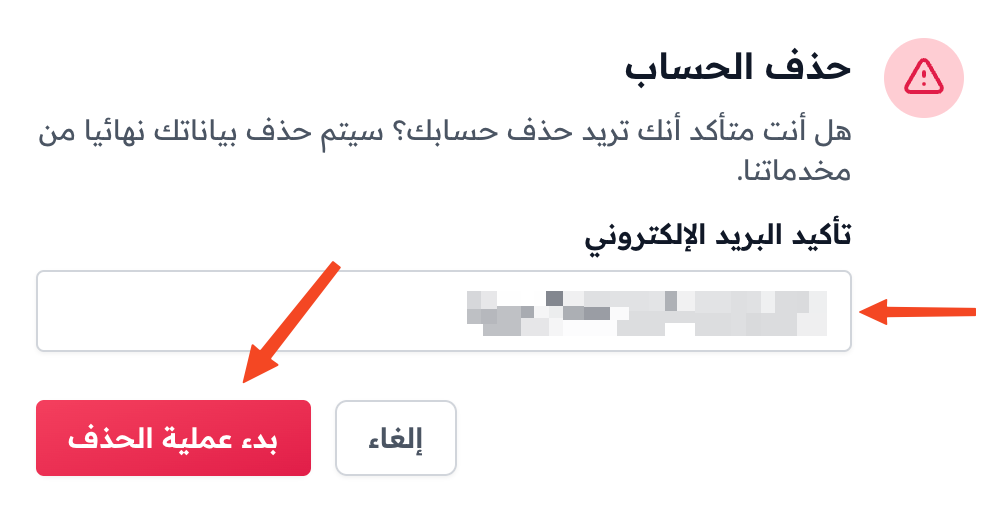
Type your email in the Confirm your email field, then click Initiate Deletion. You get an email to confirm the account deletion.
-
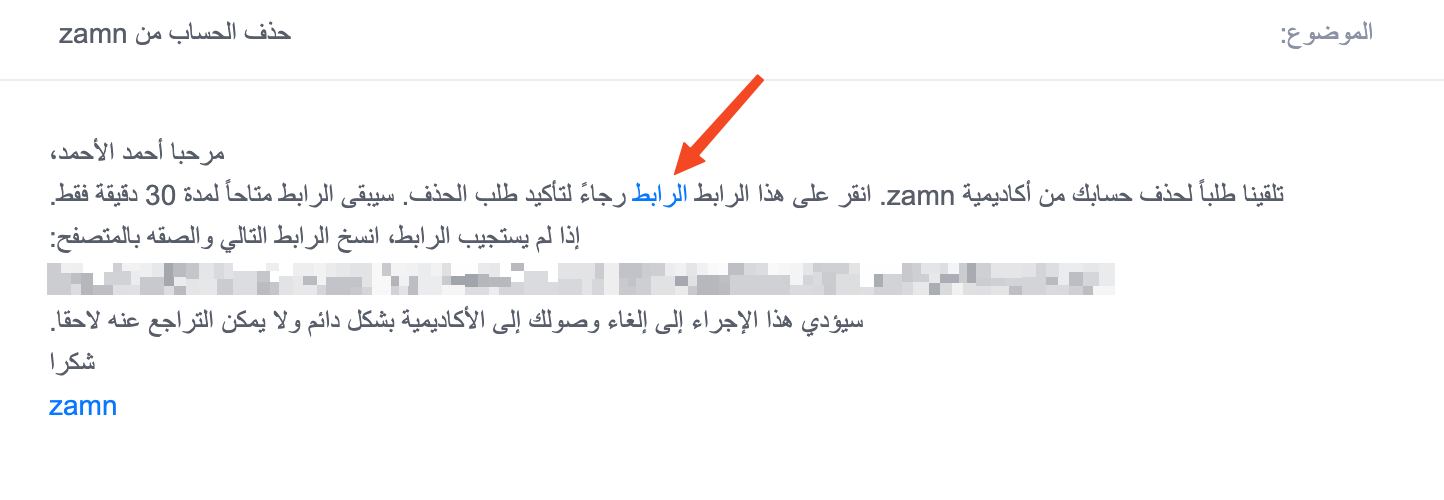
Open your email and click the word link in the message to go to the deletion confirmation page. The link works for 30 minutes only.
-
Click Delete Account.
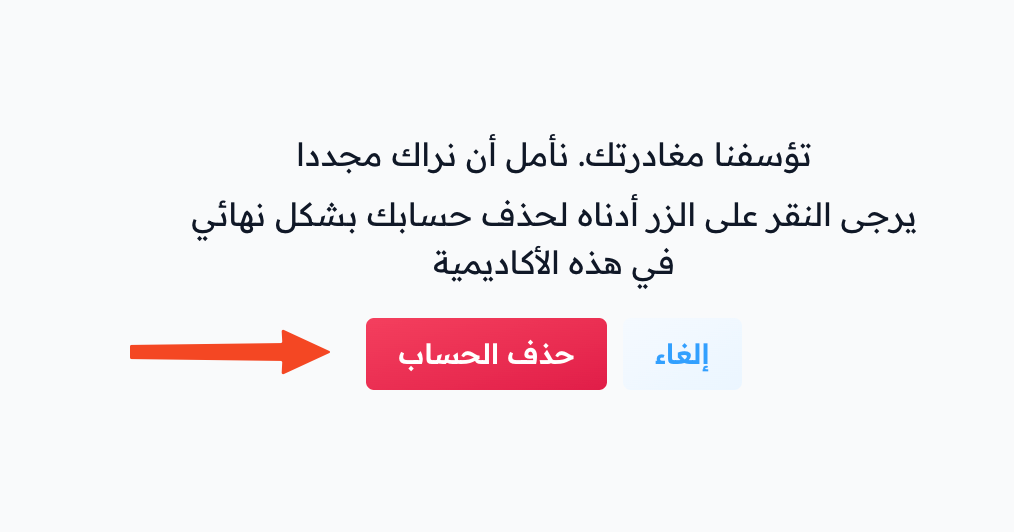
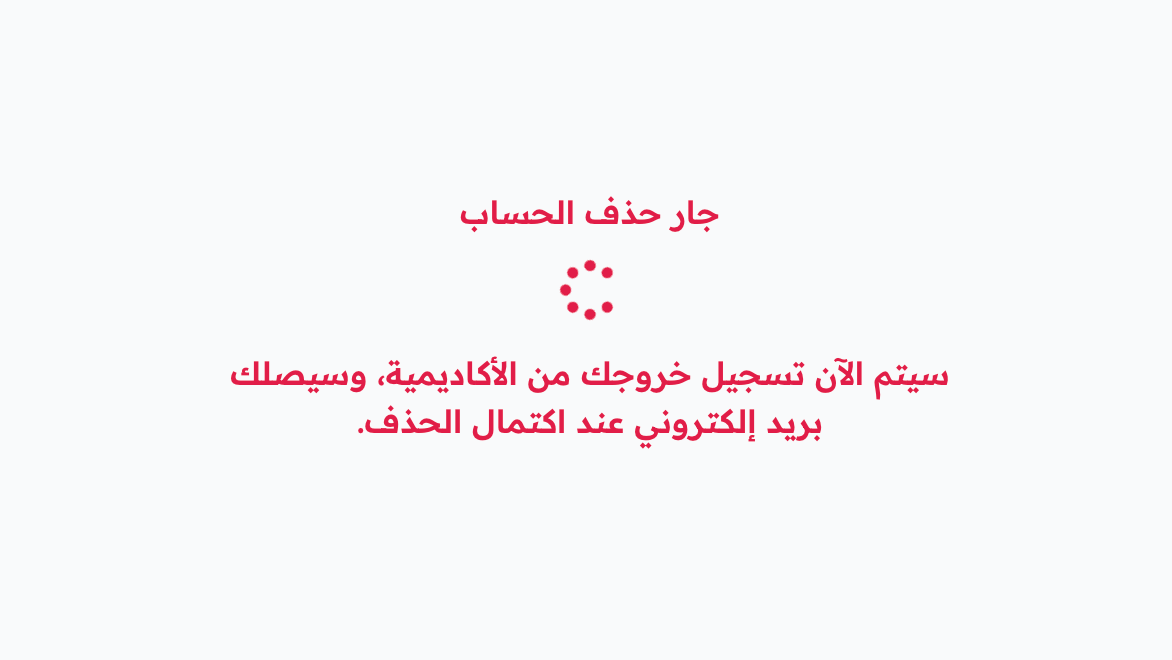
You are signed out. After a few minutes, you get an email that confirms the account was deleted.