Delete or archive a course
This article shows how to archive a course on your platform. This feature is for platform admins.
Steps to archive a course
-
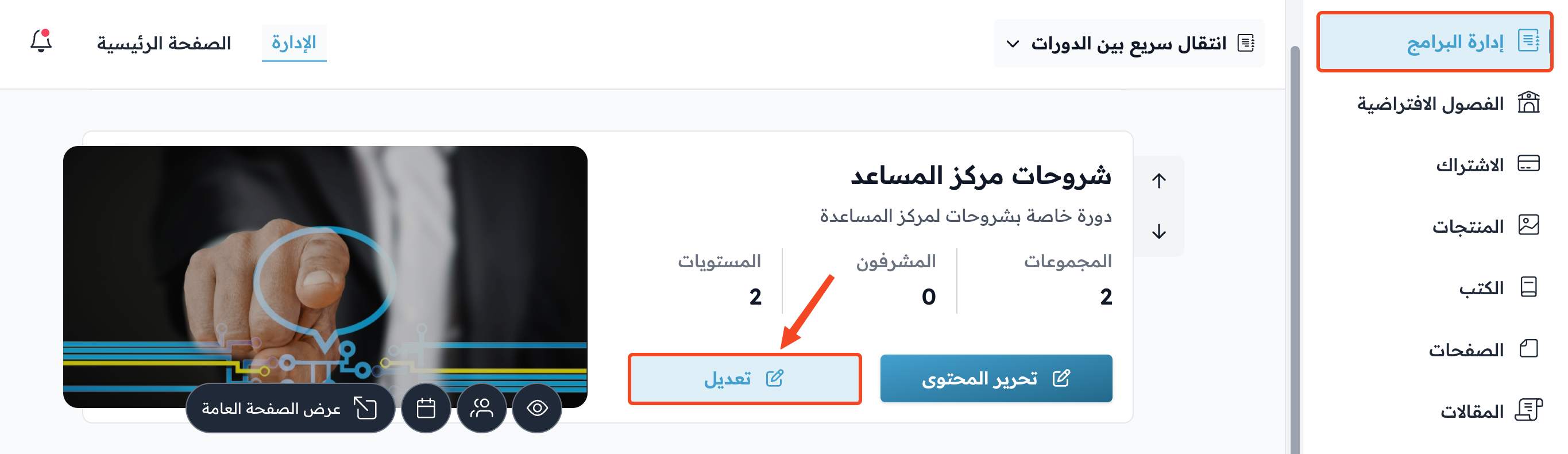
On the Courses page in your platform dashboard, find the course you want to archive, and click Edit Course Details.
-
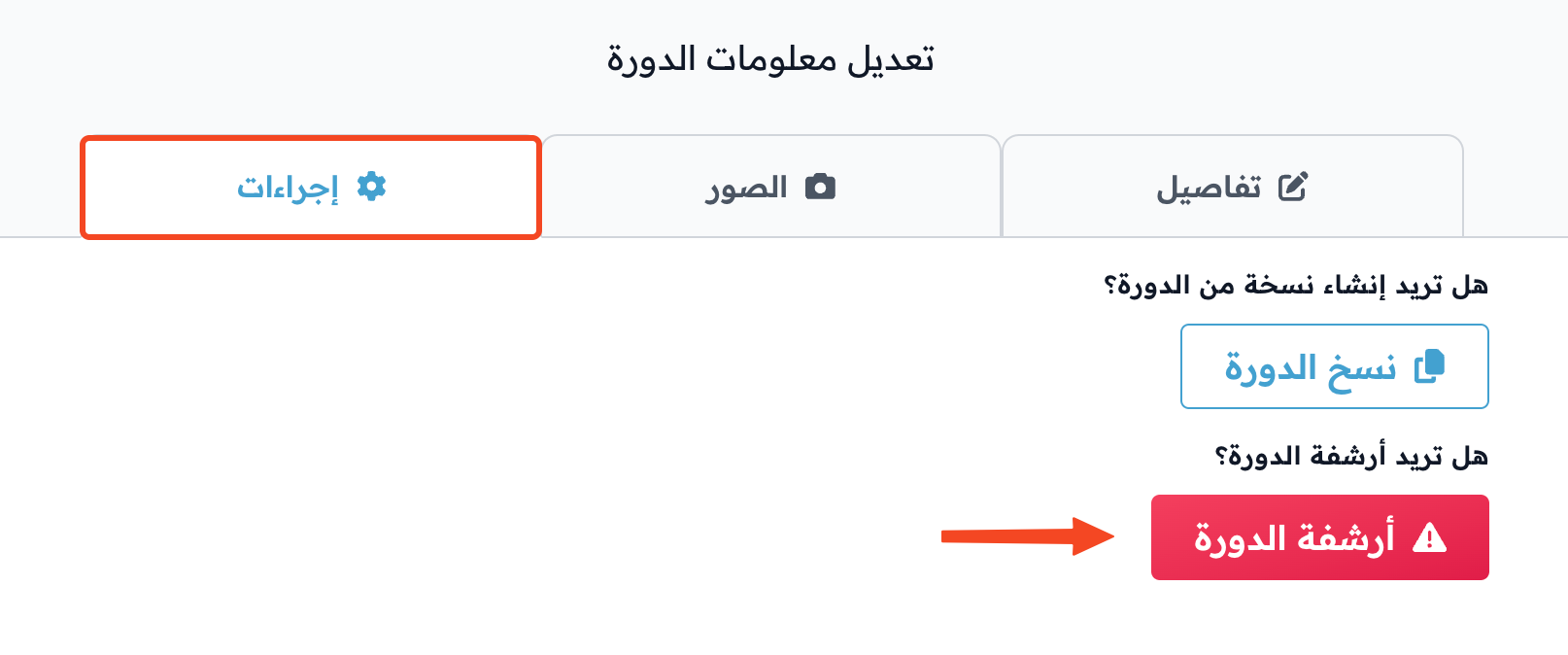
Go to the Actions tab.
-
Under Do you want to archive the course?, click Archive Course.
-
The message Are you sure you want to archive the course? shows. Click OK to confirm.

Note
You cannot delete a course for good, but you can archive it. When you archive a course, it disappears from the students' course list and they can no longer open it, and all its active cohorts end.