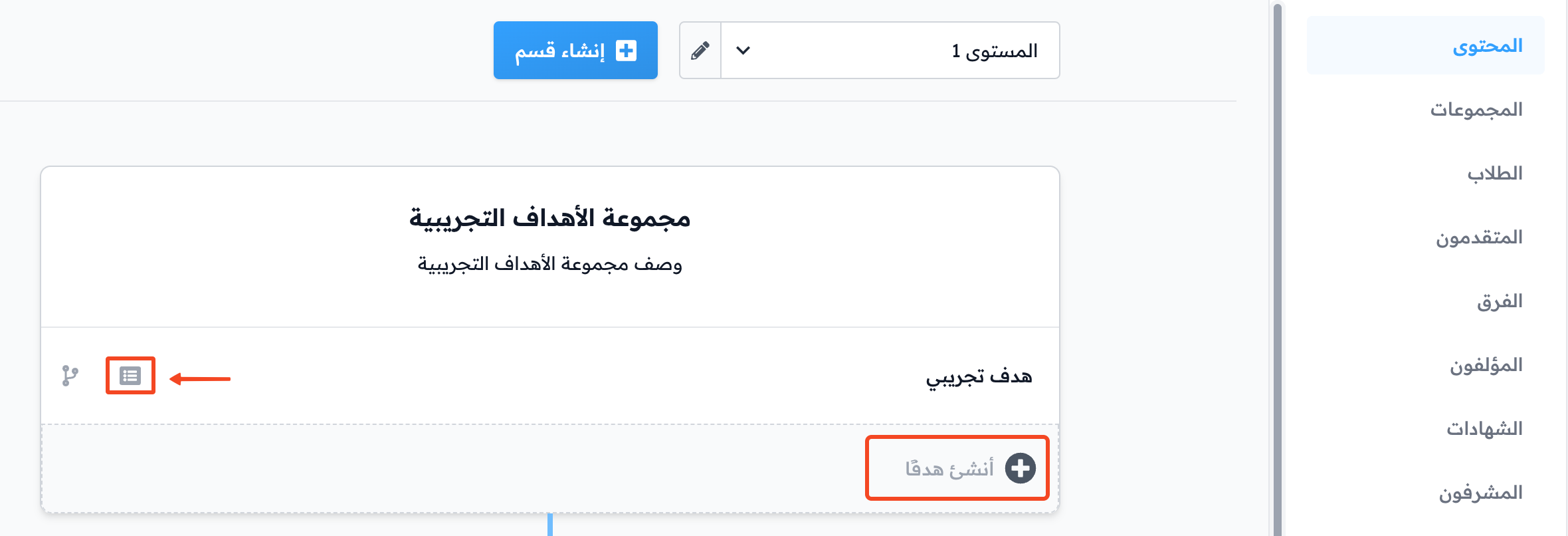
How course content is organized
The content of a course has three parts:
- Sections (levels).
- Target groups.
- Targets.
To open the course content, click Edit Curriculum on the course.
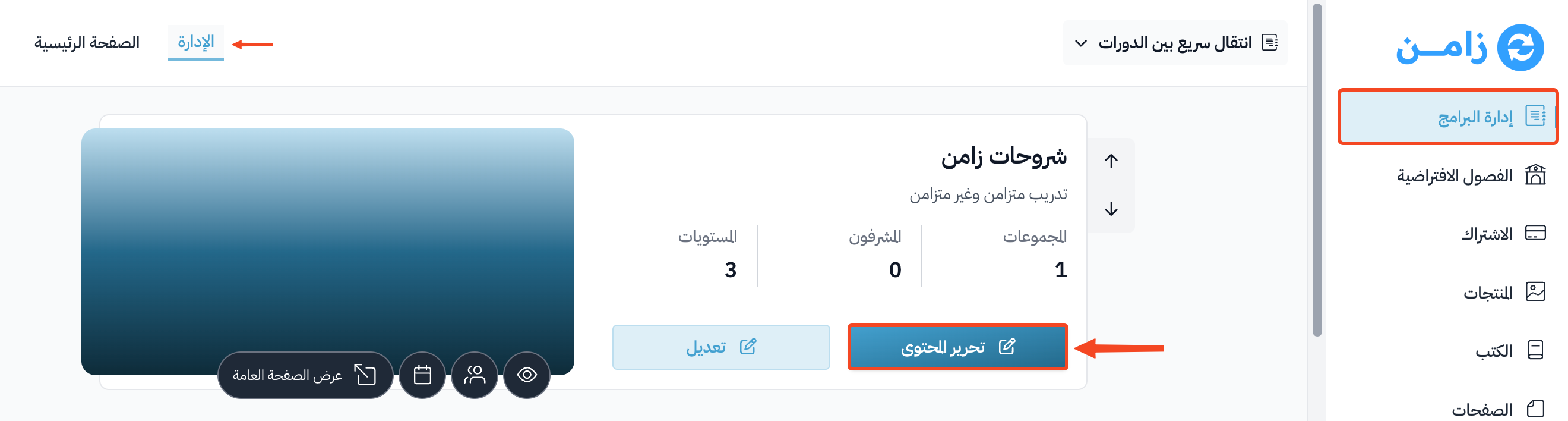
From the course content page
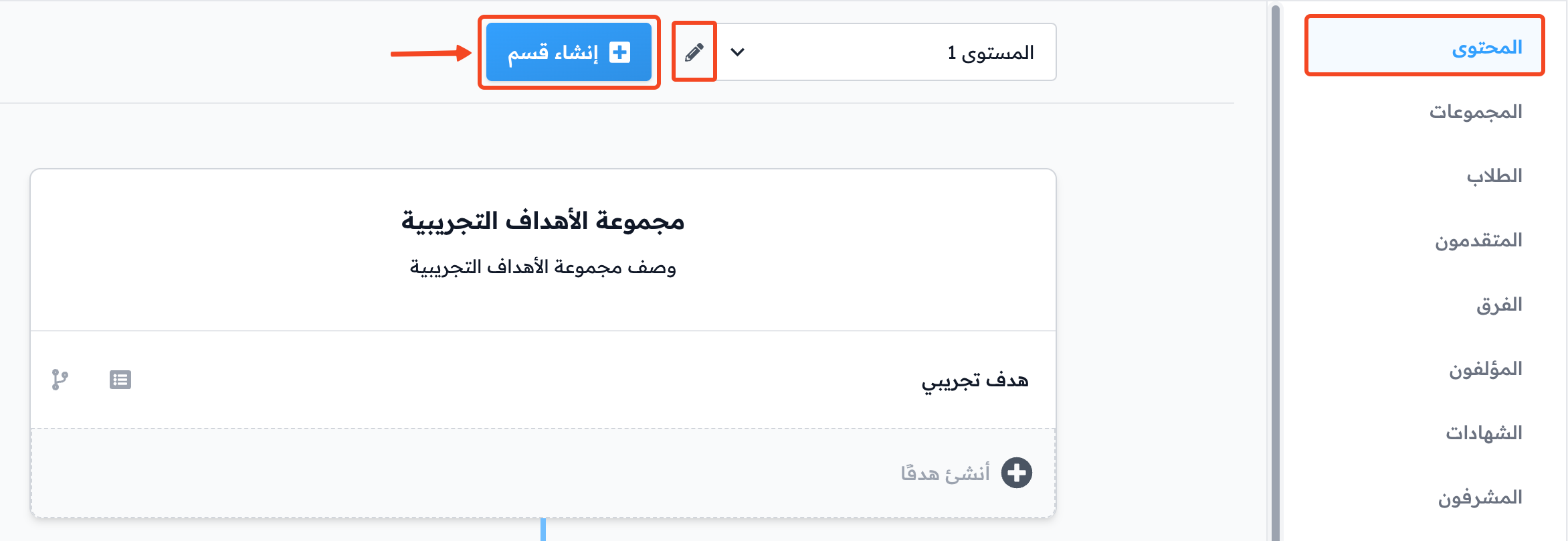
1. Sections (levels)
- Click the edit button to change the section name.
- Click Create Section to create more sections.
Note
When you create a new course, Level 1, a demo target group and a demo target are created by default. You can edit all of them.
-
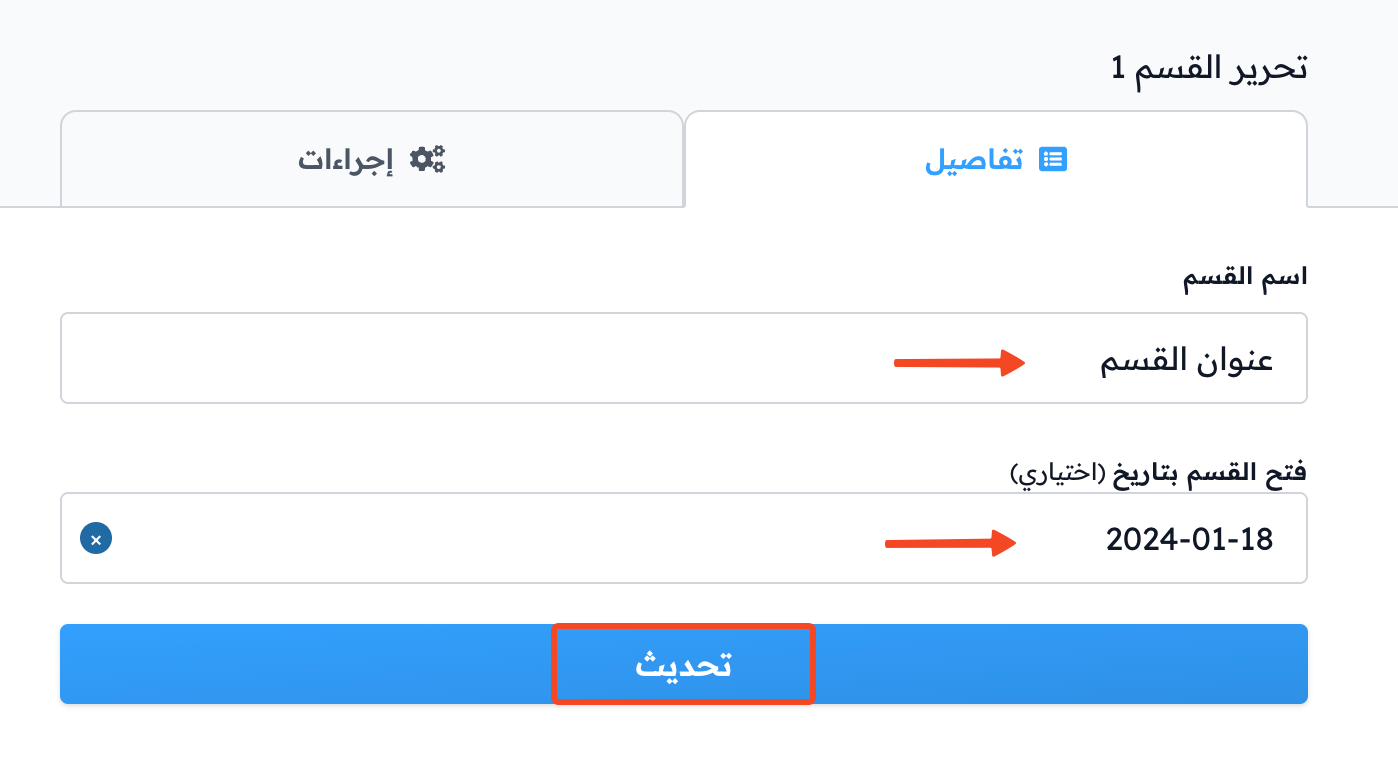
Type the Section Name.
-
You can set the date the section opens in Unlock section on.
-
Click Update or Create New Level to save.
2. Target groups
- To change the name of the default target group, click the group name.
- To create a new target group, click Create target group.
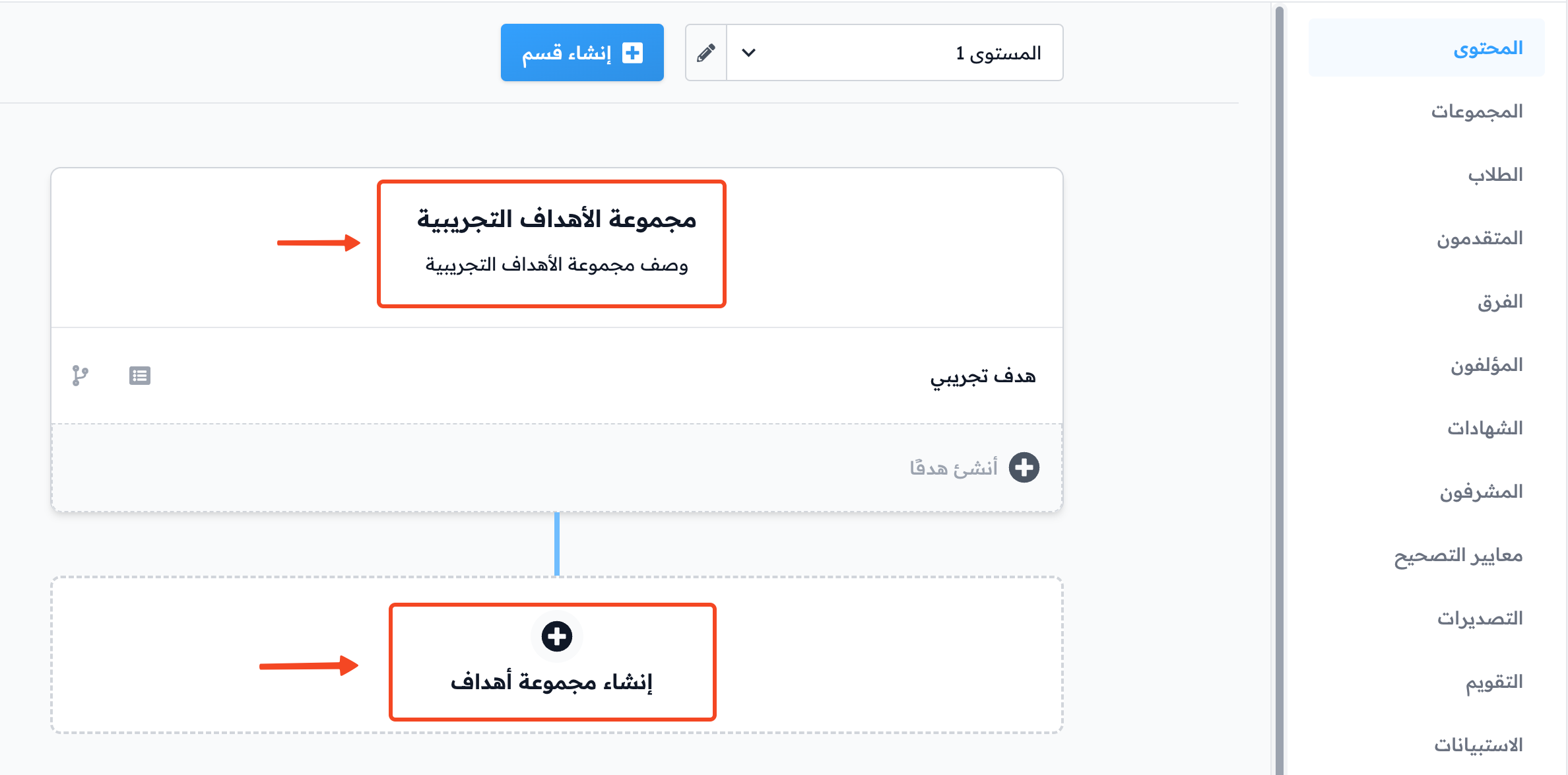
-
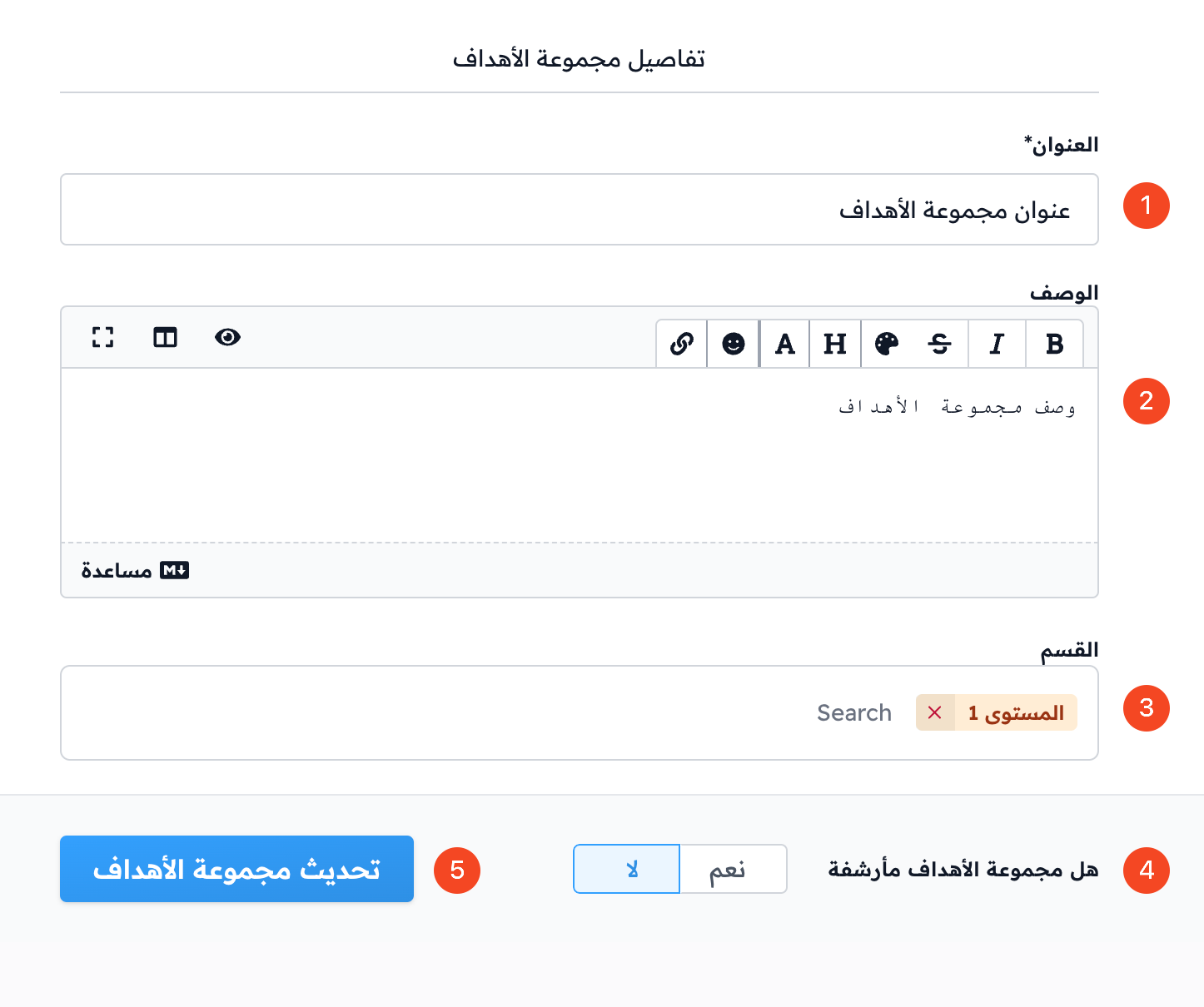
Type the target group title.
-
Type the group description (you can write getting started instructions in the first target group of the first level).
-
You can change the section the target group belongs to.
-
You can archive the target group by turning on Archived target group.
-
Click Update Target Group or Create Target Group.
3. Targets
- Click the edit button next to a target to change its content and details.
- To create a new target, type its title in the Create target field, then click Create.
- Then you can add all types of course content.