How to turn on ways to contact a coach
You can add a connect link for each coach, so students can contact them and send their questions. This article is for platform admins.
Steps to turn on contact tools
-
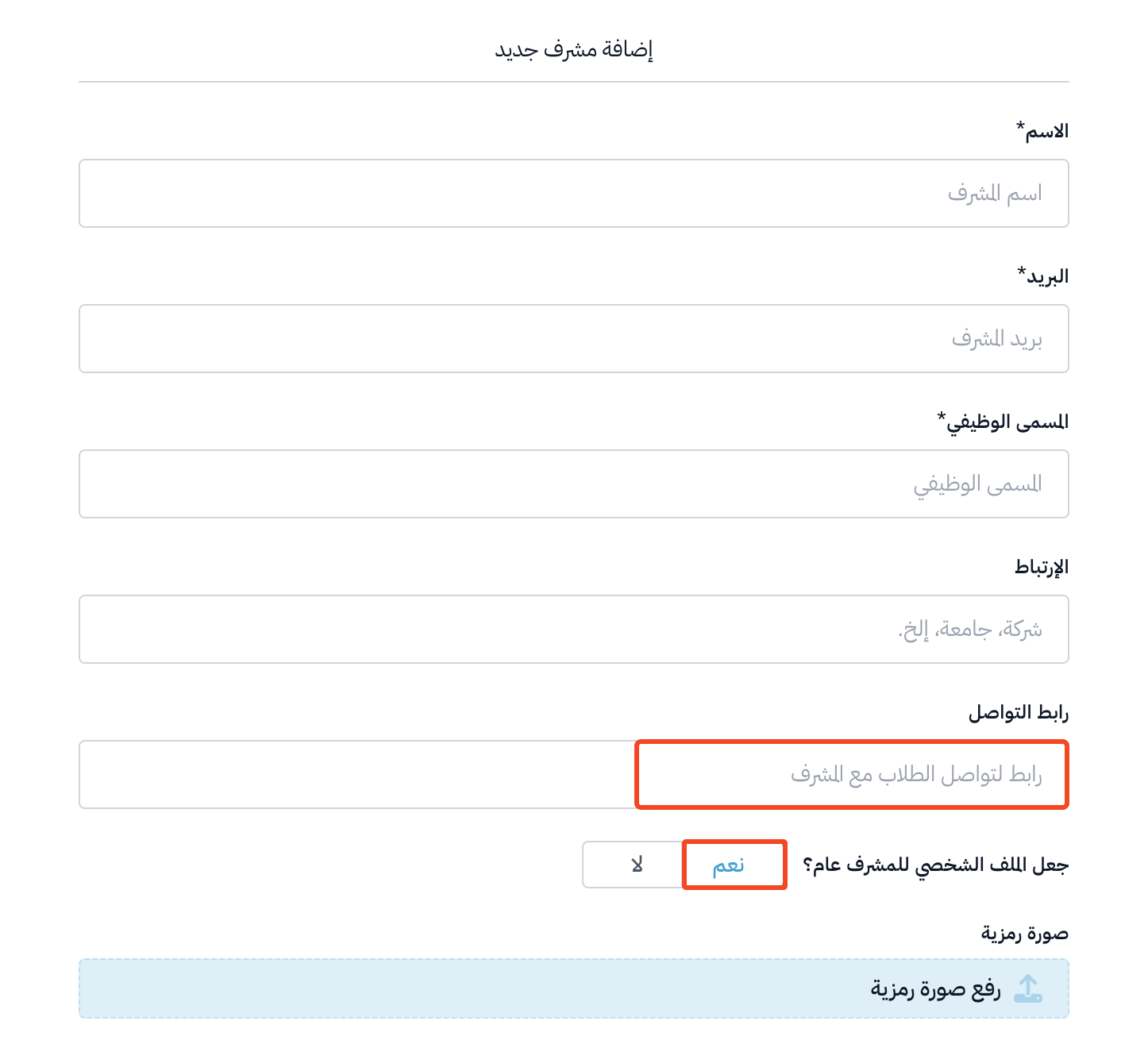
When you add a new coach, enter their contact link in the Connect Link field.
-
Turn on Public coach profile.
Note
Students see the connect link only when the coach profile is public, and the student is enrolled in a course this coach is assigned to.
How does a student contact a coach?
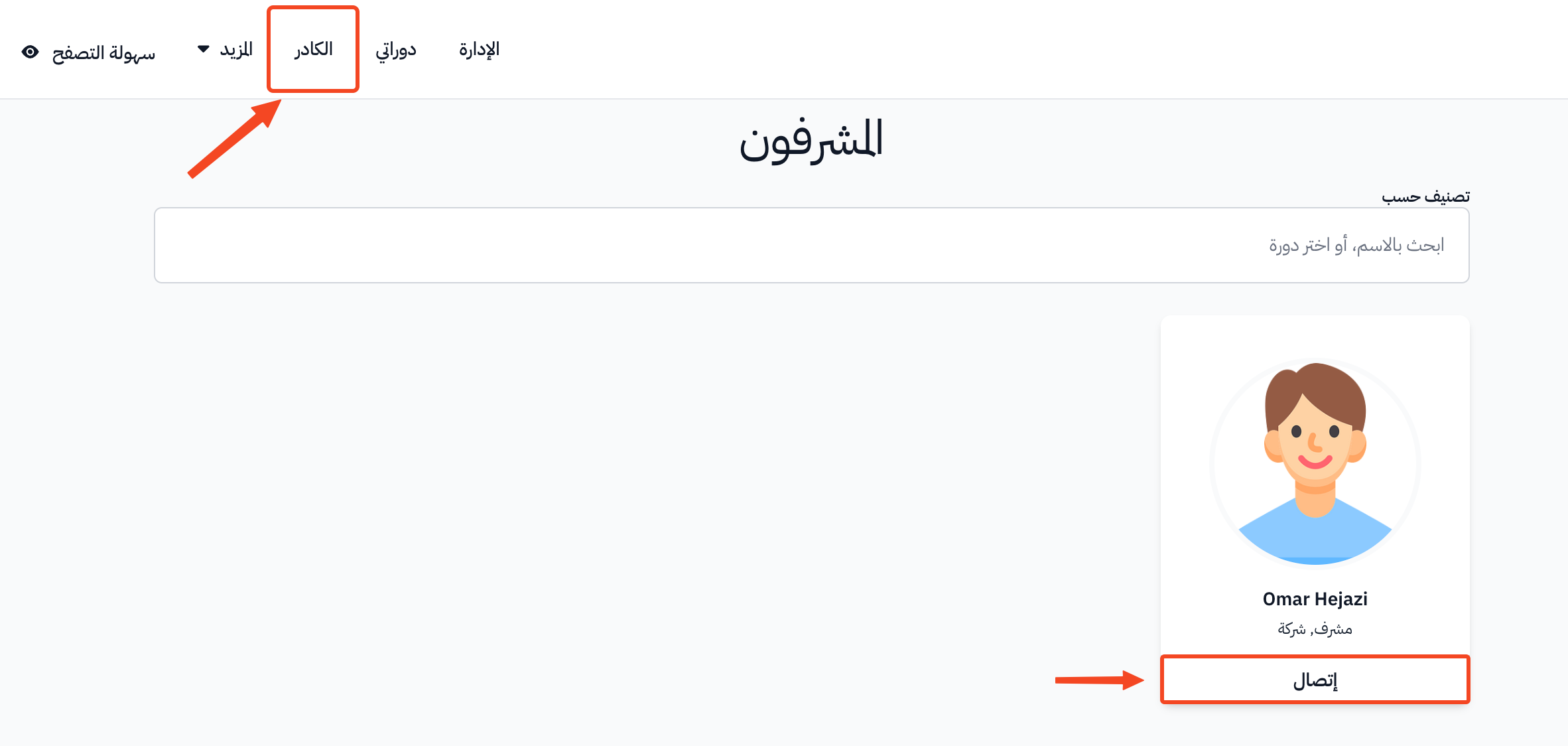
When the student clicks Coaches in the top bar of your platform, the list of coaches appears.
When they click Connect, they can contact the coach and send their questions.