Change your account language
Zamn supports Arabic and English. Any user can choose the language the platform shows to them.
Steps to change the language
-
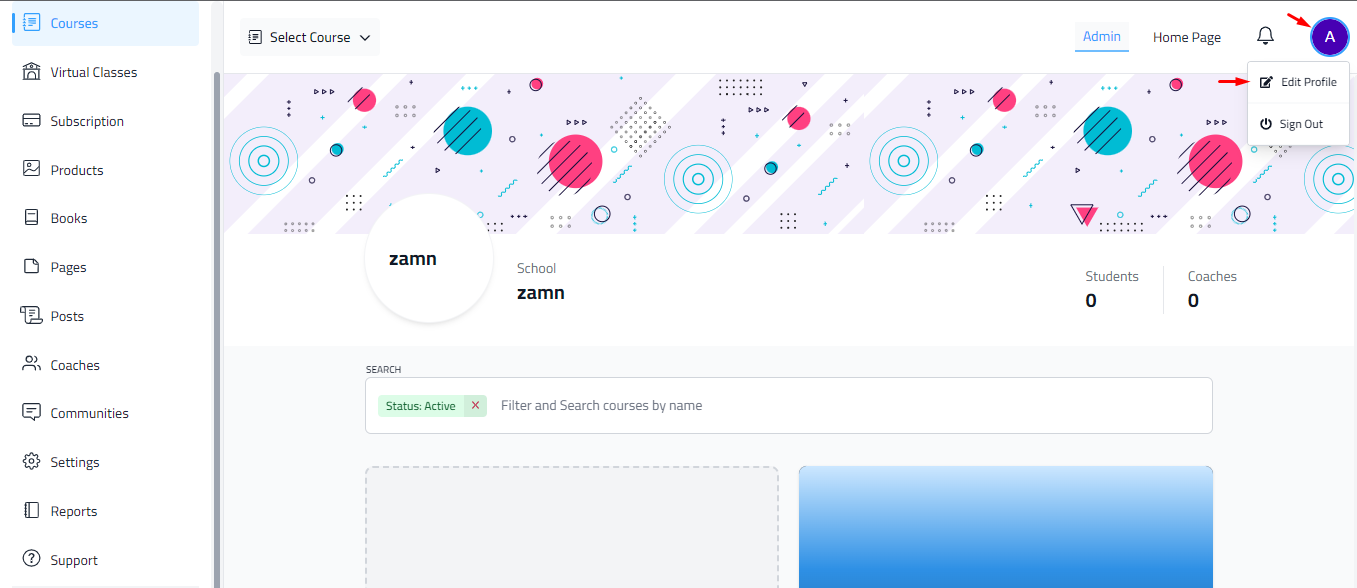
Click your profile icon.
-
Choose Edit Profile. The option has the same name on the admin pages.

-
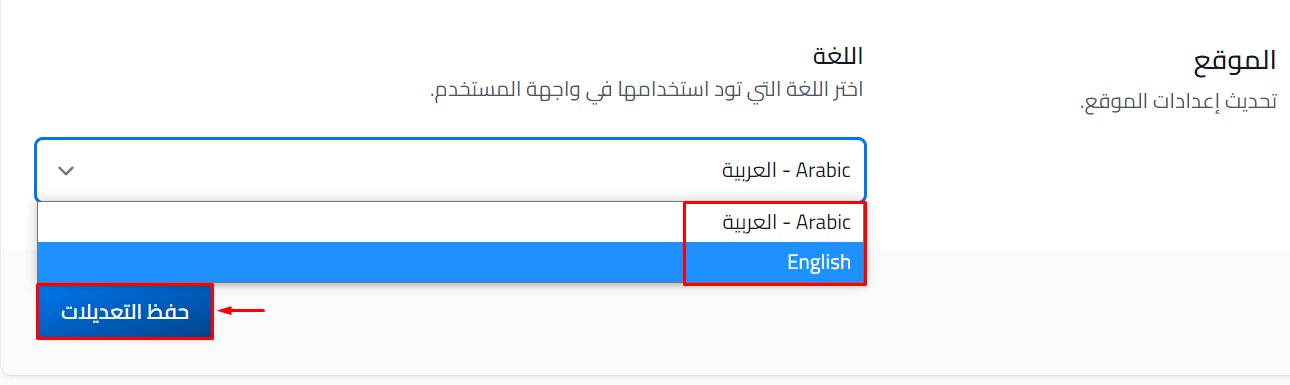
Go to the Language field at the bottom of the page.
-
Choose the language you want to use.
-
Click Save Changes.
To change the language back, click your profile icon and choose Edit Profile again.
Note
The Language option shows only if your platform is on the Pro or Organizations plan, or during the free trial.
tip
You can change the language from any page on the platform: click your profile icon, then edit your profile. On the student pages, a globe button may also show in the top bar. Click it to switch between Arabic and English quickly.