Change the platform font
You can choose the font used for the text on your platform. These steps are for the platform admin.
Steps to change the platform font
-
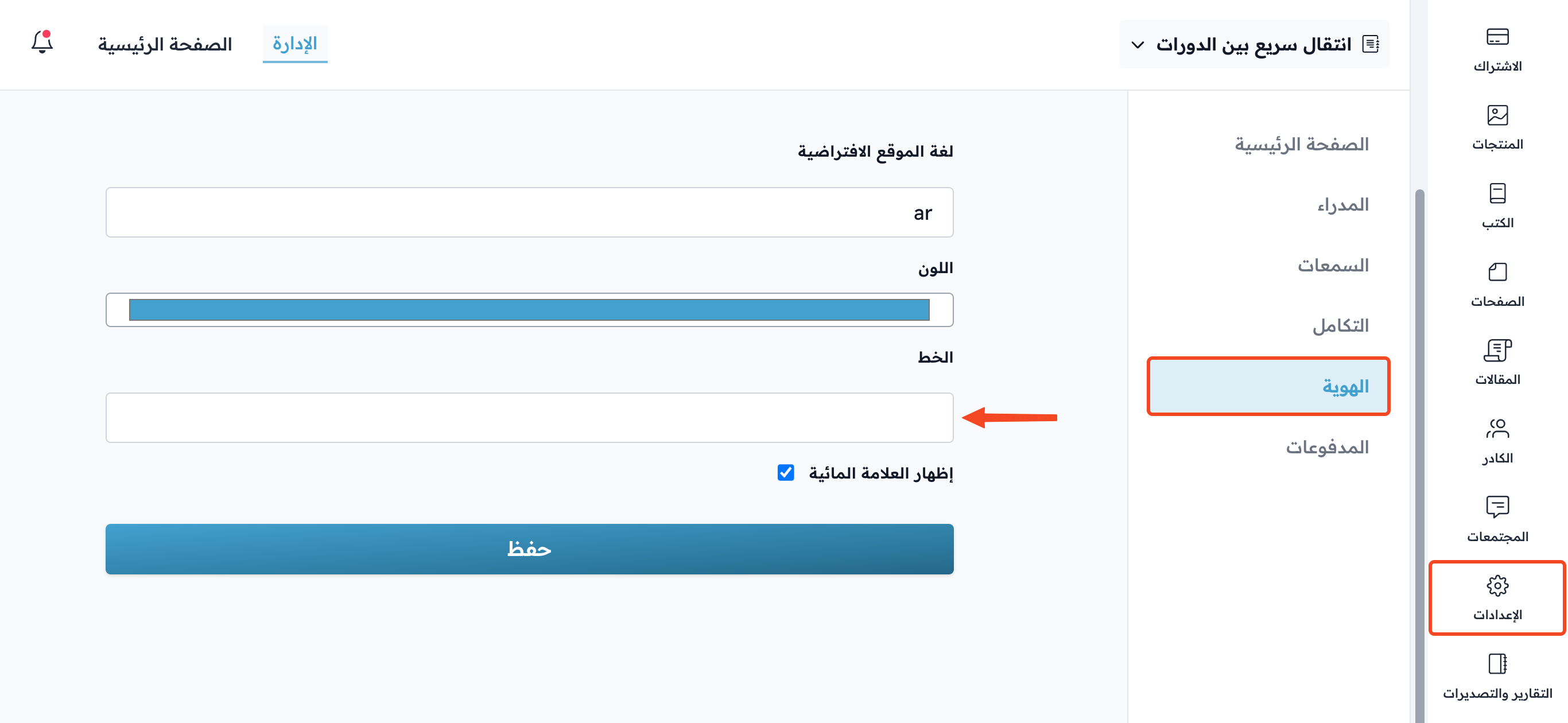
From the dashboard, click Settings, then go to the Branding page.
-
Click the Font field.
-
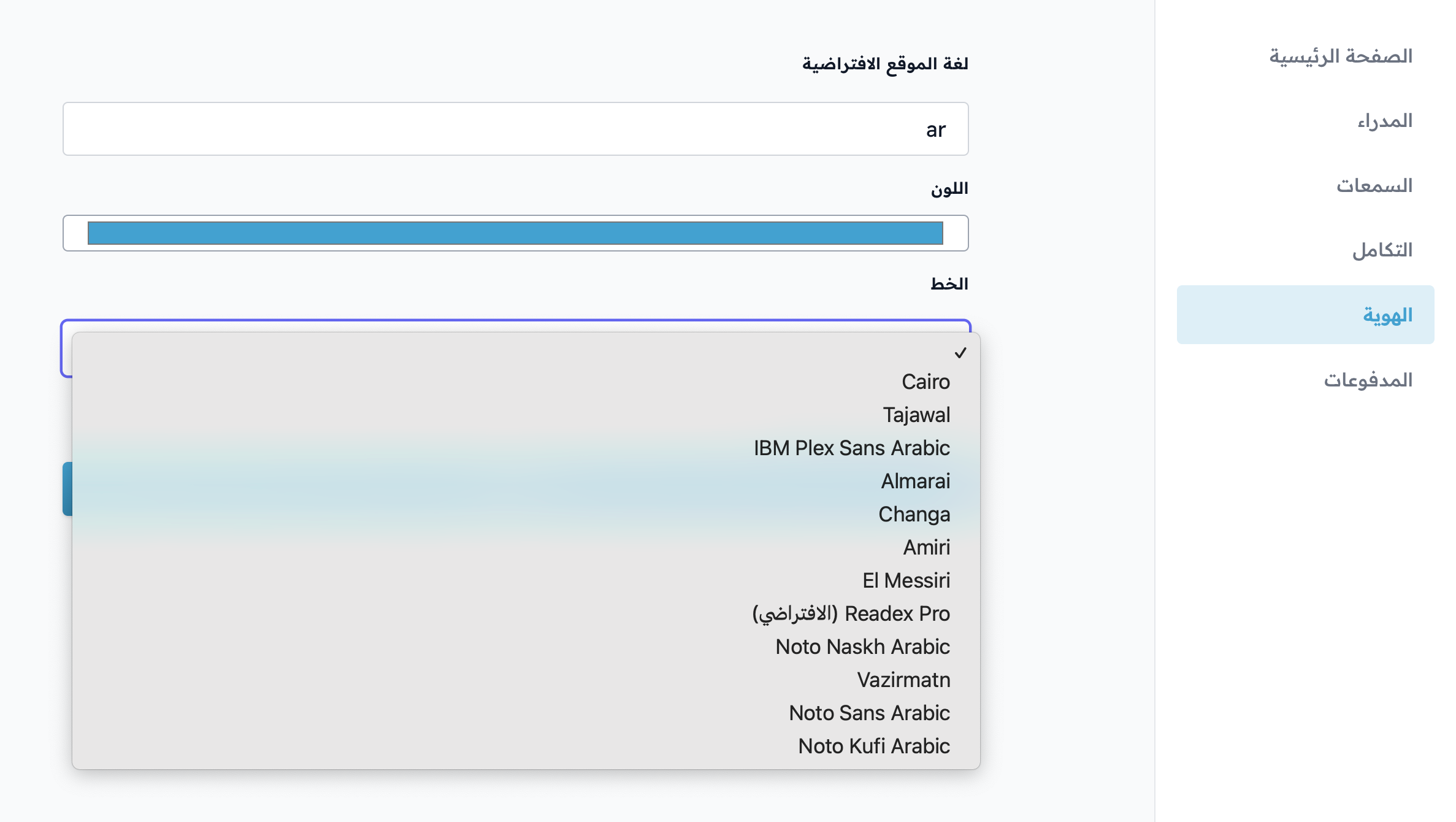
Choose the font you want from the drop-down list.
-
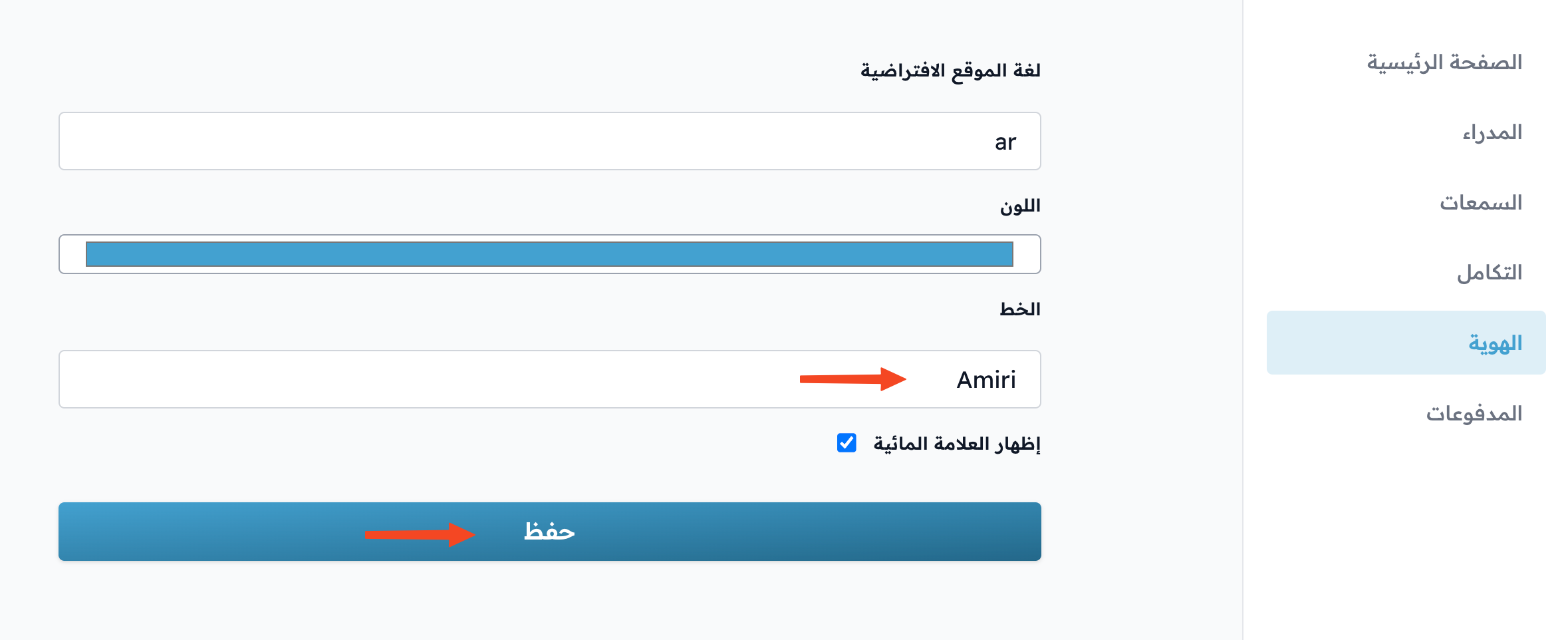
Click Save to apply the font.
Note
Changing the platform font is available only on the Growth, Pro and Organizations plans, and during the free trial.