Zamn AI features and how to access it
Zamn AI lets you manage your platform from the AI app you use, such as ChatGPT or Claude. This article explains the protocol it works with, what it can do, and how to access it.
What is the MCP protocol?
The Model Context Protocol (MCP) is an open-source system that lets AI models such as ChatGPT talk safely with the user's tools, APIs and systems. It works as a smart bridge between the model and the apps, so the model can do tasks and reach data without putting the user's security at risk.
With MCP, the model can:
- Reach the user's files or databases in an organized way.
- Use APIs to get information or run commands.
- Run custom tasks inside the user's environment without direct permissions.
This way, MCP balances the power of AI with privacy protection.
Zamn AI and its features
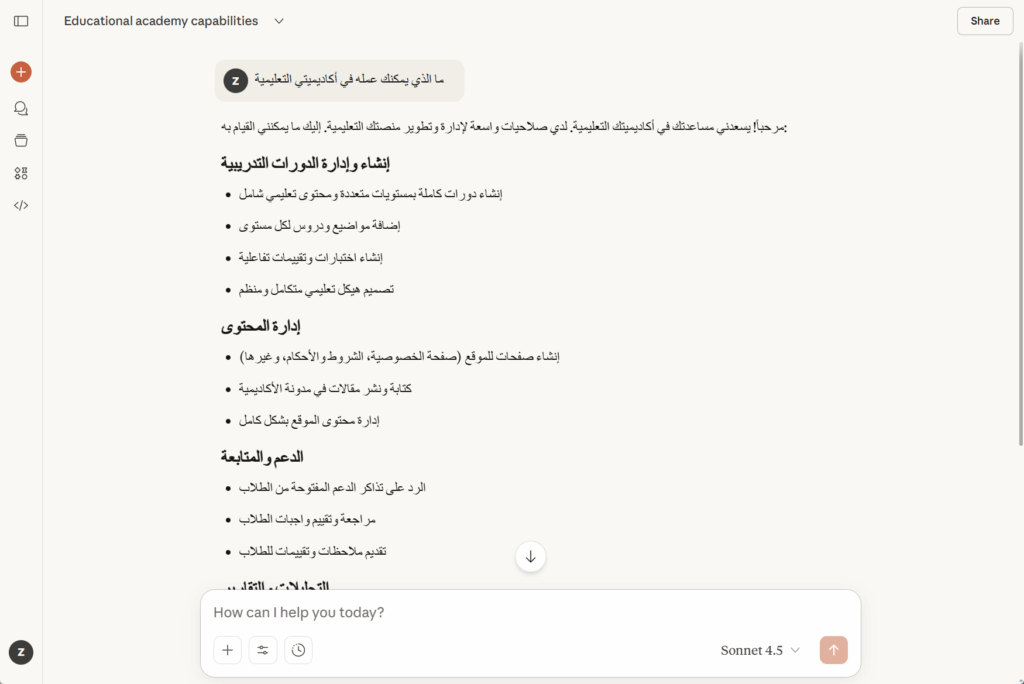
Zamn AI lets you use AI in teaching and management in new ways, including:
- Creating courses and complete training content.
- Writing clear and professional learning targets.
- Writing articles and publishing them directly on the blog.
- Smart replies to students' support tickets.
- Reviewing trainees' assignments and submissions.
- Creating website pages such as terms of use and privacy policy.
- Showing user statistics.
This system is a key step toward smarter and smoother learning, and it reflects our goal of making education management more efficient and productive.
How to access Zamn AI
- From the dashboard, click Settings, then Integrations.
- Click Zamn AI.
- Copy the AI Integration Link.
- Connect this link to the AI app you use, such as ChatGPT or Claude, by following one of the guides in the related articles.
Sign in to your platform with the admin account in the same browser you use for your AI app.