Turn on webhooks
This article shows how to turn on webhooks on your platform to connect it with other services. It is for the platform admin.
What are webhooks?
Webhooks are an advanced feature that sends the events that happen on your platform to a link you choose. This lets you connect your platform with other services, such as automation tools or outside systems.
How to set up webhooks
Webhooks are available on the Growth and Pro website plans, and during the free trial. On other plans, you see a message asking you to upgrade your plan.
-
Sign in to your platform with an admin account.
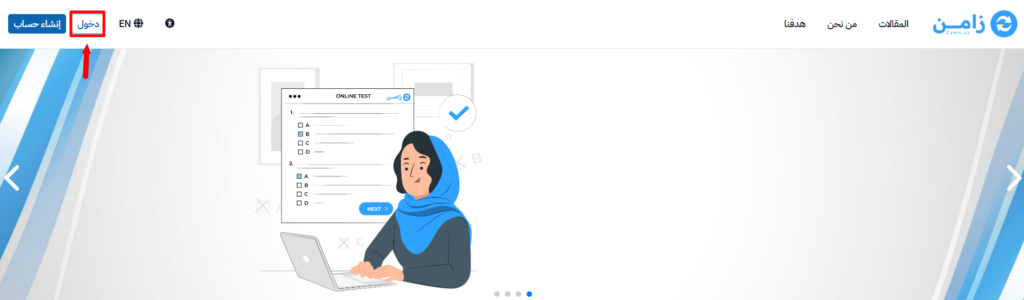
-
From the side menu, go to Settings and choose Integrations.
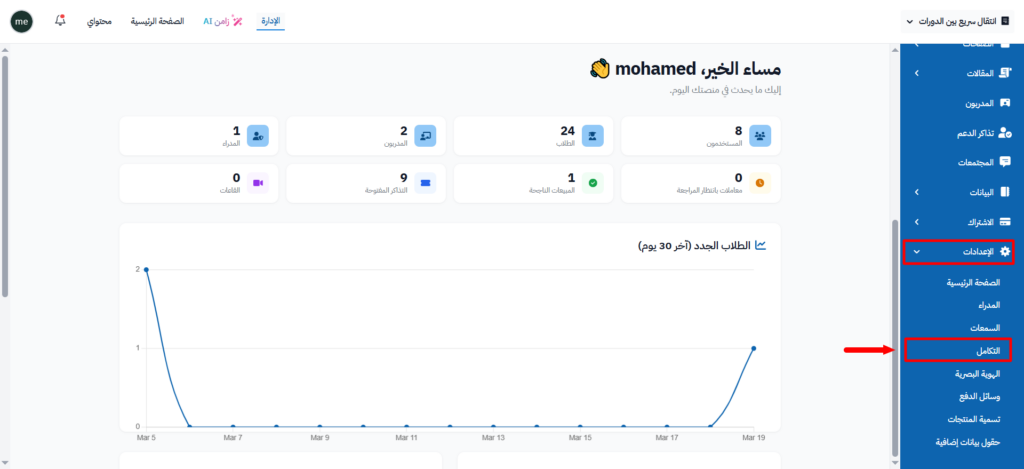
-
On the Integrations page, choose Webhooks.
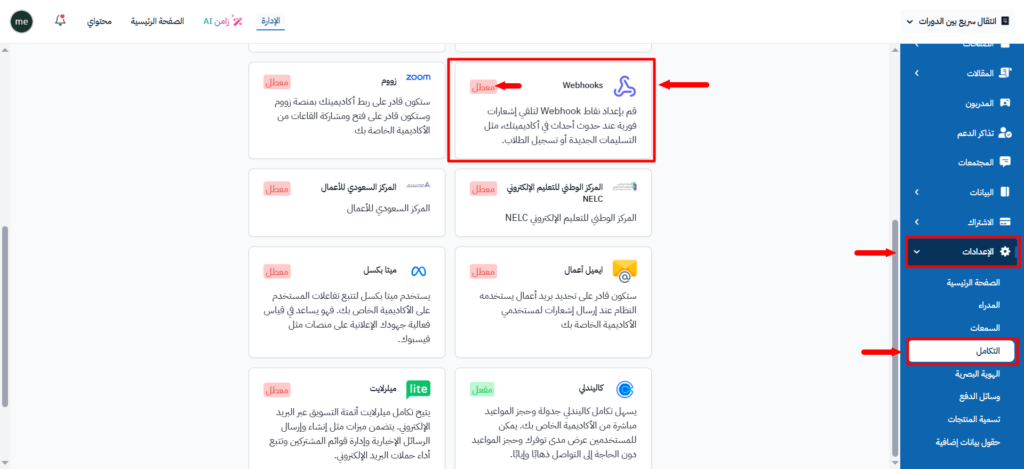
-
A side panel opens where you set up Webhooks.
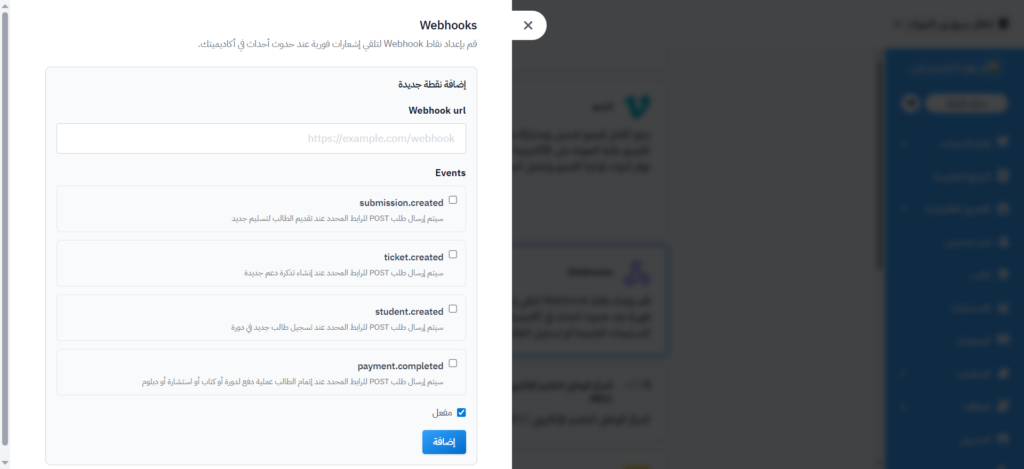
Add a new webhook
-
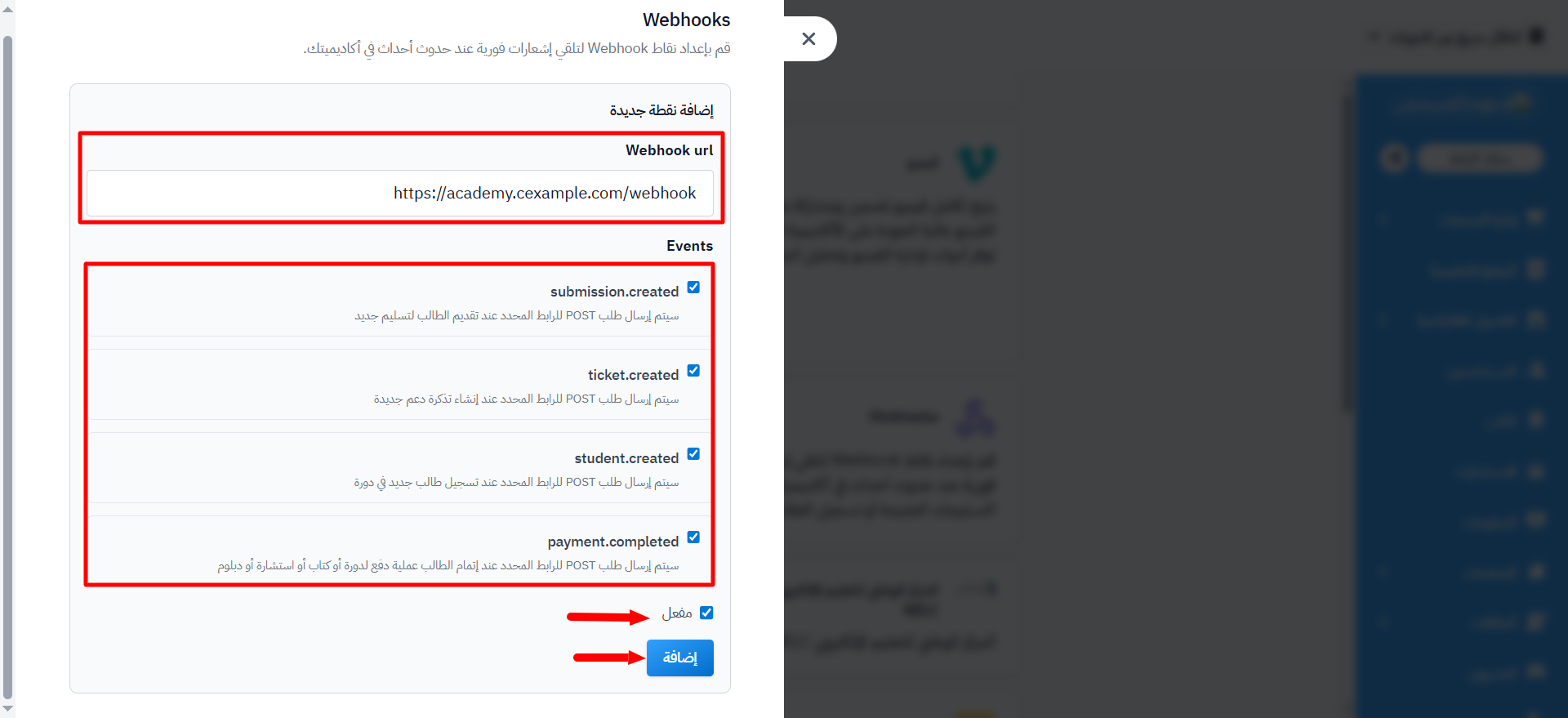
In the Webhook url field, enter the link that will receive the data, for example
https://example.com/webhook. -
Choose the Events you want to track:
submission.created: a POST request is sent when a student submits a new assignment.ticket.created: a POST request is sent when a new support ticket is created.student.created: a POST request is sent when a new student enrolls in a course.payment.completed: a POST request is sent when a student completes a payment for a course, book, consultation, or diploma.
-
Turn on Active.
-
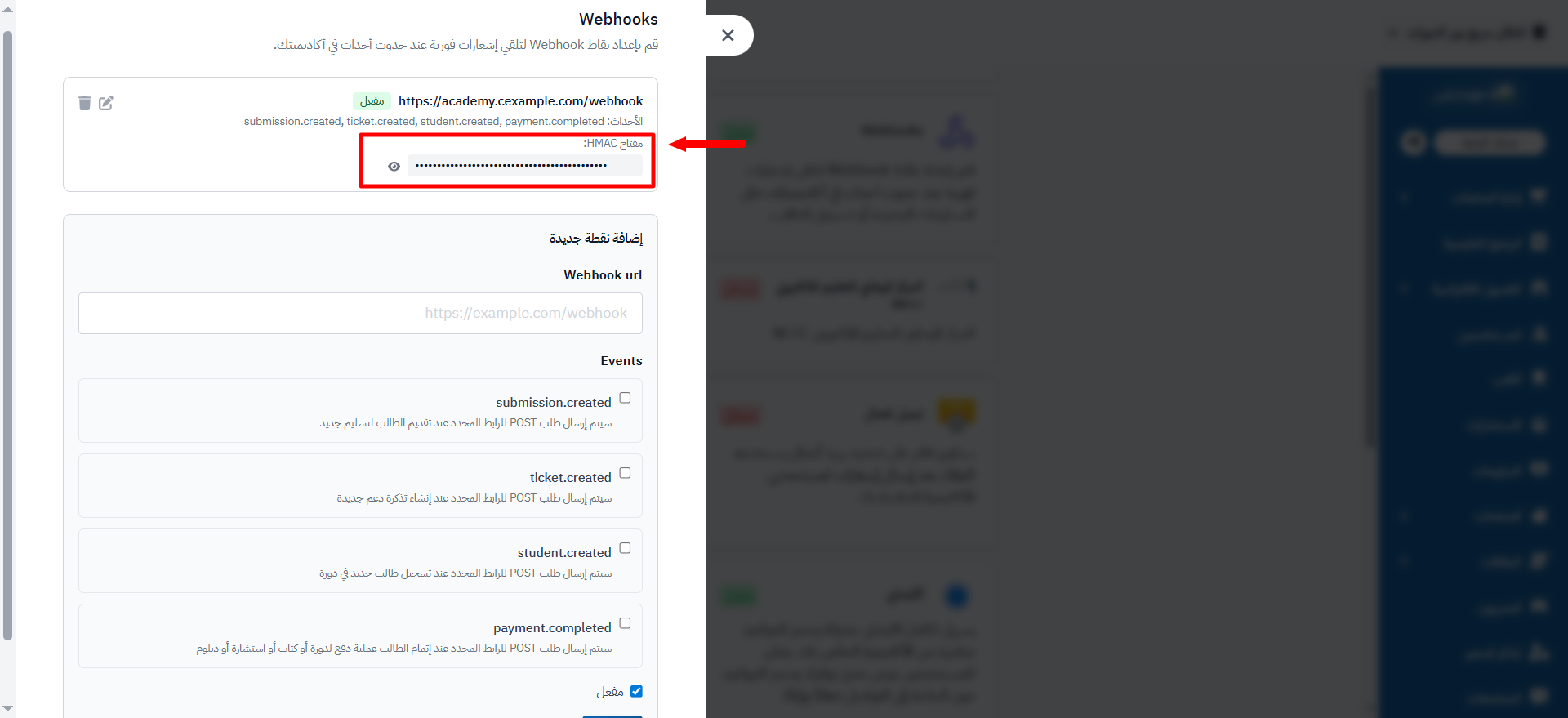
Click Add Endpoint. An HMAC key appears for you to use.
Event examples
student.created
{
  "event": "student.created",
  "timestamp": "2026-03-30T12:00:00Z",
  "data": {
    "id": 42,
    "user": {
      "id": 10,
      "name": "Ahmed Ali",
      "email": "ahmed@example.com"
    },
    "cohort": {
      "id": 3,
      "name": "Cohort 2026"
    },
    "course": {
      "id": 5,
      "name": "Web Development"
    },
    "team": {
      "id": 7,
      "name": "Team Alpha"
    },
    "tags": ["scholarship", "part-time"],
    "created_at": "2026-03-30T12:00:00.000Z"
  }
}
submission.created
{
  "event": "submission.created",
  "timestamp": "2026-03-30T12:00:00Z",
  "data": {
    "id": 101,
    "course": {
      "id": 5,
      "name": "Web Development"
    },
    "students": [42, 43],
    "created_at": "2026-03-30T12:00:00.000Z",
    "updated_at": "2026-03-30T12:00:00.000Z",
    "target_id": 20,
    "checklist": [
      {
        "kind": "longText",
        "title": "Describe your approach",
        "result": "I used a modular architecture...",
        "status": "noAnswer"
      }
    ],
    "level_number": 2,
    "target": {
      "id": 20,
      "title": "Build a REST API",
      "evaluation_criteria": [
        {
          "id": 1,
          "name": "Code Quality",
          "max_grade": 4,
          "grade_labels": ["Bad", "Okay", "Good", "Excellent"]
        }
      ]
    },
    "files": [
      {
        "filename": "solution.zip",
        "content_type": "application/zip",
        "byte_size": 204800,
        "checksum": "abc123def456...",
        "url": "https://www.example.com/rails/active_storage/blobs/..."
      }
    ],
    "evaluator": "Dr. Sarah",
    "evaluated_at": "2026-03-30T14:00:00.000Z",
    "grades": {
      "1": 3
    }
  }
}
ticket.created
{
  "event": "ticket.created",
  "timestamp": "2026-03-30T12:00:00Z",
  "data": {
    "id": 55,
    "title": "Cannot access course materials",
    "description": "I'm getting a 403 error when trying to view lessons",
    "status": "open",
    "user": {
      "id": 10,
      "name": "Ahmed Ali",
      "email": "ahmed@example.com"
    },
    "created_at": "2026-03-30T12:00:00.000Z"
  }
}
payment.completed
{
  "event": "payment.completed",
  "data": {
    "id": 1234,
    "user": {
      "id": 567,
      "name": "Ahmed",
      "email": "ahmed@example.com"
    },
    "product": {
      "id": 89,
      "type": "Course",
      "name": "Introduction to Web Development"
    },
    "price": 299.99,
    "gateway": "ZamnPay",
    "payment_method": "VISA/MASTER",
    "end_at": null,
    "subscription": null,
    "created_at": "2026-04-05T14:30:00.000Z"
  }
}
payment.completed for a recurring subscription payment
{
  "event": "payment.completed",
  "data": {
    "id": 1235,
    "user": {
      "id": 567,
      "name": "Ahmed",
      "email": "ahmed@example.com"
    },
    "product": {
      "id": 12,
      "type": "Consultation",
      "name": "Consultation Name"
    },
    "price": 150.0,
    "gateway": "ZamnPay",
    "payment_method": "MADA",
    "end_at": "2026-05-05T23:59:59.999Z",
    "subscription": {
      "id": 42,
      "status": "active"
    },
    "created_at": "2026-04-05T14:45:00.000Z"
  }
}