Connect your platform with the Tabby payment gateway
Tabby is a buy now, pay later service. It lets your customers and students buy products from your platform and split the price into 4 monthly payments, with no interest, no fees and not even late fees.
How to connect with Tabby
To connect with Tabby, contact us on Zamn Business WhatsApp, and we will set up the integration between Tabby and your platform on Zamn.
To apply, send us the following information and documents on Zamn Business WhatsApp:
- Merchant name
- Email address
- Contact number
- Website link
- Business category
- Legal company name
- National address
- Commercial registration number (with a copy attached)
- VAT number (with a copy attached)
- Signed agreement (the standard merchant pricing form is attached)
- National ID (with a copy attached)
- Bank IBAN letter, which must include the beneficiary name in English (with a copy attached)
Turn on the Tabby integration on your Zamn platform
To turn on Tabby, first make sure Zamn Pay is turned on.
After you get the integration keys from the Zamn team, follow these steps in your platform dashboard:
-
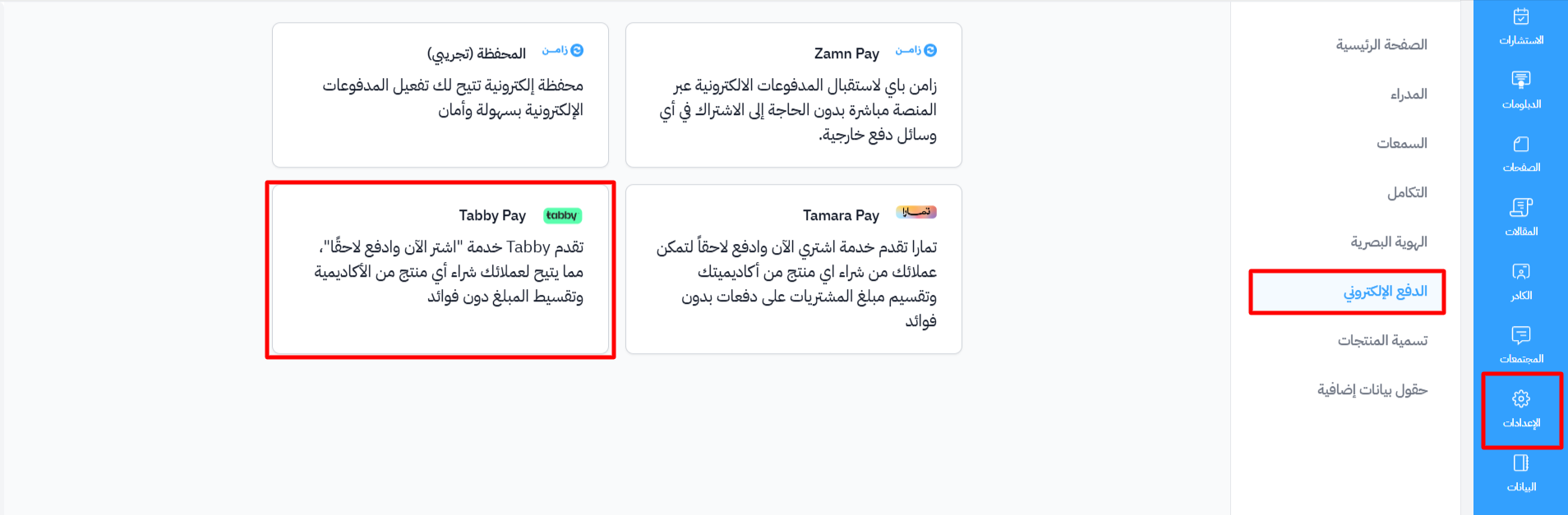
From the dashboard, choose Settings.
-
Go to the Payment Methods page.
-
Choose Tabby Pay.
-
Enter the integration keys sent to you by the Zamn team.
-
Turn on Enable Tabby, so Tabby shows to your customers at checkout.
-
Click Create to save.
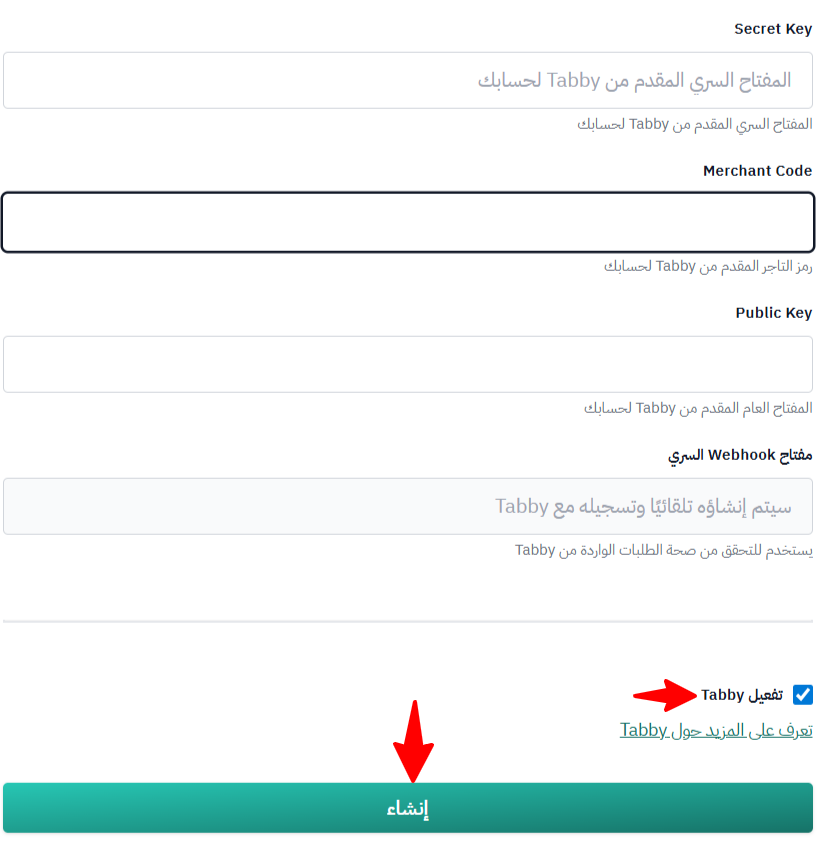
The Webhook Secret is created automatically and registered with Tabby.