Connect your platform with the Jeel Pay payment gateway
Jeel Pay is a tech platform for paying tuition fees in installments with no extra interest. It works with education providers to ease the money burden on students and their families with flexible payment options, and splits education payments into 12 easy installments.
How to connect with Jeel Pay
-
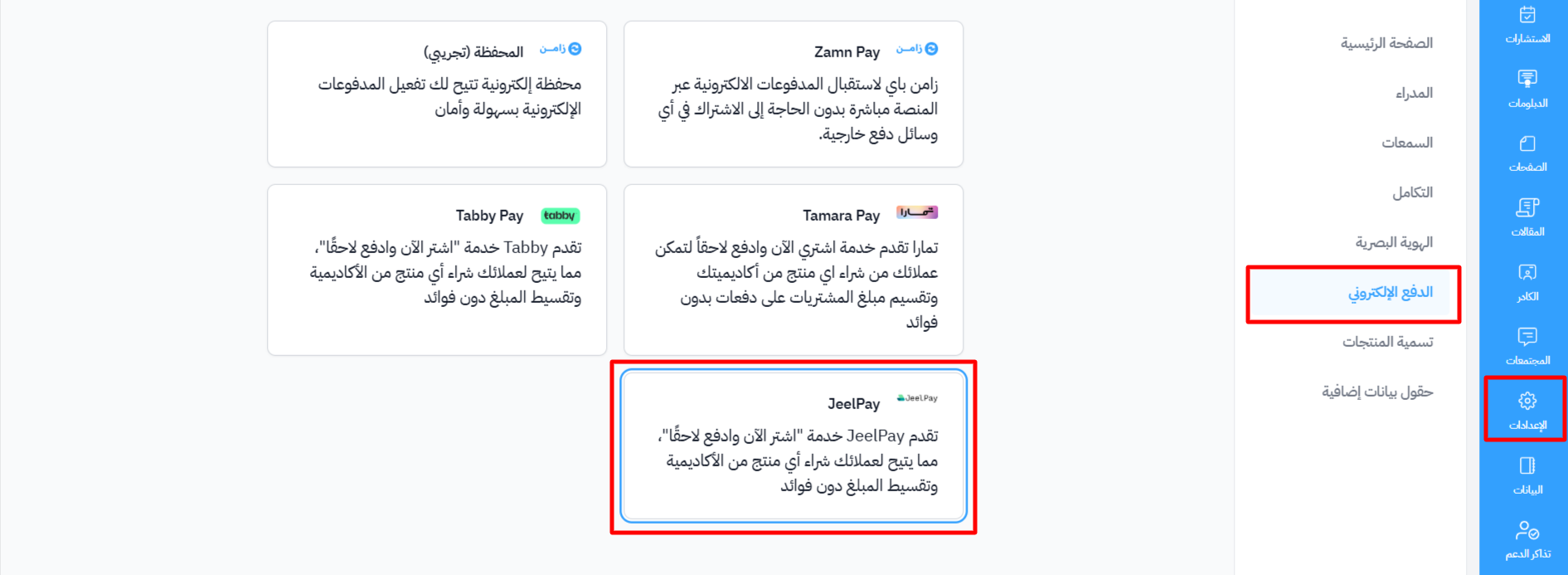
From the dashboard, choose Settings.
-
Go to the Payment Methods page.
-
Choose JeelPay.
If you do not have ready credentials
-
Turn on I don't have ready credentials.
-
Download the form from the Download Application Form link, and fill it in.
-
Enter the required information under Organization Details:
- Organization Name
- Applicant Name
- Role in Organization
- Phone Number
- Email Address
-
Attach the Required Documents in PDF, JPEG or PNG format, up to 10 MB per file:
- Application Form (the form you downloaded in step 2)
- Commercial Register
- Establishment Contract
- IBAN Certificate
- Educational License
- Signing Authority Document
- VAT Certificate
- National Address Certificate
- Withdrawal Policy
-
After you enter the details and attach the documents, click Create.
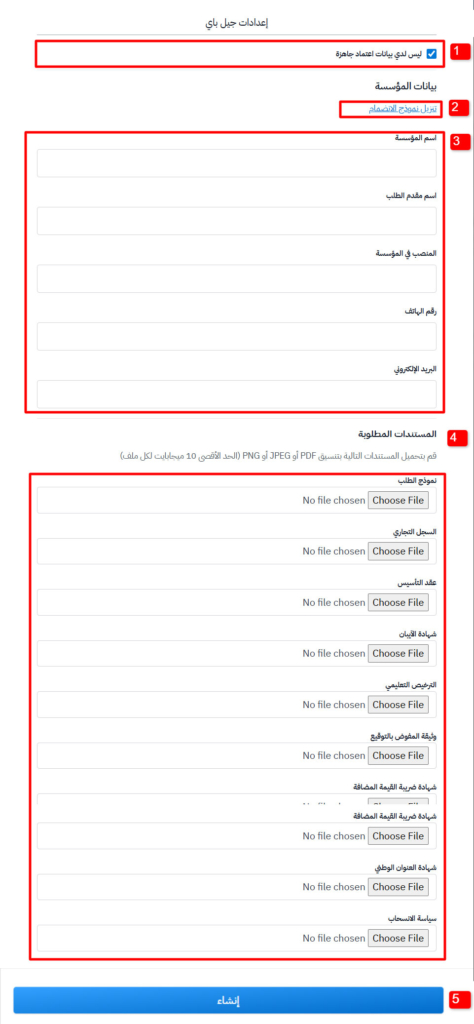
The application is sent to Jeel Pay only after you enter all the details and attach all the documents.
After you send the application, you get an email with the application reference number. When it is approved, you get the integration credentials by email. Enter them as shown in the next steps.
If you already use Jeel Pay and have your integration credentials
-
Enter your integration keys: Client ID, Client Secret and Entity ID.
-
Turn on Enable JeelPay.
-
Click Create.
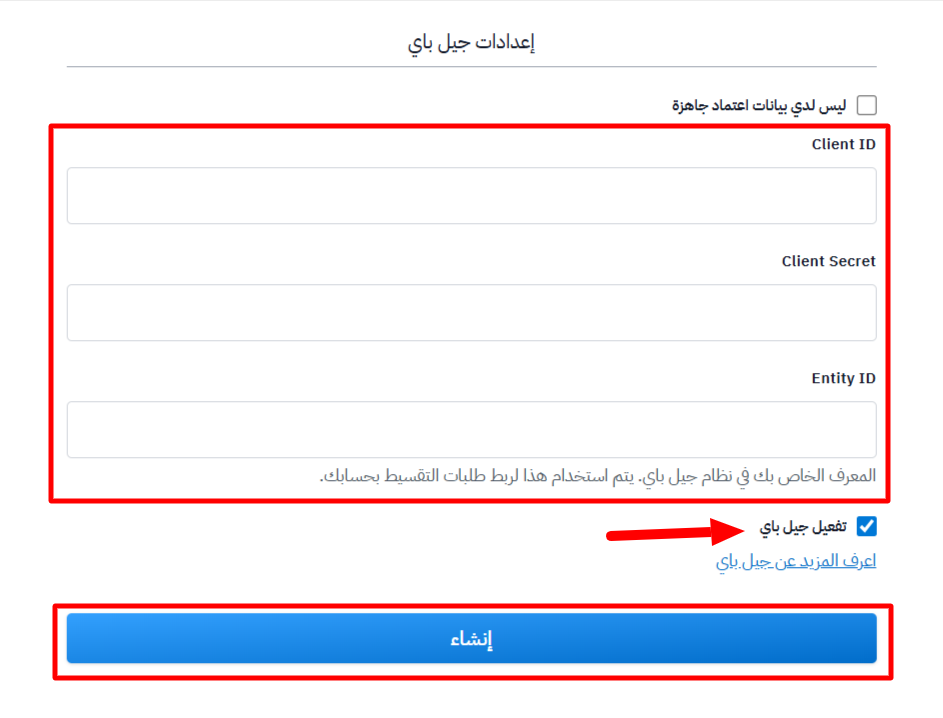
If you are changing settings you saved before, the button shows Update.