Apply for Zamn Pay
Zamn Pay lets you receive online payments for your digital products directly on your platform, with no need to sign up with any outside payment provider. These steps are for the platform owner.
How to activate digital products with Zamn Pay
-
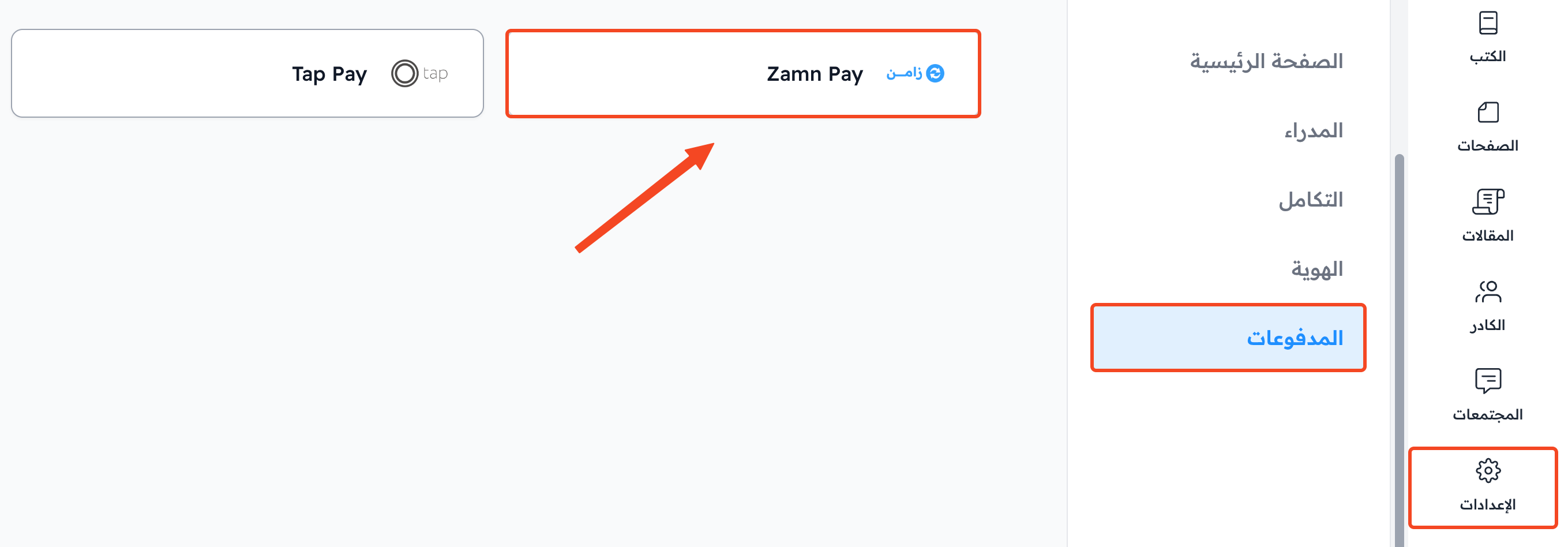
In the dashboard, open Settings, go to the Payment Methods page, and click Zamn Pay.
-
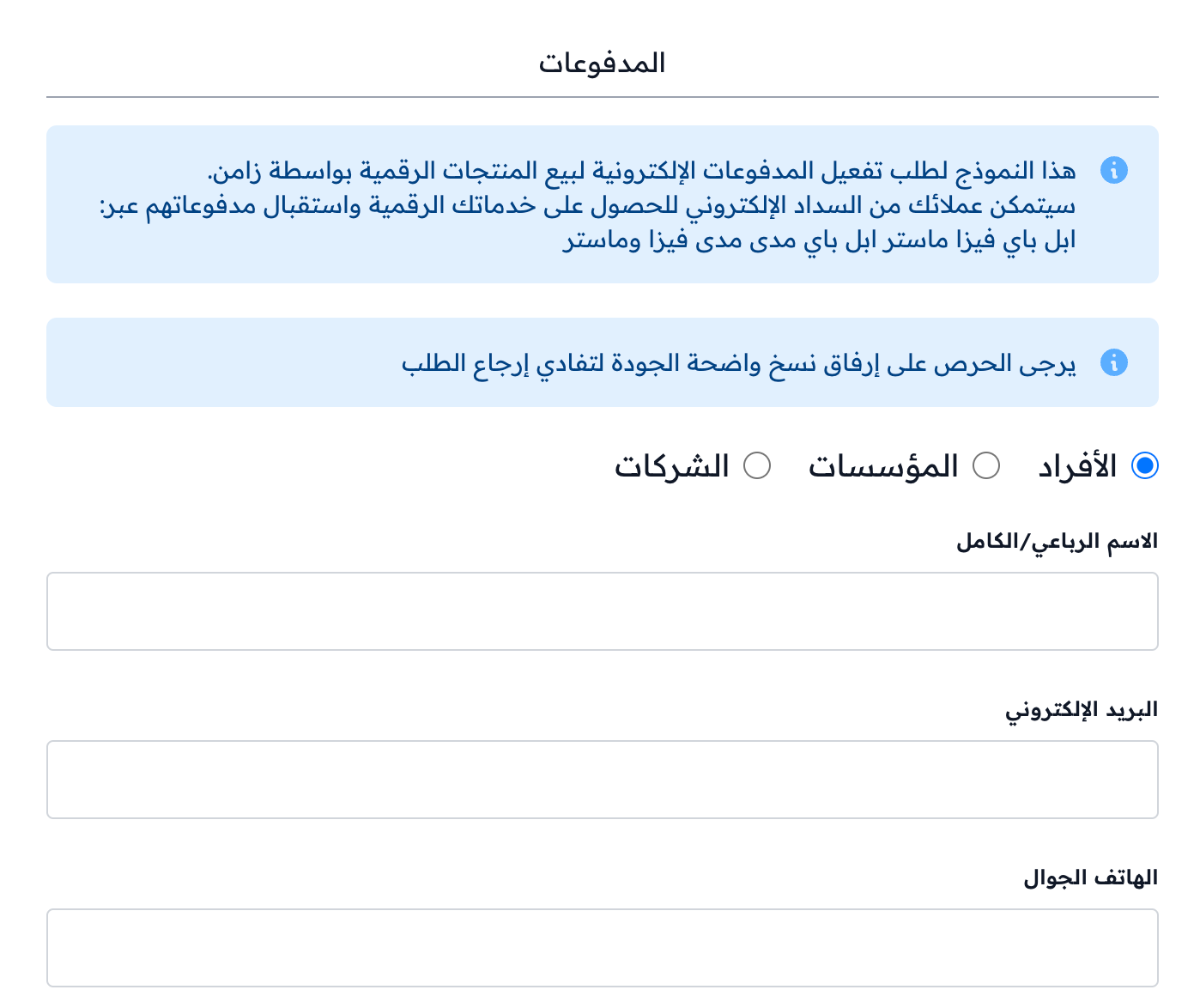
Choose the request type: Individuals, Organization or Companies. The data and files you need depend on your choice.
-
Fill in the required data.
-
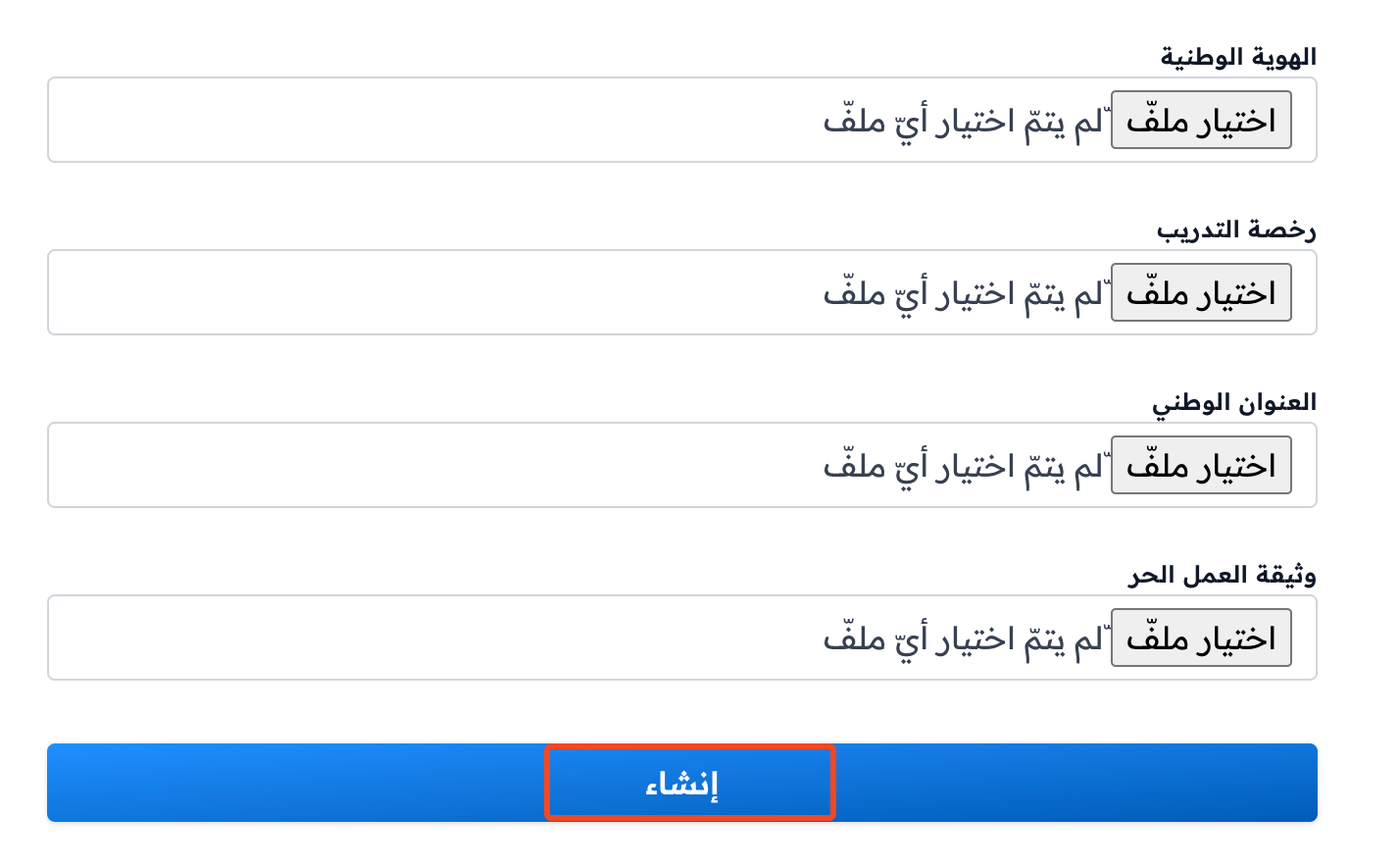
Upload the required files as clear copies. Each file must not be more than 5 MB.
-
Click Create to send the activation request.
After you send it, the Zamn team reviews your request.